
If you have ever clicked a button on a website, scrolled through a product page, or filled out a form online, you have already experienced front-end development in action. But what exactly is it, who does it, and why does it matter so much in 2026?
This guide answers all of that. Whether you are a student thinking about a career, a business owner trying to understand your website, or just a curious reader, this page will walk you through everything you need to know about front-end web development in plain, simple language.
What is Front-End Development?
Front-end development is the process of building everything a user sees and interacts with on a website or web application. When you open a website, the layout, colors, fonts, buttons, animations, and menus are all part of the front end. The person who builds and maintains all of this is called a front-end developer.
Think of a website like a restaurant. The dining area, the menu design, the lighting, the table setup that is the front end. The kitchen where the food is actually cooked is the back end. You interact with the front, but the back keeps everything running.
Frontend web development sits at the intersection of design and technology. It requires both a technical brain (to write code) and a creative eye (to make things look and feel great for users).
In simple terms, if you can see it and click it, a front-end developer built it.
Front-End vs. Back-End vs. Full-Stack: Key Differences
A lot of people are confused about these three terms. Here is a quick breakdown:
- Front-End Development deals with the user interface (UI) and user experience (UX). Front-end developers write code that runs in your web browser.
- Back-End Development deals with servers, databases, and the logic that powers the application behind the scenes. Users never directly see the back end.
- Full-Stack Development means working on both the front end and the back end. A full-stack developer can handle an entire project from start to finish.
| Role | What They Build | Tools They Use |
| Front-End Developer | UI, layout, interactivity | HTML, CSS, JavaScript |
| Back-End Developer | Server, database, APIs | Python, Node.js, SQL |
| Full-Stack Developer | Both front and back end | A mix of all the above |
For a deeper look at the technical differences, check out this guide on the difference between front-end vs backend development.
How the Browser Renders What Users See (Client-Side Explained)
When you type a web address and hit Enter, a lot happens in milliseconds. Understanding this process helps you appreciate what front-end web development actually does.
- Your browser sends a request to a server.
- The server responds with HTML, CSS, and JavaScript files.
- The browser reads the HTML to build the page structure (called the DOM — Document Object Model).
- It then applies CSS to style and position everything.
- Finally, JavaScript runs to add interactivity.
All of this happens on the client side, meaning it runs directly in your browser, not on a remote server. This is why frontend web development is also called client-side development.
Modern browsers like Chrome, Firefox, and Safari have powerful engines that process this code extremely fast. Google Chrome's V8 engine, for example, compiles JavaScript into machine code to speed up execution significantly.
Recommended Professional Certificates
Full Stack Development Course with AI Engineering
WordPress Bootcamp
Core Technologies Used in Front-End Development
Every front end developer works with three core technologies. These are the building blocks of the entire web.
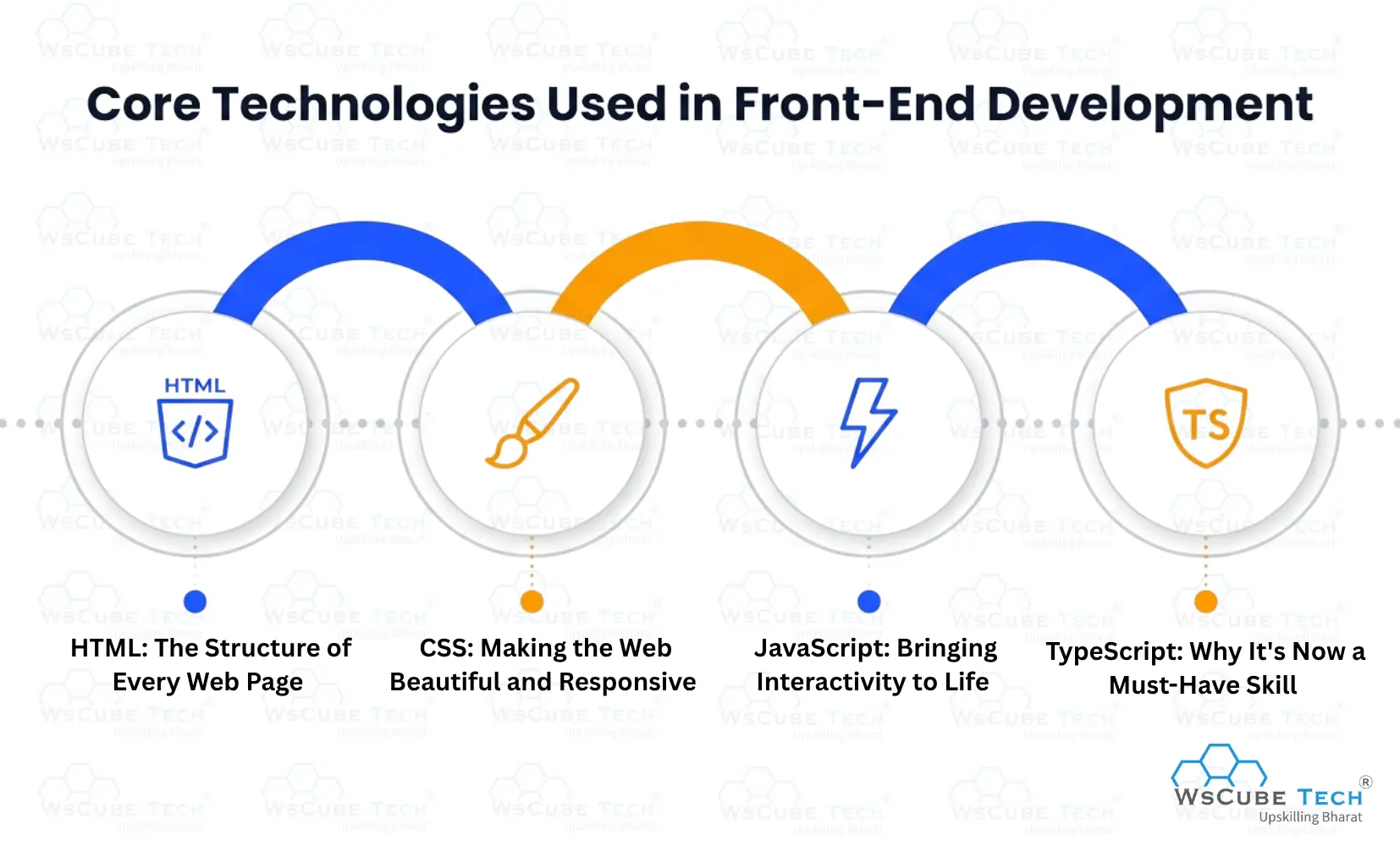
1. HTML: The Structure of Every Web Page
HTML stands for HyperText Markup Language. It is not a programming language — it is a markup language, meaning it describes the structure of content.
HTML tells the browser: "This is a heading. This is a paragraph. This is an image. This is a link." Every web page you have ever visited is built on HTML at its core.
The latest version, HTML5, introduced powerful features like native video embedding, semantic elements (like <header>, <footer>, <article>), and better accessibility support.
Now, the main question that arises is What is front-end web design without HTML? It simply does not exist. HTML is the skeleton of every web page.
2. CSS: Making the Web Beautiful and Responsive
CSS stands for Cascading Style Sheets. It controls how HTML elements look — colors, fonts, spacing, layouts, animations, and more.
Without CSS, every website would have plain black text on a white background. CSS is what gives websites their visual identity.
Modern CSS includes powerful tools like Flexbox and CSS Grid, which make it much easier to build complex, responsive layouts. CSS animations and transitions allow developers to add smooth motion without JavaScript.
CSS preprocessors like SASS and LESS extend CSS with variables, nesting, and functions, making stylesheets easier to maintain in large projects.
3. JavaScript: Bringing Interactivity to Life
JavaScript is a programming language on the web. It makes things happen dynamically — without needing a page to reload. Think of a real-time search suggestion as you type, a modal window that pops up, or an image gallery that responds to swipes.
All of that is JavaScript. It is the most widely used language in the world for web development. JavaScript can also run on the server side through Node.js, but its primary home is the browser.
4. TypeScript: Why It's Now a Must-Have Skill
TypeScript is JavaScript with added type safety. It was created by Microsoft and has grown explosively over the past few years.
The main advantage of TypeScript is that it catches errors before your code even runs. In large projects with multiple developers, this prevents a huge number of bugs and makes code much easier to understand and maintain.
Most major frameworks and companies now use TypeScript by default. If you are learning front-end website development today, learning TypeScript is no longer optional as expected.
Front-End Frameworks & Libraries
Writing everything from scratch in plain HTML, CSS, and JavaScript would take forever. That is why developers use frameworks and libraries for pre-built collections of code that speed up development.
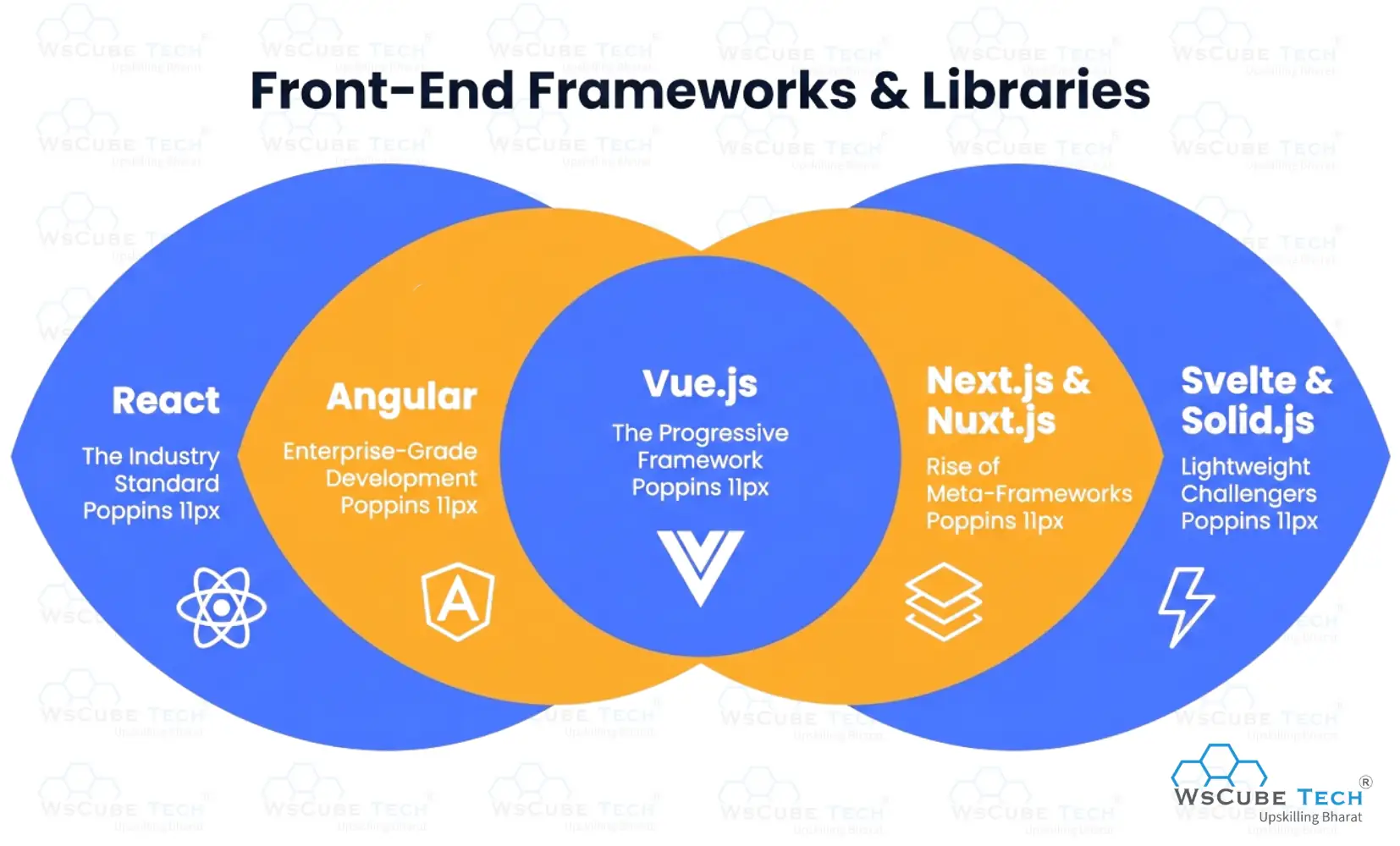
1. React: The Industry Standard
React was created by Meta (Facebook) and released in 2013. Today, it is the most popular front-end development library in the world.
According to the Stack Overflow Developer Survey 2025, React is used by 44.7% of all professional developers, making it far ahead of any other front-end framework. React also holds approximately a 69.7% share of the JavaScript frameworks market, running over 5.2 million active domains worldwide.
Major companies like Netflix, Airbnb, Instagram, and PayPal all use React. One of its biggest strengths is its component-based architecture, which lets developers build reusable UI pieces, reducing development time significantly.
React 19, released in late 2024, introduced the React Compiler, a tool that automatically optimizes performance, removing the need to manually tune rendering.
2. Angular: Enterprise-Grade Development
Angular is a full-fledged front-end framework built and maintained by Google. Unlike React (which is a library focused on the UI layer), Angular is an opinionated framework that comes with built-in solutions for routing, forms, HTTP requests, and more.
According to the Stack Overflow Developer Survey 2025, Angular has about 18.2% developer usage. It is particularly popular in enterprise environments; large companies like IBM, Microsoft, and Google themselves rely on it.
Angular uses TypeScript by default, which makes large codebases easier to manage. If you are building a big, complex web application and need consistency and structure across a large team, Angular is a strong choice.
3. Vue.js: The Progressive Framework
Vue.js was created by Evan You, a former Google engineer, in 2014. It is often described as the "progressive framework" because you can adopt as little or as much of it as you need.
Vue holds about 17.6% of developer usage according to recent surveys and consistently ranks among the highest in developer satisfaction. Its documentation is widely praised as some of the best in the industry.
Vue is especially popular in Asia and Europe, as well as among startups and teams that want fast iteration. Nuxt.js, the meta-framework built on top of Vue, powers many production-grade websites.
4. Next.js and Nuxt.js: The Rise of Meta-Frameworks
Next.js (built on React) and Nuxt.js (built on Vue) are meta-frameworks that add extra capabilities on top of the base library.
Next.js has seen explosive growth. It jumped from the 11th most-used web framework in 2022 to the 4th most-used by 2026. It supports server-side rendering (SSR), static site generation (SSG), and the newer React Server Components, making it one of the most powerful tools available for production of front-end web development today.
If you are building a website that needs great SEO, fast load times, and flexibility between static and dynamic content, Next.js is often the go-to choice.
5. Svelte and Solid.js: Lightweight Challengers
Svelte takes a fundamentally different approach to front-end development. Instead of using a virtual DOM (like React), Svelte compiles your code into plain JavaScript at build time. The result is extremely fast, lightweight applications with very little boilerplate code.
Svelte consistently earns one of the highest satisfaction ratings in developer surveys around 90% though its overall usage is still small (about 7.2%). Solid.js follows a similar philosophy and is also growing rapidly among performance-focused developers.
These frameworks are especially interesting for developers who want to ship smaller, faster web apps without the overhead of larger frameworks.
Upcoming Masterclass
Attend our live classes led by experienced and desiccated instructors of Wscube Tech.





Essential Tools Every Front-End Developer Uses
Knowing languages is only part of the job. Front-end developers also rely on a set of tools that help them work efficiently, collaborate with teams, and deliver high-quality products.
1. Version Control with Git and GitHub
Git is a version control system that tracks every change you make to your code. GitHub is a platform where developers store and share Git repositories.
Almost every professional development team in the world uses Git. It allows multiple developers to work on the same codebase without stepping on each other's changes. If something breaks, you can always roll back to an earlier version.
For anyone getting into frontend web development, learning Git is one of the most important non-coding skills you can develop.
2. Package Managers: npm, Yarn, and pnpm
Modern front-end development relies on thousands of open-source packages with pre-written pieces of code that handle common tasks. Package managers help you install, update, and manage these dependencies.
- npm (Node Package Manager) is the default and most widely used.
- Yarn was created by Meta to solve some of npm's early performance issues.
- pnpm is a newer, faster alternative that is gaining traction for its efficiency.
3. Build Tools: Webpack, Vite, and Parcel
When you write code in modern JavaScript with modules, frameworks, and TypeScript, a build tool takes all of that and bundles it into files the browser can actually understand.
Vite has quickly become my favorite place in this space. It uses a modern approach (native ES modules) that makes development extremely fast near-instant updates as you save your code. Webpack is the older, battle-tested option still used in many large projects, while Parcel offers a zero-config approach great for smaller projects.
4. Browser DevTools: A Developer's Best Friend
Every modern browser comes with built-in developer tools. In Chrome, pressing F12 opens a panel that lets you inspect HTML and CSS, run JavaScript, analyze network requests, measure performance, and debug errors.
No front-end developer works without them. Browser DevTools is the first place you check when something looks wrong on a web page.
5. Design-to-Code Workflow: Figma Integration
Figma is the leading design tool used by UI/UX designers to create visual mockups of websites and apps. Front-end developers receive these designs and turn them into working code.
Being comfortable reading Figma designs, understanding spacing, typography, and layout systems, and translating them accurately into HTML and CSS is an essential skill in modern front-end website development.
Many tools now let developers export CSS code directly from Figma, and AI-powered plugins are making this process even faster.
Responsive Web Design: Building for Every Device
In 2026, people browse the web on phones, tablets, laptops, desktops, smart TVs, and even watches. A website that looks great on a large monitor but breaks on a mobile screen is a failed website.
Responsive web design is the practice of building websites that automatically adapt their layout and appearance to fit any screen size.
1. Mobile-First vs. Desktop-First Design Strategy
There are two main approaches to responsive design:
- Mobile-First means you design and code for the smallest screen size first, then progressively add styles for larger screens. This is now the recommended approach because mobile traffic accounts for more than half of all global web traffic.
- Desktop-First means starting with the large screen and then adapting down to mobile. This was the traditional approach but can sometimes lead to heavier, slower mobile experiences.
Google prioritizes mobile-friendly websites in search rankings, so mobile-first is not just a design preference it is an SEO requirement.
2. CSS Media Queries, Breakpoints, and Flexible Grids
Media queries are CSS rules that apply different styles based on the screen size. For example: "If the screen is smaller than 768px, stack these columns vertically."
Breakpoints are the specific screen widths at which your layout changes. Common breakpoints target phones (under 576px), tablets (576–992px), and desktops (above 992px).
CSS Grid and Flexbox make it much easier to build flexible, responsive layouts without relying on complicated float-based systems of the past.
3. Fluid Images and the Picture Element
Images that are fixed in pixel size will overflow their containers on small screens. Fluid images scale proportionally to the screen.
The HTML <picture> element takes this further by letting developers serve different image files for different screen sizes, a small, compressed image on mobile and a high-resolution one on desktop. This improves both appearance and loading speed.
4. Bootstrap vs. Tailwind CSS for Responsive Design
Two CSS frameworks dominate the responsive design conversation:
- Bootstrap is the older, component-based framework. It gives you pre-styled components (buttons, navigation bars, cards) that you can drop into your page. It is fast to use but can make sites look similar.
- Tailwind CSS is a utility-first framework that gives you low-level CSS classes to build custom designs. It has exploded in popularity in recent years because it offers full design flexibility while still being highly efficient. It pairs very well with component-based frameworks like React and Vue.
Explore More Guides Related to Front-end Development
| Frontend Developer Roadmap | Frontend Developer Skills |
| Top Frontend Languages | How to Become Frontend Developer |
| Frontend vs Backend Development | Frontend Developement Projects |
Performance Optimization in Front-End Development
A slow website loses visitors and rankings. Studies consistently show that users abandon pages that take more than 3 seconds to load. Performance is not a nice-to-have; it is a business requirement.
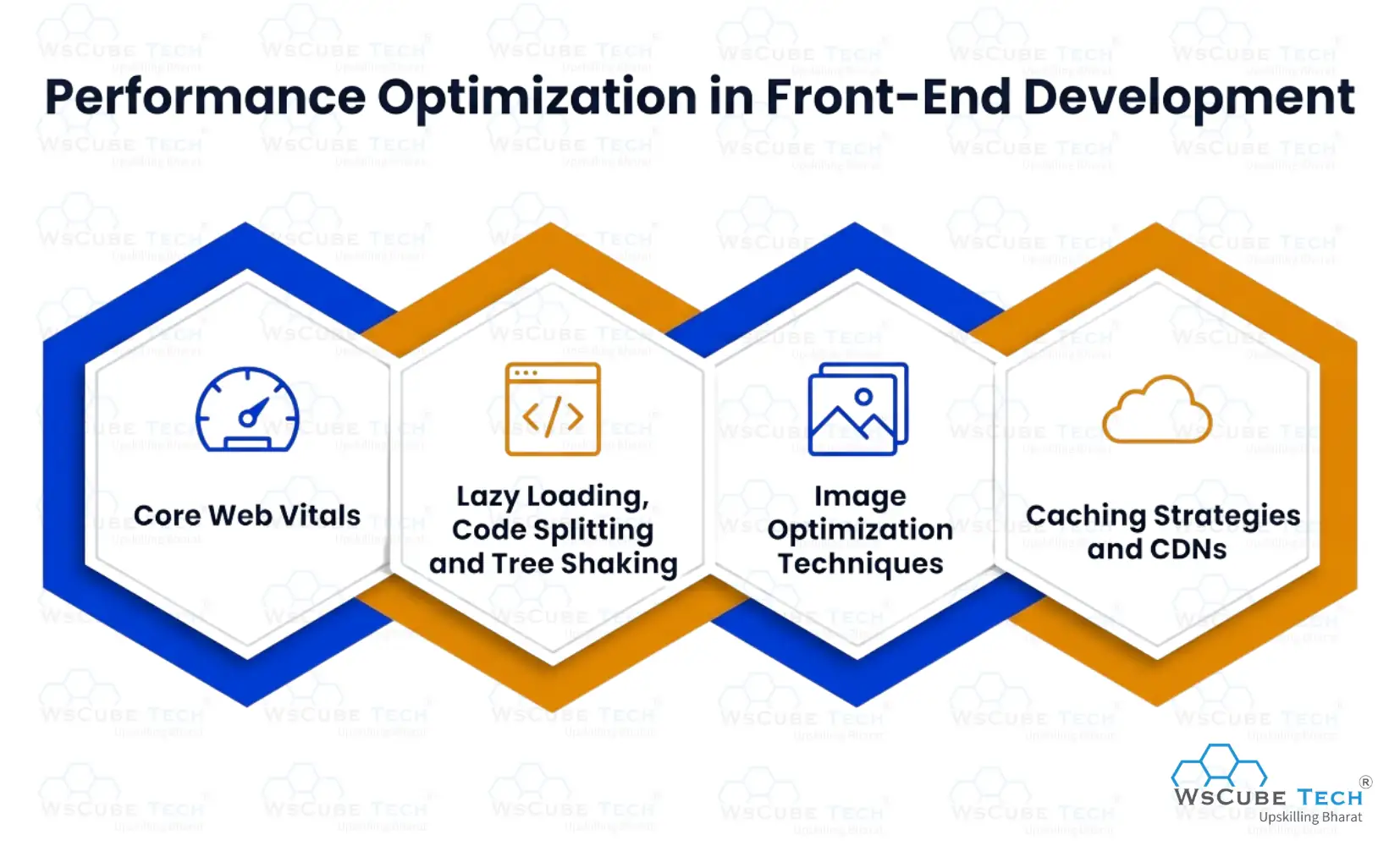
1. Core Web Vitals
Google introduced Core Web Vitals as ranking signals in 2021, and they remain critical in 2026. These are three metrics that measure real user experience:
- LCP (Largest Contentful Paint): How long it takes for the main content to appear. Should be under 2.5 seconds.
- INP (Interaction to Next Paint): How quickly the page responds to user input. Should be under 200 milliseconds.
- CLS (Cumulative Layout Shift): How much the page layout shifts unexpectedly as it loads. Should be under 0.1.
Poor Core Web Vitals scores directly hurt your search engine rankings. Every front-end developer working on a production website needs to understand and optimize these metrics.
2. Lazy Loading, Code Splitting, and Tree Shaking
- Lazy loading means deferring the loading of images and components until they are actually needed (usually until they scroll into view). This reduces the initial page load time significantly.
- Code splitting breaks your JavaScript bundle into smaller chunks that are loaded on demand. Instead of loading your entire app upfront, the browser only loads the code needed for the current page.
- Tree shaking is a process where your build tool removes unused code from your final bundle. If you import a library but only use two of its fifty functions, tree shaking eliminates the other forty-eight.
Together, these three techniques can dramatically reduce how much code the browser needs to download and process.
3. Image Optimization Techniques
Images are typically the heaviest files on any web page. Optimizing them has one of the biggest impacts on performance.
Key techniques include:
- Using modern formats like WebP and AVIF, which offer much smaller file sizes than JPEG and PNG at similar quality.
- Compression to reduce file size before uploading.
- Responsive images that serve appropriately sized files based on screen size.
- Serving images through a CDN (Content Delivery Network), so they load from a server close to the user.
4. Caching Strategies and CDNs
A CDN is a global network of servers. When a user visits your website, files are served from the server geographically closest to them, reducing latency.
Caching stores copies of files locally (in the browser or on the CDN) so they do not need to be re-downloaded on every visit. Setting smart caching headers on static assets like images, fonts, and scripts is one of the simplest and most effective performance improvements a front-end developer can make.
Front-End Security Best Practices
Security is not just a back-end concern. Many of the most common attacks on websites target the front end directly. Every developer working on front-end web development needs to understand these vulnerabilities.
1. Cross-Site Scripting (XSS): What It Is and How to Prevent It
XSS is one of the most common web security vulnerabilities. It happens when an attacker injects malicious JavaScript into a web page that other users then see.
For example, if a comments section accepts raw HTML without sanitizing it, an attacker could post a comment containing a script that steals login cookies from anyone who reads it.
Prevention: Always sanitize and escape user input before displaying it. Use libraries like DOMPurify for sanitizing HTML. Avoid using innerHTML with untrusted content.
2. Cross-Site Request Forgery (CSRF) Protection
CSRF attacks trick a user's browser into making unwanted requests to a website where they are already logged in. For example, a malicious link could silently trigger a funds transfer on a banking site.
Front-end developers protect against CSRF by implementing CSRF tokens unique values included with each form submission that the server verifies. Most modern frameworks handle this automatically.
3. Content Security Policy (CSP) Headers
A CSP is an HTTP header that tells the browser which sources of scripts, styles, and other resources are trusted. If a script tries to load from an unauthorized source, the browser blocks it.
Setting a strict CSP is one of the most effective defenses against XSS attacks. It is a server-level setting, but front-end developers need to understand it because a poorly configured CSP can break legitimate functionality.
4. Secure Authentication on the Front End
Front-end developers are responsible for implementing login forms, managing authentication tokens, and protecting sensitive user data in the browser.
Best practices include storing authentication tokens in http Only cookies (not local Storage), implementing proper logout that clears all session data, using HTTPS exclusively, and never hardcoding secrets or API keys in client-side code.
Explore Our Web Development Related Courses
Front-End Development Trends in 2026
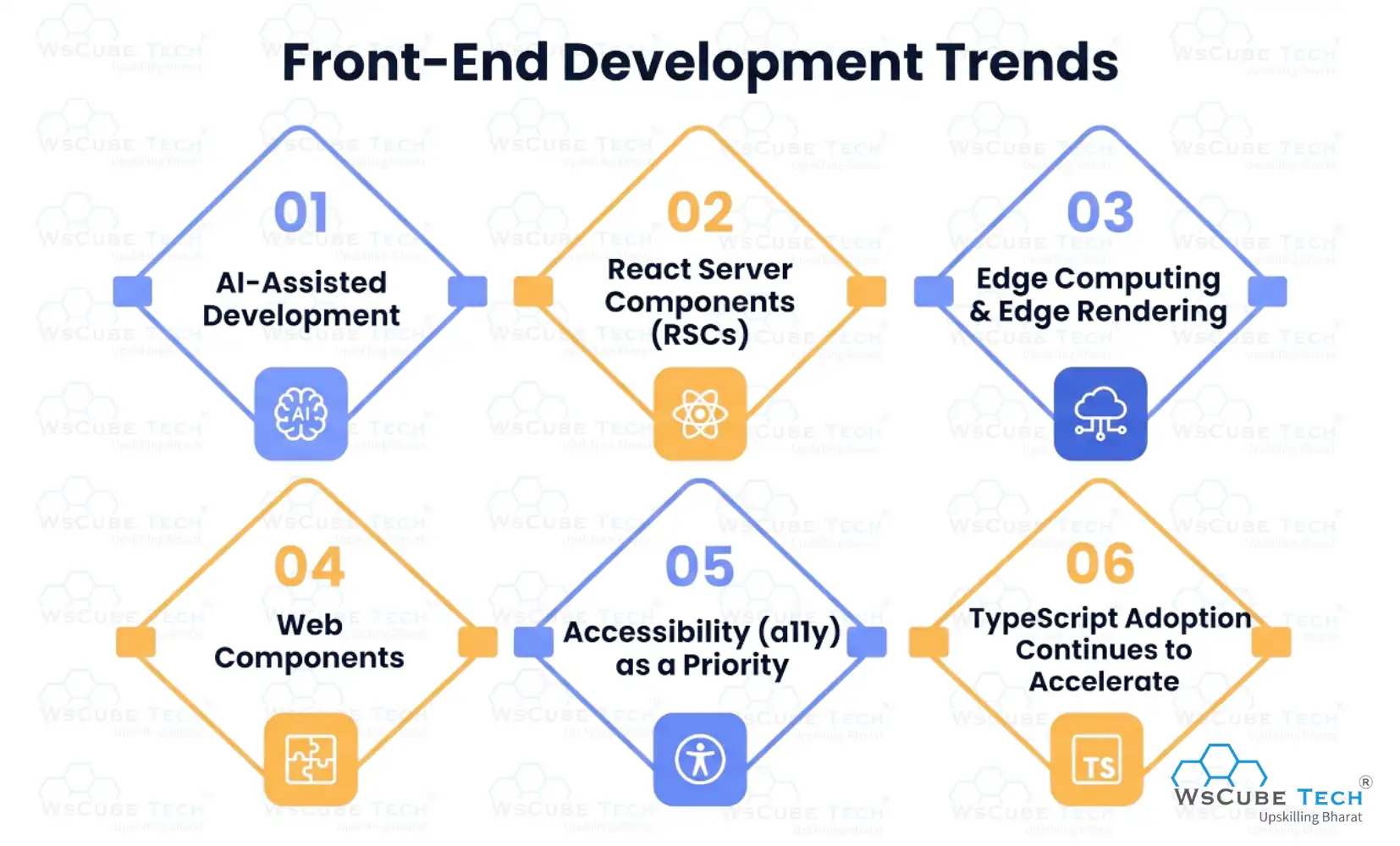
The front-end development landscape evolves fast. Here is what is shaping the field in 2026:
1. AI-Assisted Development
It’s the biggest shift happening right now. Tools like GitHub Copilot, Cursor, and various AI plugins generate boilerplate code, suggest completions, and help debug errors. Developers who use AI tools effectively are significantly more productive, but understanding the fundamentals remains critical.
2. React Server Components (RSCs)
It allows parts of a React application to render on the server, reducing the JavaScript sent to the browser and improving performance and SEO simultaneously.
3. Edge Computing & Edge Rendering
This brings computation closer to users geographically. Platforms like Vercel and Cloudflare Workers allow front-end web development teams to run server logic at the network edge, delivering faster responses worldwide.
4. Web Components
These are a set of browser standards that let developers build reusable custom HTML elements without relying on any framework. They are gaining traction for design systems that need to work across different frameworks.
5. Accessibility (a11y) as a Priority
It is moving from an afterthought to a requirement. Legal pressures (especially in the US and EU), ethical considerations, and better tooling are all pushing developers to build more accessible interfaces.
6. TypeScript adoption continues to accelerate
Most new projects start with TypeScript by default, and it is increasingly expected in job postings.
What Does a Front-End Developer Actually Do?
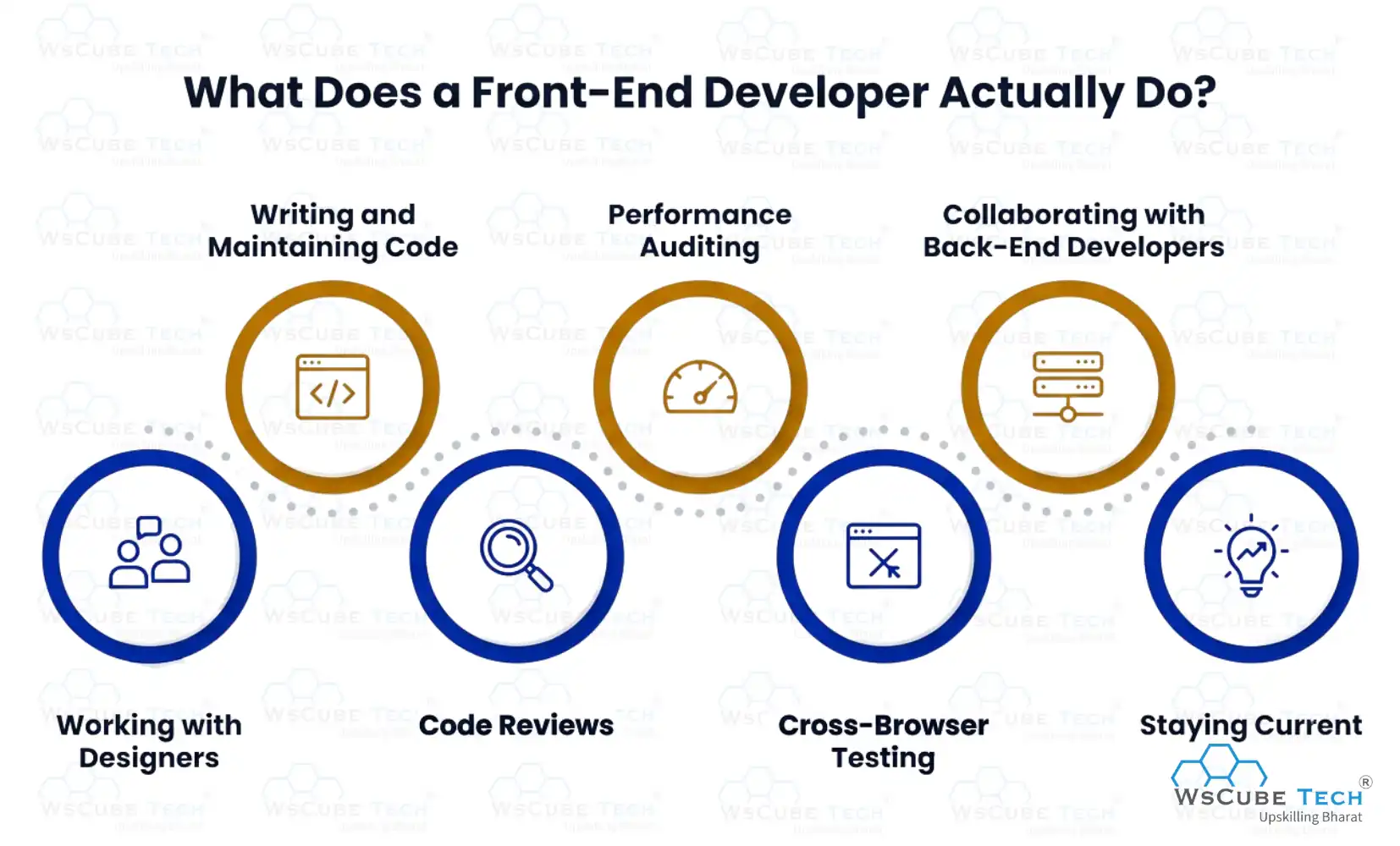
The day-to-day life of a front-end developer is more varied than many people expect. Here is a realistic look at what the job involves:
1. Working with Designers
Developers regularly collaborate with UX/UI designers, translating mockups and prototypes from Figma or similar tools into working interfaces.
2. Writing and Maintaining Code
The core of the job is writing clean, maintainable HTML, CSS, and JavaScript (or TypeScript). This includes building new features, fixing bugs, and refactoring old code.
3. Code Reviews
Senior developers review code written by teammates to catch bugs, ensure best practices, and share knowledge.
4. Performance Auditing
Using tools like Lighthouse and Chrome DevTools to measure and improve website speed and Core Web Vitals scores.
5. Cross-Browser Testing
Making sure the website works correctly in Chrome, Firefox, Safari, Edge, and on both iOS and Android.
6. Collaborating with Back-End Developers
Integrating front-end components with APIs (Application Programming Interfaces) that the back-end team provides.
7. Staying Current
The field moves fast. A significant part of being a good front-end developer is continuously learning following new browser features, framework updates, and industry best practices.
To explore what your work could look like in practice, check out these front-end development projects that demonstrate real-world skills.
Front-End Developer Skills
Whether you are just starting or looking to level up, here is a clear progression of skills for front-end web development:
Beginner Level:
- HTML5 fundamentals: semantic elements, forms, accessibility basics
- CSS basics: selectors, box model, Flexbox, simple animations
- JavaScript basics: variables, functions, DOM manipulation, event listeners
- Basic responsive design with media queries
- Git and GitHub fundamentals
Intermediate Level:
- Advanced JavaScript — ES6+ features, Promises, async/await, modules
- TypeScript fundamentals
- A front-end framework (React is the most employable choice)
- CSS frameworks — Tailwind CSS or Bootstrap
- Package managers and build tools (npm, Vite)
- REST API integration — fetching data and handling responses
- Browser DevTools proficiency
Advanced Level:
- State management (Redux, Zustand, Pinia, or Context API)
- Next.js or Nuxt.js for server-side rendering
- Performance optimization — Core Web Vitals, code splitting, lazy loading
- Testing — unit tests with Jest, end-to-end tests with Playwright or Cypress
- Accessibility standards (WCAG 2.2)
- Front-end security practices
- CI/CD pipelines and deployment workflows
For a comprehensive, step-by-step guide on navigating this journey, the front-end developer roadmap is an excellent resource.
You can also explore the detailed breakdown of front-end web developer skills in 2026 to see exactly what employers are looking for right now.
Read More Guides Related to Web Development
Front-End Developer Salary & Career Outlook
The career prospects for front-end web development professionals are strong and the compensation is competitive.
1. Salary in the United States (2026):
According to Glassdoor data from June 2026, the average salary for a front-end developer in the US is around ₹96.78 lakh per year, with a typical range of ₹72.96 lakh to ₹1.30 crore. Senior-level developers and those with specialized skills can earn well above this range.
ZipRecruiter reports that frontend developer salaries average about ₹1.05 crore per year in 2026, with top earners reaching ₹1.48 crore annually.
Salaries vary significantly based on location (San Francisco, New York, and Seattle pay the most), experience level, company size, and technical specialization.
2. Global Demand:
According to the US Bureau of Labor Statistics, about 16,500 web developer job openings are expected annually on average through 2033. With over 15.5 million businesses globally using JavaScript-based technologies, the demand for skilled front-end developers continues to grow steadily.
React developers have seen some of the largest year-over-year salary increases in tech in recent years, reflecting how valuable those skills are in the current market.
How to Learn Front-End Development?
Learning front-end development is easier than ever because there are plenty of high-quality resources available for beginners. Whether you choose free or paid learning options, following a structured approach can help you build strong skills and become job ready.
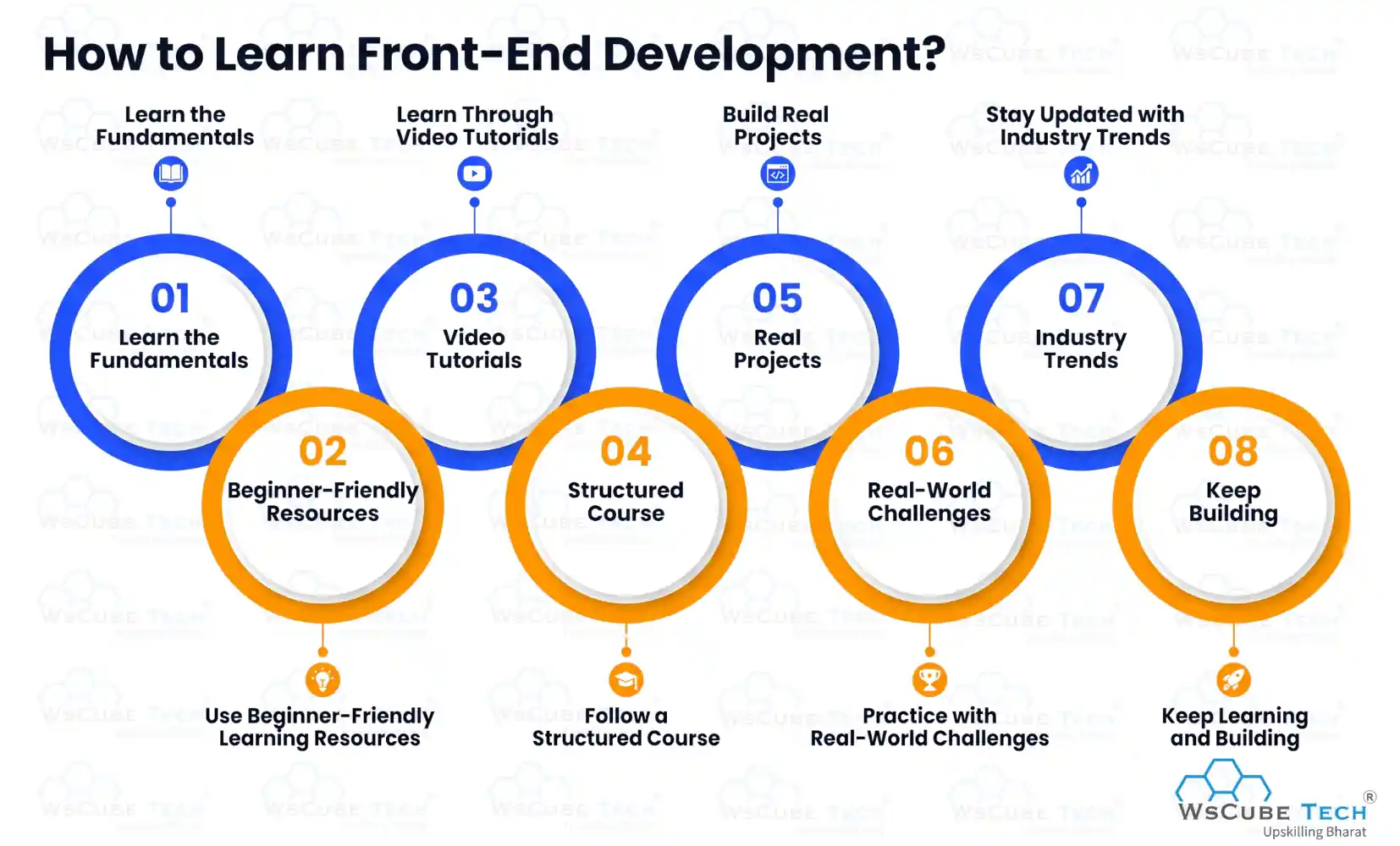
Step 1: Learn the Fundamentals
Start by learning the three core technologies of front-end development:
- HTML – Creates the structure of web pages.
- CSS – Controls the design, layout, and appearance of websites.
- JavaScript – Adds interactivity and dynamic functionality.
Focus on understanding these basics before moving on to advanced tools and frameworks.
Step 2: Use Beginner-Friendly Learning Resources
Take advantage of trusted learning platforms that provide tutorials, exercises, and projects:
- WsCube Tech – Offers beginner-friendly courses, practical projects, and career-focused training in web development and other technology fields.
- freeCodeCamp – Provides a complete free curriculum covering HTML, CSS, JavaScript, and modern web development concepts.
- The Odin Project – A project-based learning platform highly recommended by self-taught developers.
- MDN Web Docs (Mozilla) – One of the most reliable references for HTML, CSS, and JavaScript documentation.
Step 3: Learn Through Video Tutorials
If you prefer visual learning, YouTube is an excellent resource. Some popular channels include:
- Traversy Media
- Fireship
- Kevin Powell
These creators offer beginner-to-advanced tutorials, coding walkthroughs, and industry insights.
Step 4: Follow a Structured Course
Once you understand the basics, consider enrolling in structured learning programs on platforms such as:
- Coursera
- Udemy
- Scrimba
These platforms provide guided learning paths, assignments, and courses taught by experienced professionals.
Step 5: Build Real Projects
Practical experience is essential for improving your skills. Start creating projects such as:
- Personal portfolio websites
- To-do list applications
- Weather apps using public APIs
- Landing pages and responsive websites
Building projects helps you apply what you've learned and creates a portfolio that you can showcase to potential employers.
Step 6: Practice with Real-World Challenges
Use platforms like Frontend Mentor to work on realistic design challenges. These projects simulate professional workflows and help you gain hands-on experience with modern development practices.
Step 7: Stay Updated with Industry Trends
The web development industry evolves quickly, so continuous learning is important.
- Read the annual State of JS survey to understand popular tools and trends.
- Follow blogs such as CSS-Tricks, Smashing Magazine, and web.dev.
- Explore the latest front-end technologies with features in 2026 to stay informed about emerging frameworks, tools, and best practices.
Step 8: Keep Learning and Building
Consistency is the key to success. Continue building projects, experimenting with new technologies, and improving your problem-solving skills. The more you practice, the faster you'll grow into a confident front-end developer.
Recommended Professional Certificates
Full Stack Development Course with AI Engineering
WordPress Bootcamp
Front-End Languages: What You Need to Know
The three core front-end languages are HTML, CSS, and JavaScript, as covered earlier. But the ecosystem around them is rich and growing.
Beyond those three, TypeScript has become a primary language for production work. CSS preprocessors like SASS extend what plain CSS can do. GraphQL is increasingly used for querying APIs on the front end.
Developers who want to go deeper into mobile-first development often branch into React Native (which uses JavaScript/TypeScript to build native mobile apps) or explore WebAssembly, a technology that allows languages like Rust and C++ to run in the browser at near-native speed.
For a complete overview, this resource on front-end languages in 2026 covers all of the major ones and explains when each is used.
Key Benefits of Front-End Development for Businesses
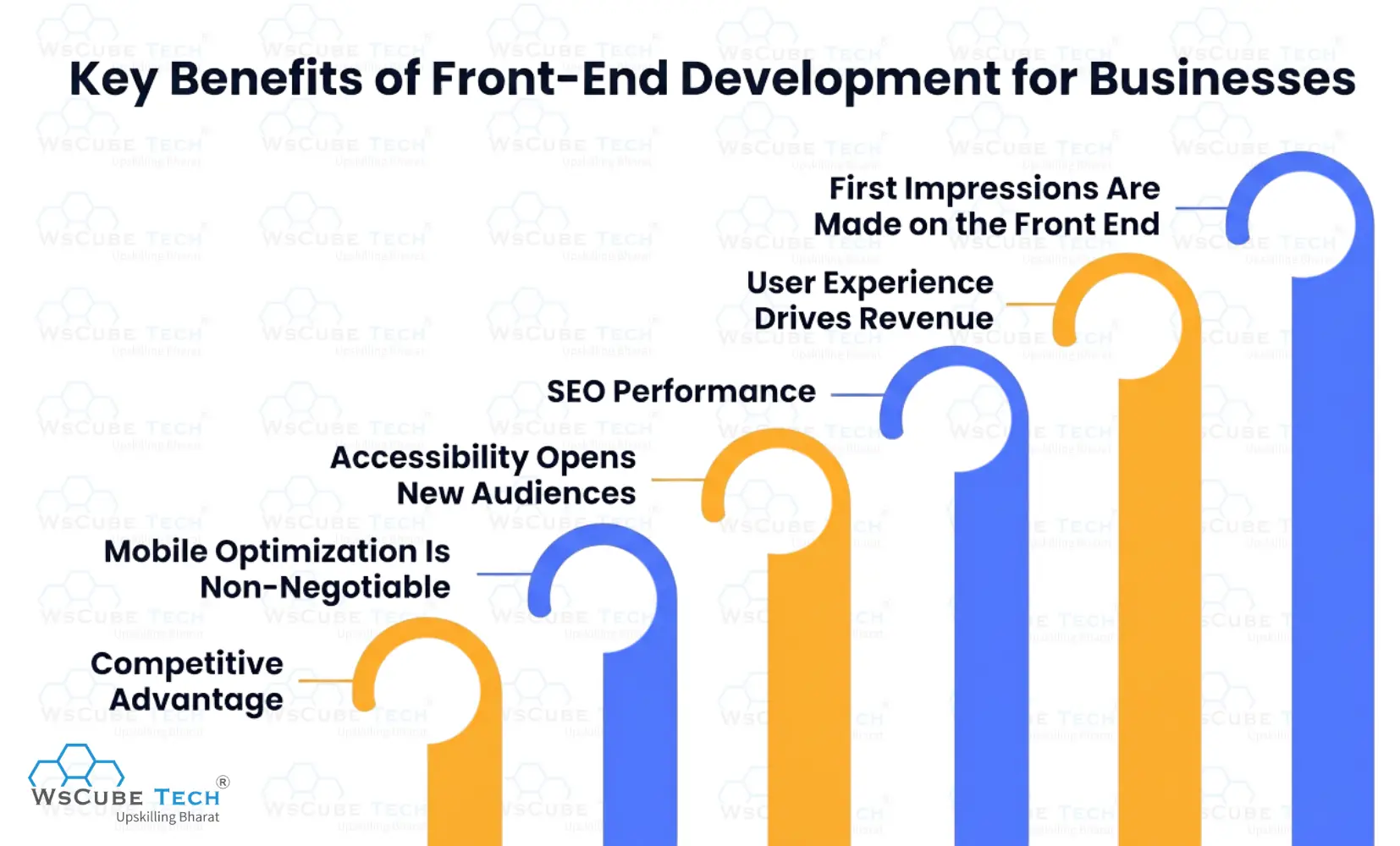
Investing in quality front-end web development is not just a technical decision — it is a business one. Here is why it matters:
1. First Impressions Are Made on the Front End
Studies show users form an opinion about a website within 50 milliseconds of landing on it. A poorly designed, slow, or confusing front end sends potential customers away immediately.
2. User Experience Drives Revenue
Better UX means lower bounce rates, higher conversion rates, and more returning visitors. A seamless checkout experience, a fast-loading product page, or an intuitive navigation menu can directly increase sales.
3. SEO Performance
Google's Core Web Vitals are now ranking factors. A fast, well-structured front end ranks higher, bringing more organic traffic.
4. Accessibility Opens New Audiences
Building accessible websites means more people can use your product — including those with visual, motor, or cognitive disabilities. In many countries, web accessibility is also a legal requirement.
5. Mobile Optimization Is Non-Negotiable
With the majority of web traffic coming from mobile devices, a great mobile experience is the difference between losing and keeping a customer.
6. Competitive Advantage
In a crowded market, a polished, fast, and intuitive website stands out. It signals professionalism and builds trust.
If you are thinking about a career in this field, this guide on how to become a front-end developer walks you through the exact steps to get there.
FAQs About Front-End Development
Front-end development is the process of building the visual and interactive parts of a website for everything a user sees and clicks on. It uses HTML for structure, CSS for styling, and JavaScript for interactivity.
In web development, the front end refers to the client side — the part of a website that runs in the user's browser. It includes the layout, design, and all interactive elements.
Design refers to the visual planning of how a website looks (colors, layouts, typography). Front-end development is the technical process of turning those designs into actual working code. Many professionals do both, but they are distinct skills.
Based on current 2026 data, front-end developers in the US earn between roughly ₹73.35 lakh and ₹1.30 crore per year on average, with senior and specialized roles earning significantly more.
No. Many successful front-end developers are self-taught or attended coding bootcamps. What matters most is your portfolio and ability to demonstrate your skills. That said, some larger companies do prefer or require a computer science degree.
Absolutely. With 16,500+ job openings expected annually through 2033, strong salaries, remote work opportunities, and constant new technologies to learn, front-end web development remains one of the most in-demand and rewarding tech careers available.
Front-end development focuses exclusively on the user-facing side. Full-stack development includes both front-end and back-end work. Front-end specialists often go deeper on UI, performance, and user experience, while full-stack developers have broader but sometimes shallower knowledge across the whole system.
Explore Our Free Tech Tutorials
| Python Tutorial | Java Tutorial | JavaScript Tutorial |
| C Tutorial | C++ Tutorial | HTML Tutorial |
| CSS Tutorial | SQL Tutorial | DSA Tutorial |
Practice Coding With Our Free Compilers
| Online Python Compiler | Online HTML Compiler | Online C Compiler |
| Online C++ Compiler | Online JS Compiler | Online Java Compiler |
Join Our On-Campus Full Stack Related Courses
Free Courses for You




Leave a comment
Your email address will not be published. Required fields are marked *Comments (0)
No comments yet.