Web technologies are changing faster than ever, and keeping pace with them has become a real challenge for both businesses and developers alike. Frontend development sits at the center of this shift, having grown well beyond the early days of HTML, CSS, and JavaScript that once defined it.
Today, a wide range of front end development technologies helps teams build websites and web apps across multiple platforms and devices. Choosing the right one and using it to its full potential is what shapes clean, engaging, and responsive user interfaces that people enjoy using.
In this blog, we have put together the top 20 Frontend development tools and frameworks to use in 2026 and beyond. Whether you are a beginner or an experienced developer, this list will help you pick the right stack
What Is Front End Technology?
Front end technology refers to the languages, frameworks, and tools used to build the client side of a website. It covers everything users directly see and interact with, including images, buttons, navigation, forms, and animations that shape the overall experience.
These front-end technologies bring design and functionality together. Core languages like HTML, CSS, and JavaScript handle structure, styling, and behavior, while frameworks such as React, Angular, and Vue help developers build interactive interfaces faster and with cleaner code.
Top Front-end Technologies List
The following frontend web technology list comprises a mix of established, trending, and emerging technologies. These technologies are commonly used to design user interfaces across industries and are listed below in no particular order.
- HTML
- CSS
- JavaScript
- AngularJS
- VueJS
- ReactJS
- Flutter
- React Native
- Bootstrap
- NPM
- Ionic
- GatsbyJS
- Monorepo
- Three JS
- GraphQL
- Design System
- Remix
- PWA
- Headless CMS
- Micro Frontends
Let’s explore these front-end technologies in detail below.
Recommended Professional Certificates
Full Stack Development Course with AI Engineering
WordPress Bootcamp
1. HTML
HTML (HyperText Markup Language) is the standard frontend language to create web pages. It was created by Tim Berners-Lee in 1991, with its first version named HTML Tags. However, its first standard version, HTML 2.0, was published in 1995. Over the years, HTML has become the foundation of frontend web development and will remain important for years to come.
HTML combines HyperText and Markup language. The former deals with the links between the pages, while the latter defines the text document within the tag to create page structure.
Key Features
- HTML enables developers to create the structure of a website.
- It may not be used to create the most dynamic user interfaces, but it offers basic tools for adding forms, buttons, containers, and other elements.
- It uses predefined tags that tell the browser how to display content.
- The browser uses HTML to manipulate texts, images, and other website elements and display them in the required format.
- It is platform-independent and easy to learn and use.
When to Use:
- When you need to build the basic structure and layout of any web page.
- When adding elements like forms, buttons, links, tables, and containers.
- When creating simple, static websites without heavy interactivity.
- When you want a platform-independent foundation that works across all browsers.
2. CSS
CSS stands for Cascading Style Sheets. It is one of the core front end development technologies and is used to style a website. It defines how to display different HTML elements on a screen, ensuring the website is visually appealing and responsive. It also helps add animations to the website, making it more interactive and seamless.
Key Features
- CSS allows us to specify the style and format of various elements into one code string.
- Using CSS, we can control the style, color, space, and other aspects.
- As it is a clean coding technique, search engines can read content easily.
- When we fix a CSS style sheet, it also automatically updates the other CSS style sheets. Hence, we don't need to fix every page individually.
- We can conveniently change the format in CSS by changing the format of one page.
When to Use:
- When you want to style HTML elements with colors, fonts, spacing, and layouts.
- When making a website responsive across desktops, tablets, and mobile devices.
- When adding animations, transitions, and visual effects to a page.
- When you need to maintain a consistent look across multiple pages from one place.
3. JavaScript
JavaScript has always been and will remain a crucial frontend technology for web development. It enables developers to change the content of mobile and desktop applications while implementing several features, including animations, shopping carts, web browser games, tax calculators, etc.
Key Features
- It was initially created for DOM Manipulation. Before JS, websites were mostly static, but JS helped create dynamic websites.
- It doesn't need a compiler.
- JS functions are objects. So, methods and properties in JS are also treated like objects, which can be passed as arguments.
- It is a lightweight language because of its low CPU usage.
- It is easy to use and has minimal syntax.
When to Use:
- When you want to add interactivity and dynamic behavior to a website.
- When building features like sliders, forms validation, calculators, and shopping carts.
- When manipulating page content in real time through the DOM.
- When working with frameworks like React, Angular, or Vue that are built on it.
4. AngularJS
AngularJS is a Google product that has been considered one of the top frontend technologies for years. It is an open-source JavaScript framework written in JavaScript. It has multiple versions and is used to build single-page applications, making it among the most widely used technologies globally.
Angular is a well-known name in the tech industry, and a huge community of Angular developers support it.
Key Features
- It provides Model View Controller (MVC), data binding, cross-platform support, and dependency injection.
- It makes websites and web applications attractive and appealing for users.
- It offers declarative UI expressions, providing structured and understandable components that are easy to manipulate.
- Companies like Netflix and PayPal use Angular.
- It is easy to learn and implement and is free to use.
When to Use:
- When building large, single-page applications with structured, maintainable code.
- When you need features like two-way data binding and dependency injection out of the box.
- When working on enterprise-grade apps that require a full framework.
- When your team is comfortable with a component-based, opinionated structure.
5. VueJS
VueJS was first released in 2014 and has undergone various changes in the last few years. It is a JavaScript library used for creating single-page applications and user interfaces with declarative and component-based programming experience. When combined with other tools, it can be a framework, too.
Key Features
- Developers rely on this open-source framework to achieve the best results with minimal effort, as they need to write only a few lines of code.
- The core layer of Vue primarily focuses on the view aspect of an application.
- One can easily access its functions and name them based on requirements.
- It comes with no baggage and is fresh. It works on mistakes and includes only the best features of Angular and React.
- Perfect for beginners as it doesn't have a deep learning curve. It is easy to learn and use.
- You just need to understand the basics of HTML, CSS, and JavaScript to get started with Vue.
When to Use:
- When you want a lightweight framework that is quick to learn and easy to adopt.
- When building single-page applications or interactive user interfaces.
- When you need flexibility to use it as a library or a full framework.
- When beginners on the team need a gentle learning curve.
Upcoming Masterclass
Attend our live classes led by experienced and desiccated instructors of Wscube Tech.





6. ReactJS
ReactJS is another JavaScript library for frontend web development. It is designed and maintained by Facebook to improve the performance and maintenance of the platform. It has a new syntax and is powered by JS. Its declarative and component-based nature makes web development faster and easier.
This open-source framework is one of the best frontend web technologies with a vast community of developers. It manages the view layer for mobile and web applications, and allows users to build reusable UI components.
Key Features
- It is a flexible library. So, a fair understanding of React basics enables you to use it for an array of platforms to build impressive user interfaces.
- Its components are usually written in JSX, a JavaScript extension syntax to quote HTML and use HTML tag syntax for sub-components.
- As everything in React is a component, you can easily import these components by simply writing require('my-component').
- Facebook supports React and uses it for Instagram and Facebook apps.
- It uses the Virtual Document Object Model (DOM), which facilitates programmers to write code as if the entire web page were rendered on every change.
- You can add comments to the list to speed up the process.
- You can find numerous blogs on React.org, explaining every topic related to React to readers.
- It supports only downstream data in one flow, which makes it the best framework for interactive web applications.
- React APIs are easy to understand and offer a great development experience.
When to Use:
- When building fast, interactive user interfaces with reusable components.
- When your project needs a large ecosystem and strong community support.
- When you want efficient rendering through the Virtual DOM.
- When developing cross-platform apps alongside tools like React Native.
7. Flutter

Flutter is an open-source user interface development kit created by Google using Dart, a programming language. Developers use it to create cross-platform apps with one programming language and a single codebase.
Key Features
- Flutter has a huge library, which allows developers to build applications without writing numerous lines of code. Therefore, multiple platforms trust this technology to create applications without writing lengthy code.
- Its widgets make creating interactive and dynamic UI easier, as developers can use pre-created templates to build applications.
- It is the top choice to make cross-platform applications compatible with iOS, Android, Windows, Linux, and other operating systems.
- It is also used to build different web forms with a single code base.
- Flutter ensures a streamlined development process, faster speed, hassle-free testing and debugging, and flexibility to share code between two platforms.
When to Use:
- When building cross-platform apps for iOS, Android, web, and desktop from one codebase.
- When you want a rich set of ready-made widgets for fast UI development.
- When performance close to native apps is a priority.
- When you prefer working with the Dart language and a single shared codebase.
8. React Native
Next on our frontend technologies list is React Native, an open-source React-based framework used for building cross-platform applications. It is created by Meta platforms to make writing cross-platform code simpler and more accessible.
Key Features
- Its main goal is to help developers conveniently create cross-platform apps for Android, Windows, iOS, Web, etc.
- Allows integration with third-party APIs and applications designed with the mobile-first approach.
- It enables web developers to build responsive and interactive user interfaces with faster loading time.
- Developers use React Native to build applications that feel and look native.
- Developing React Native applications is affordable and fast.
When to Use:
- When building cross-platform mobile apps that feel and look native.
- When you want to reuse React knowledge for mobile development.
- When speed of development and cost efficiency are important.
- When integrating with third-party APIs and mobile-first designs.
9. Bootstrap
Bootstrap is another popular frontend technology created by Twitter. It helps build responsive, mobile-first websites and web apps. Bootstrap is mainly a frontend development toolkit that includes several features and components.
Key Features
- Twitter created Bootstrap to bring consistency across all the internal tools.
- It was introduced to the public in 2011 and has emerged as a trusted framework.
- It can be used with almost any development framework.
- It is a library of predefined CSS classes to accomplish common tasks.
- It is easy to use and customize to meet specific project requirements.
- Its responsive grid system adapts to different screen sizes easily.
- It also includes form validation, typography styles, and several other components.
- It comes with multiple features and components.
- Its features also include built-in support for JavaScript plug-ins.
When to Use:
- When you need to build responsive, mobile-first websites quickly.
- When you want ready-made CSS classes and components for common tasks.
- When maintaining a consistent design across internal tools or projects.
- When you prefer a customizable framework that works with most development stacks.
10. NPM

NPM is a Node Package Manager (NPM) for JavaScript programming language. NPM Inc. maintains it. Developers use NPM to find packages of reusable code and collect and use them in new and useful ways. This default package manager provides a runtime environment for NodeJS.
Key Features
- One of the popular front end technologies and tool used as a command-line utility to communicate with the repository helping the package.
- It discovers and reuses free code packages.
- You need to have NodeJS to publish and install packages for the public or private NPM registry.
- It uses the same workflow to manage public and private code.
- It downloads and stores modules in one common place, enabling Node to discover and use them while managing dependency conflicts.
- It promotes code discovery and reusing them within teams.
- It is primarily used for publishing, installing, finding, and developing Node programs.
- JavaScript frameworks, such as Angular and React, need NodeJS and NPM to provide information to the native apps and run the applications.
When to Use:
- When you need to install, share, and manage JavaScript packages and dependencies.
- When working with frameworks like Angular and React that rely on Node.
- When you want to reuse open-source code packages in your projects.
- When managing both public and private code within a team.
Explore More Guides Related to Front-end Development
| Frontend Developer Roadmap | Frontend Developer Skills |
| Top Frontend Languages | How to Become Frontend Developer |
| Frontend vs Backend Development | Frontend Developement Projects |
11. Ionic
Ionic is one of the top frontend development tools. It is an open-source software development kit introduced in 2013. Ionic2 is a great option for cross-platform mobile app development and frontend development. It allows developers to build native and web-optimized apps efficiently.
Key Features
- Ionic makes mobile and web application development effortless. Using the same code, developers can create applications for iOS, Android, Windows, and other operating systems.
- It includes multiple plug-ins and built-in push notifications.
- Ionic applications comprise components, which are high-level building blocks with features to develop and design UI faster for applications.
- It is completely free to use and has a huge community on Slack and StackOverflow to support it.
- It uses one code base for all platforms.
- It is coded in Angular.
When to Use:
- When building cross-platform mobile and web apps from a single codebase.
- When you want ready-to-use UI components and plug-ins for faster development.
- When creating hybrid apps for iOS, Android, and web together.
- When working within the Angular ecosystem for mobile development.
12. GatsbyJS

GatsbyJS is one of the best fronted technologies, combining the top features of GraphQL, React, and Webpack. It equips developers with a React-based framework to build secure, fast, and robust websites. They can design responsive interfaces for users to offer seamless and memorable experiences.
Key Features
- Developers can work with data sources, such as Markdown and CMS.
- Its innovative data layer makes it possible to integrate APIs, content, and services into a single web application.
- With basic knowledge of JavaScript, learning Gatsby is easier for developers.
- Developers prefer this technology for its documentation and static site generator.
- It offers exclusive features, such as code-splitting and image optimization, that enhance website performance. It also allows users to load features on demand.
- It is used for e-commerce websites, blog pages, and other static sites with under 500 pages.
When to Use:
- When building fast, secure static websites like blogs and landing pages.
- When you want features like image optimization and code-splitting built in.
- When pulling content from sources such as Markdown or a CMS.
- When your site has a limited number of pages and prioritizes performance.
13. Monorepo

Monorepo, known as the version controller of the code repository, can hold multiple projects. These projects can be correlated or independent, running indivually on their own teams. With Monorepo, sharing assets and components between projects is much easier.
Key Features
- It is an architectural concept used to create a single repository that can store code for multiple projects.
- It has been in existence for more than three decades and is used by several open-source projects in their applications.
- It improves code visibility. Hence, a member from a different team can analyze and resolve your issue.
- One can manage a unified CI/CD pipeline for project deployment.
- It reduces dependency.
- A single code base ensures consistency, allowing the maintenance of code quality and standards.
When to Use:
- When managing multiple related projects within a single code repository.
- When you want to share components and assets easily across teams.
- When maintaining consistent standards and a unified CI/CD pipeline.
- When reducing duplicated dependencies across projects is a goal.
14. Three JS
Three JS is a JavaScript library offering cross-browser features. It is used to create animations and 3D web graphics. It is gaining worldwide popularity and has huge community support. So, no frontend web technologies list is complete without Three JS.
Key Features
- It can run GPU-powered games and graphics-powered apps into a browser.
- This application programming interface designs and displays animated graphics in a browser using WebGL.
- Its community is constantly improving documentation and debugging.
- The best part is it comes with an in-built library and APIs for 3D animations.
- Using the ThreeJs abstraction, you can make WebGL development more efficient and productive.
- With knowledge of ThreeJS, you can understand complex WebGL code. You can read the code and understand it without any hassle.
When to Use:
- When creating 3D graphics, animations, or visualizations in the browser.
- When building graphics-powered games or interactive experiences.
- When you want an easier way to work with WebGL.
- When developing immersive product showcases or data visualizations.
15. GraphQL
GraphQL was created by Facebook in 2012 for internal purposes and was released to the public in 2015. It is a query language and an open-source manipulation language for APIs. Developers use this frontend technology to get anything they need from the server without unnecessary data.
Key Features
- GraphQL comes with developer tools and is known for its excellent performance, making it one of the most trending technologies in this era of modern web development.
- More than a frontend or backend technology, it is a language used to exchange information between the two layers.
- It is a runtime application that fulfills the available data.
- It is a reliable technology to work in a declarative approach as it allows you to select the required data.
- It receives the request and sends requested data in JSON form, which includes values and keys.
When to Use:
- When you want to fetch exactly the data you need without over-fetching.
- When working with complex APIs that serve multiple clients.
- When you need a flexible, declarative way to query data.
- When improving performance between frontend and backend layers.
Explore Our Web Development Related Courses
16. Design System
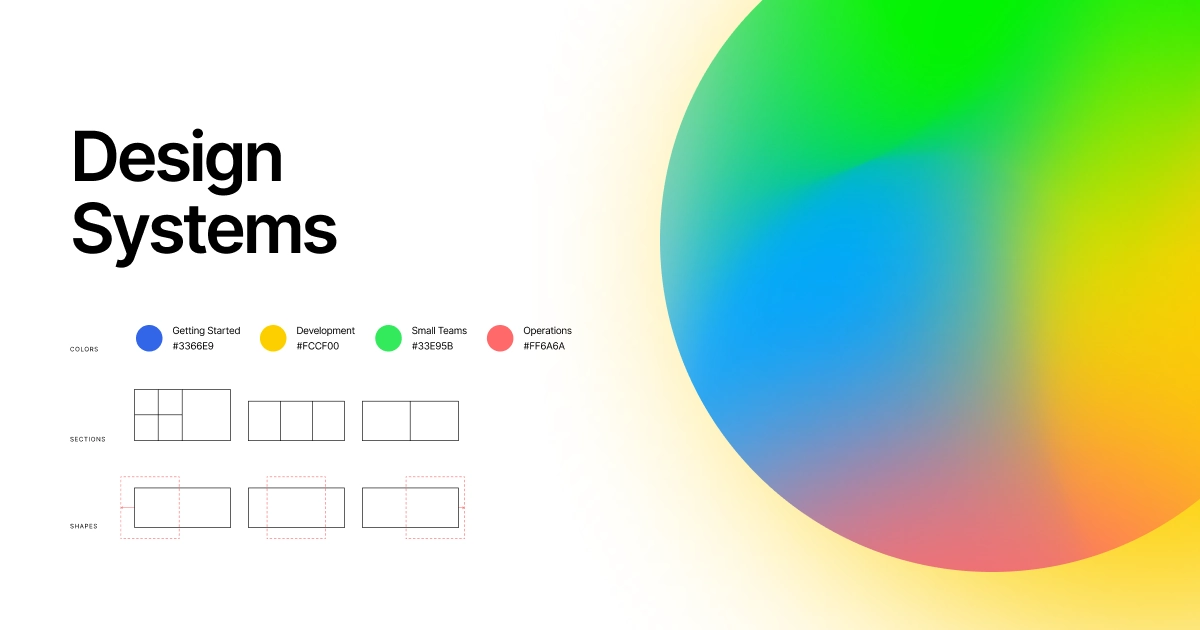
Design Systems are a set of standards to manage designs at scale through predefined and reusable components.
Key Features
- Before you start with Design systems, assess the existing pattern, build a pattern library, design language, and document guidelines on when and how to use design elements.
- They design text elements that can be reused throughout the design life.
- Its main pillars are a style guide and a pattern library.
- Common examples of Design systems are Ant Design, Chakra UI, and MUI.
- If you use MUI (Material UI) as a design system and want to implement a new component, you can find it in the MUI documentation.
When to Use:
- When maintaining design consistency across large products or teams.
- When you want reusable components and standardized guidelines.
- When scaling a product that needs a shared design language.
- When adopting established libraries like MUI, Ant Design, or Chakra UI.
17. Remix
Remix is a React framework used for server-side rendering. It allows developers to focus on user interfaces of websites or applications, which provides fast and standard delivery with a great user experience.
Key Features
- It is among the top frontend technologies, fetching data on the backend and providing HTML to users.
- Using Remix, you can build a relational hierarchy of routes, showing each route as a separate file that can decide where to display its child hierarchies.
- You can use it as a server. It can interact directly with the database and services with server-side JS APIs.
- It comes with built-in features, including error boundaries, nested pages, and loading state handlers.
- Using native browser features and distributed systems, it offers faster page load and immediate transition in the browser.
- It works well with backend and frontend technologies.
- Built on Web Fetch API, it can run anywhere.
When to Use:
- When you need server-side rendering for fast page loads and better SEO.
- When building apps with nested routes and complex data loading.
- When you want built-in error handling and loading states.
- When working with both frontend and backend within one framework.
18. PWA (Progressive Web Apps)
Progressive Web Apps are software applications delivered through the web and built using web technologies, such as HTML, CSS, and JavaScript. Its functionality and look are similar to native mobile apps.
Key Features
- An application is known as a PWA if it meets the installation criteria and can be accessed offline, like a home screen.
- When you open a PWA on your mobile device, it asks if you want to install it.
- It leverages cutting-edge technologies and design patterns to deliver faster results to users on mobile or desktop.
- It is compatible with all platforms, irrespective of the operating system.
- The common PWA examples include Pinterest, Starbucks, Flipboard, and BMW.
When to Use:
- When you want an app-like experience delivered through the web.
- When offline access and push notifications matter to users.
- When you need one solution that works across all platforms and devices.
- When improving performance and engagement without a native app.
19. Headless CMS

A Headless Content Management System (CMS) is a content management repository that can be accessed only via GraphQL queries or RESTful APIs, making it useful for blogs and static sites.
Key Features
- Headless CMS separates frontend and backend aspects of an application. Hence, developers and marketers can do their jobs without interfering with each other's work.
- The frontend and backend are separated by the presentation layer. Therefore, you can manage all the content in one place.
- If your project has frontend restrictions of a regular CMS, Headless CMS can come to your rescue.
- It is a backend platform that manages digital content. Separating from the frontend, it allows more control over where and how the content is delivered to users.
- Common Headless CMS examples are Contentful, GraphCMS, and Prepr. Contentstack is also a Headless CMS solution with workflow management, asset management, and versioning features.
When to Use:
- When you want to manage content separately from the frontend presentation.
- When delivering content across multiple channels and devices.
- When developers and content teams need to work independently.
- When building blogs, static sites, or apps that pull content via APIs.
20. Micro Frontends
Micro Frontends is one of the latest front end development technologies, combining various technologies and independent applications. It is an architectural concept that introduces the idea of microservices to the frontend world. This allows you to categorize applications according to their features, and a different team can manage each application in a separate code repository.
Key Features
- They are server-side compositions with numerous micro frontends composed at the server level before they are published in the browser.
- It divides a huge task into smaller and manageable tasks.
- The bit is the most helpful framework in Micro Frontends, providing ready solutions to build a Micro Frontend application.
- They are mainly used for larger domain projects that have various development teams. The technology simplifies the tasks by dividing them into multiple subdomains and deploying each of them independently.
- If a project requires multiple small teams with increased scalability and autonomy of projects, then Micro Frontends is a go-to option.
When to Use:
- When building large applications maintained by multiple independent teams.
- When you want to split a big frontend into smaller, manageable parts.
- When each feature or module needs to be deployed independently.
- When scalability and team autonomy are top priorities.
Read More Guides Related to Web Development
Factors to Consider When Choosing the Frontend Development Technology
Every frontend technology has strengths and weaknesses, and developers have their opinions on the right tech stack. Although there is no set method to select the best frontend technology, there are some factors that you can consider to get clarity. We have mentioned a few key factors that will help you choose the most suitable frontend tech stack for your project:
- The technology must be easy to use and learn and make it convenient for developers to create and update interfaces.
- It must have maintainable code that is easy to debug, test, and deploy.
- It must align with the project size and requirements.
- There must be a wide range of features.
- Reusable components for complex user interfaces.
- Experience and expertise in the technology.
- Number of team members working on a project.
- Compatibility with web browsers and devices to make websites responsive.
- Community and forum support so that you can seek help in case of any issue.
- Popularity of the technology.
- You must know the backend technology stack because, without this knowledge, you can’t move forward with frontend development.
- The value it adds to the project and the scalability it provides.
- It must focus on multiple factors simultaneously.
- It must be budget-friendly and have no recurring costs.
FAQs Related to Frontend Technologies
Front end technologies are the languages, frameworks, and tools used to build the client side of a website that users see and interact with. Common examples include HTML, CSS, JavaScript, and frameworks like React, Angular, and Vue.
Front end technologies run in the browser and control the visual, interactive parts of a website. Back end technologies run on the server and handle databases, logic, and how data is processed behind the scenes.
There is no single best option, but HTML, CSS, and JavaScript remain essential foundations. Among frameworks, React continues to lead in popularity, followed closely by Angular and Vue.
For small and static websites, these three are often enough on their own. For larger, dynamic applications, developers usually add frameworks like React or Angular to build faster and manage complex interfaces.
A library like React gives you specific tools to solve particular problems, while leaving structure up to you. A framework like Angular provides a complete, opinionated structure for building an entire application.
Consider your project size, required features, team expertise, and community support. Match the technology to your goals, whether that is a simple site, a single-page app, or a large enterprise platform.
React holds the largest market share and job demand, backed by a huge ecosystem and community. Angular and Vue also remain in strong demand, especially for enterprise and mid-sized projects.
Emerging options include Remix for server-side rendering, Micro Frontends for large teams, and Progressive Web Apps for app-like experiences. Headless CMS and design systems are also gaining wider adoption.
Yes, they directly impact page speed, responsiveness, and Core Web Vitals, all of which influence search rankings. Frameworks that support server-side rendering and optimization can improve both SEO and user experience.
A strong grasp of HTML, CSS, and JavaScript is the starting point. From there, knowledge of a framework like React, along with responsive design and version control, helps you build modern interfaces.
Conclusion
From core languages like HTML, CSS, and JavaScript to modern frameworks and tools such as React, Angular, Vue, Flutter, and Micro Frontends, you are now familiar with the top front end development technologies shaping the web in 2026. Each one brings its own strengths, and the right mix depends entirely on what your project needs.
As these tools continue to gain popularity, it is the right time to update your old stack and stay relevant in a fast-moving industry. Choose the technology that fits your project requirements and helps you stay ahead of the competition, because your tech stack will shape your place and credibility as a developer.
If you are looking for hands-on training, join WsCube Tech's online full stack development course that focuses on practical learning and real projects. Our trainers guide you at every step to make you career-ready and transform you into a full-fledged developer.
Explore Our Free Tech Tutorials
| Python Tutorial | Java Tutorial | JavaScript Tutorial |
| C Tutorial | C++ Tutorial | HTML Tutorial |
| CSS Tutorial | SQL Tutorial | DSA Tutorial |
Practice Coding With Our Free Compilers
| Online Python Compiler | Online HTML Compiler | Online C Compiler |
| Online C++ Compiler | Online JS Compiler | Online Java Compiler |
Join Our On-Campus Full Stack Related Courses
Free Courses for You



Leave a comment
Your email address will not be published. Required fields are marked *Comments (0)
No comments yet.