
If you plan to grow a YouTube channel seriously, especially with a team, a brand name, or long-term goals, a YouTube brand account becomes extremely important. It allows you to manage your channel like a business asset instead of tying everything to one personal email.
With a brand account, you can give access to editors, marketers, or partners without sharing your login details. It also protects ownership, simplifies collaboration, and keeps your channel future-ready.
Many creators face problems later when a personal account limits growth or access. A brand account on YouTube solves those issues early by giving flexibility, control, and security. If YouTube is part of your brand, business, or content strategy, this setup matters more than you think.
What is Brand Account on YouTube?
A brand account on YouTube is a special type of account that lets multiple people manage one YouTube channel using their own Google accounts. You don’t need to share usernames or passwords. One person remains the owner, while others can be added as managers to upload videos, manage comments, or handle analytics.
Imagine you run a coaching institute or a digital agency. Your YouTube channel is handled by a video editor, a content manager, and a marketing head. Instead of sharing your personal Gmail login, you add them as managers through a brand account. Everyone works smoothly, and you stay in control.
Uses and Benefits of Brand Account on YouTube
These are the benefits of YouTube brand account:
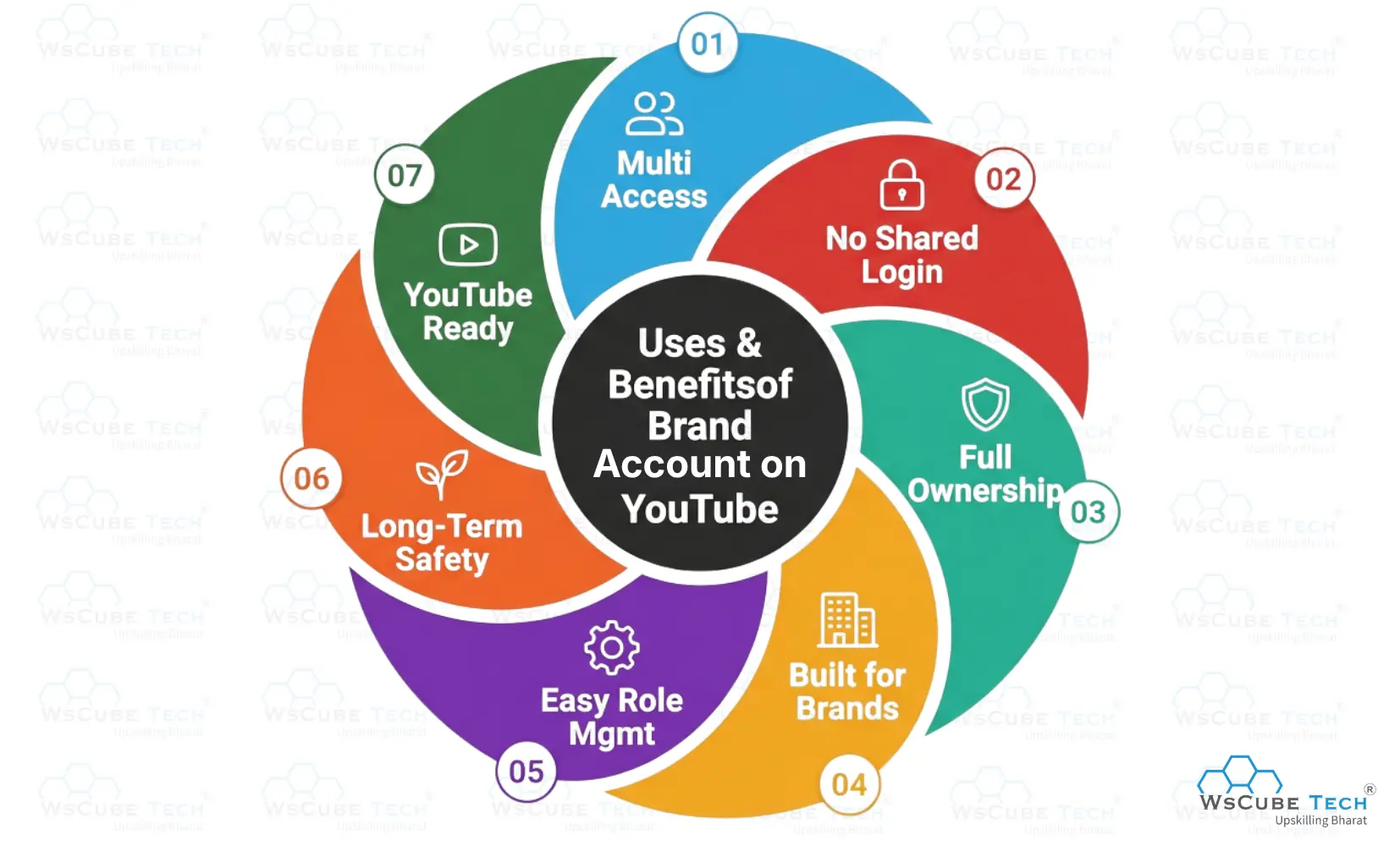
1. Multiple People Can Manage One Channel
A brand account allows you to add managers and owners who can handle uploads, comments, and settings. This is perfect for teams, agencies, and growing creators.
2. No Need to Share Login Credentials
Each team member uses their own Google account to access the channel. This keeps your personal email and password safe and reduces security risks.
3. Better Ownership and Control
You can assign a primary owner and transfer ownership when needed. This ensures the channel remains a business asset, not dependent on one individual.
4. Ideal for Businesses and Brands
Brand accounts are designed for companies, institutes, and organizations. Your channel name does not need to match a personal name, which improves brand identity.
5. Easy Role Management
You can decide who gets full control and who gets limited access. Editors, marketers, and community managers can work without interfering with ownership.
6. Safer for Long-Term Growth
If a team member leaves or roles change, access can be removed instantly. Your channel remains secure and operational without disruption.
7. Works Seamlessly With YouTube Features
Brand accounts fully support monetization, analytics, Creator Studio, and all YouTube tools, making them suitable for serious content growth.
Recommended Professional Certificates
AI-Powered Digital Marketing Course
Performance Marketing Bootcamp
SEO Specialist Bootcamp
YouTube Brand Account vs Personal Account
These are the differences between a personal account and a brand account on YouTube:
| Factor | YouTube Brand Account | Personal YouTube Account |
| Best for | Brands, businesses, teams, creators working with editors/agencies | Solo creators managing everything themselves |
| Channel ownership | Can have a primary owner + multiple owners/managers | Owned and controlled by one Google account |
| Team access | Multiple people can manage using their own Google accounts | Sharing access usually means sharing login (not safe) |
| Security | Higher security because you don’t share passwords | Risky if multiple people need access |
| Role permissions | You can assign roles (owner/manager) | No proper role system for teams |
| Email visibility | You can manage the channel without exposing your personal Gmail | Your personal Gmail stays tied to the channel identity |
| Ownership transfer | Ownership can be transferred when needed | Transfer is limited and messy in team/business setups |
| Best for scaling | Very scalable for long-term growth and delegation | Can become a bottleneck when channel grows |
| Account switching | Easy to switch between brand and personal channels | Switching is simple only if you manage everything alone |
| Risk if someone leaves the team | Access can be removed instantly | If login is shared, you must change passwords and risk loss |
Who Should Create a Brand Account on YouTube?
- Businesses and startups building a brand presence
- Coaching institutes, educational channels, and training brands
- Agencies managing YouTube channels for clients
- Creators working with editors, thumbnail designers, or content teams
- Media companies and publishers with multiple contributors
- E-commerce brands showcasing products and reviews
- Any creator who wants a channel as a long-term asset, not tied to one person
How to Create a Brand Account on YouTube?
Follow this process to create YouTube brand account:
Step 1: Sign In With the Google Account You Want to Use
Start by signing into YouTube using the Google account you want as the main controller. This account will become the owner of the brand channel initially. Choose an account you will keep long-term, ideally not a temporary email.
If you’re creating a channel for a company or institute, use an official email that stays with the business. This step matters because your ownership and permissions will be linked here first, and later you can add more people as managers without sharing access.
Step 2: Go to YouTube Settings and Start Channel Creation
Once you’re logged in, click your profile icon and go to YouTube settings (or “Settings” from the menu). From here, you can create a new channel that will be connected to a brand account.
This is where many people get confused—YouTube doesn’t always show “Brand Account” as a separate button, but when you create a channel with a new name, YouTube typically creates it under a Brand Account structure. Keep your channel name final and clean, because changing it frequently can confuse your audience.
Step 3: Choose “Create a New Channel” and Enter Your Brand Name
Now select the option to create a new channel and enter the brand name you want your YouTube channel to display. This name can be your business name, personal brand name, or niche page name.
Choose something that matches how you want to be found on YouTube search. For example, “ABC Fitness Studio” or “Learn SEO With WsCube Tech.” Once you confirm and create, YouTube sets up the channel and links it to a Brand Account behind the scenes.
Expand Your Marketing Skills
| Benefits of Digital Marketing | Digital Marketing Trends |
| Digital Marketing Channels | Digital Marketing ROI |
| Digital Marketing KPIs | Digital Marketing Platforms |
Step 4: Add Basic Branding and Setup Details
After creation, optimize your channel like a professional brand. Add a channel logo, banner, and description that clearly explains what viewers will get. Include your contact details and important links if relevant.
This step matters because your channel’s first impression drives subscribers. Also set up your channel layout—home sections, featured video, and playlists. Even if you plan to upload later, having a complete profile improves trust and makes your channel look real and serious.
Step 5: Add Managers or Owners
If you have a team, this is the biggest advantage of a brand account. You can add editors, marketers, or managers without sharing your password. Go to the Brand Account settings and add people with their Google emails.
Give roles based on responsibility—keep ownership limited and assign manager roles for day-to-day work. This makes collaboration easy and safer. If someone leaves the team, you can remove access instantly without disrupting the channel or changing your main login.
Managing Roles & Permissions in YouTube Brand Accounts
YouTube Brand Accounts allow role-based access, which means you can give people only the level of control they actually need—without sharing passwords. This keeps your channel secure and easy to manage as it grows.
Upcoming Masterclass
Attend our live classes led by experienced and desiccated instructors of Wscube Tech.




1. Primary Owner
- There can be only one primary owner at a time.
- Has complete control over the Brand Account and YouTube channel.
- Can add or remove owners and managers.
- Can delete or restore the Brand Account (after the required waiting period).
- Can transfer primary ownership to another owner when needed.
The primary owner should always be the business owner, founder, or someone with long-term responsibility for the channel.
2. Owner
- Can manage most channel settings and content.
- Can add or remove managers.
- Can upload videos, manage comments, and access analytics.
- Cannot delete the Brand Account unless promoted to primary owner.
Assign this role to senior team members or partners who need broad control but should not own the channel permanently.
3. Manager
- Can upload videos, edit details, manage comments, and view analytics.
- Cannot add or remove users.
- Cannot change ownership or delete the account.
Ideal for editors, content managers, SEO teams, and social media managers.
4. Community Manager (Limited YouTube Access)
- Can interact with users (comments, community posts).
- Cannot upload videos or access deeper channel settings.
- Cannot use YouTube Studio fully.
Use this role for moderation and engagement-focused team members only.
YouTube Brand Account to Personal Account – Is It Possible?
Directly converting a YouTube Brand Account back into a personal account is not officially supported by YouTube. Once a channel is created under a Brand Account, it is meant to remain structured that way.
However, there are practical alternatives depending on your goal:
If you want solo control, you can remove all other owners and managers and keep only yourself. This makes the Brand Account function like a personal channel, without losing features.
If your goal is identity clarity, you can rename the Brand Account and adjust branding to reflect a personal brand.
If you want a fully personal setup, the only true option is to create a new personal channel and move forward there. Videos and subscribers cannot be merged automatically.
Explore Our Most Popular Marketing Courses
FAQs About YouTube Brand Accounts
No, but it is highly recommended for businesses, teams, and serious creators.
Yes. One Google account can manage multiple Brand Accounts and channels.
Yes. Brand Accounts support monetization, ads, memberships, and all YouTube features.
The primary owner should transfer ownership before leaving. Otherwise, recovery becomes difficult.
There is no strict public limit, but it comfortably supports multiple owners and managers.
Yes. This is one of the biggest benefits of a Brand Account.
Yes. You don’t need to share passwords, and access can be removed instantly.
Visit the Brand Accounts section of your Google account and check under “Your Brand Accounts.”
Yes, but only owners can delete it, and all content will be permanently removed.
Yes. You must be an owner for at least 7 days before deleting or restoring it.
Yes, but only within a limited time window and only if you are an owner.
Yes. Even solo creators benefit from better ownership control and future flexibility.
No. YouTube treats Brand and personal channels equally in ranking and discovery.
Join Our On-Campus Digital Marketing Program
Explore Our Free Courses






Leave a comment
Your email address will not be published. Required fields are marked *Comments (0)
No comments yet.