
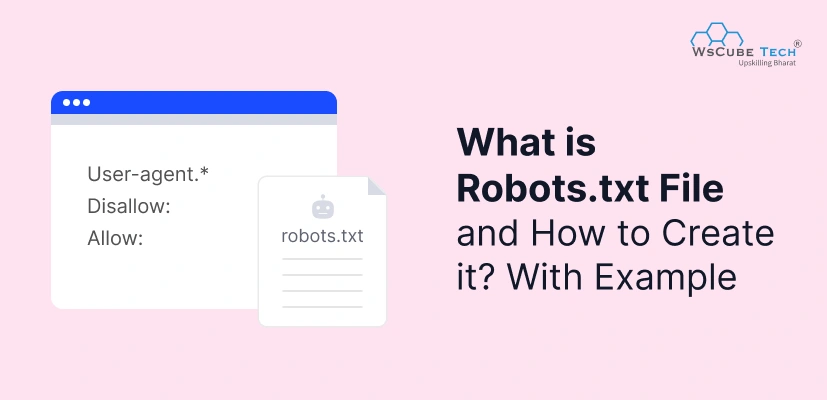
If you want search engines to crawl your website correctly, the robots txt file becomes one of the first things you must set up. We use the robots txt file in SEO to tell Google which pages you want them to access and which ones they should avoid.
If you have a website, then you need to know that every unnecessary crawl wastes time and crawl budget. That’s exactly where robots.txt helps.
It controls what search engines can explore, protects private sections like admin folders, and ensures Google reads your site efficiently. A simple text file can completely change how your site appears in search results.
What is Robots.txt File?
A robots.txt file is a plain text file placed in your website’s root folder. It guides search engine bots on which pages they can crawl and which they must ignore. From an SEO point of view, it helps you manage crawl budget, prevent indexing of unwanted URLs, and keep private or duplicate sections out of search results.
Robots.txt is not a security tool. It only offers instructions to bots. But when you use it correctly, you give search engines a clean path to follow, improving your website’s technical SEO, crawl efficiency, and overall online visibility.
Robots.txt File Sample
This is a sample robots txt file:
User-agent: *
Disallow: /admin/
Allow: /

Sitemap: https://example.com/sitemap.xml
These are the components of robots txt file with meaning:
| Component | Description |
| User-agent | Defines which bot the rule applies to (e.g., Googlebot, Bingbot, all bots using *). |
| Disallow | Tells bots which pages or directories they must not crawl. |
| Allow | Specifies exceptions inside a disallowed section that bots can still crawl. |
| Sitemap | Provides the link to the XML sitemap for better crawling and indexing. |
| Wildcard (*) | Used to target multiple URLs or patterns. |
| $ Symbol | Means “end of URL” — useful for blocking specific file types. |
How Robots.txt File Works?
1. Search engine bots visit your domain first
Before crawling anything, Googlebot or Bingbot visits yourwebsite.com/robots.txt. This is the first file they read. If it exists, bots follow the rules; if not, they assume everything is allowed.
2. Bots identify who the rule is for (User-Agent)
The file starts with “User-agent”. This tells which bot the rule applies to.
Example:
User-agent: Googlebot controls only Google’s main crawler.
3. Bots read what is blocked (Disallow)
The “Disallow” directive tells bots which pages or folders they should not crawl.
Example:
Disallow: /admin/ blocks all admin pages from crawling.
4. Bots read what is allowed (Allow)
If there are exceptions inside a blocked folder, the “Allow” directive clarifies what bots can crawl.
Example:
Allow: /admin/help-page/
5. Bots follow hints about site structure (Sitemap)
A sitemap URL placed in robots.txt helps bots quickly find all important pages to crawl.
Example:
Sitemap: https://example.com/sitemap.xml
6. Bots follow rules but are not forced
Robots.txt is a guideline, not a law. Good bots follow it; harmful or unknown bots may ignore it. But for SEO, Google and all major crawlers fully respect it.
Recommended Professional Certificates
Digital Marketing Mentorship Program
Advanced AI Marketing Bootcamp
Performance Marketing Bootcamp
SEO Specialist Bootcamp
Importance of Robots txt File
These are the benefits of robots txt file for a website:
1. Controls What Search Engines Can Access
Robots.txt helps us decide which pages should appear in Google and which must stay private. This includes admin areas, login pages, filters, backend URLs, or incomplete content that shouldn’t be indexed.
2. Saves Crawl Budget on Large Websites
If your site has thousands of URLs, Google may not crawl everything. Robots.txt ensures bots spend their crawl time only on important pages, improving indexing speed and SEO performance.
3. Prevents Duplicate, Thin, or Irrelevant Pages From Indexing
E-commerce filters, search pages, tags, and archives can create messy duplicate URLs. Robots.txt lets us block them easily and maintain clean search results.
4. Helps With Site Organization and Clear Crawl Paths
When bots see a well-structured robots.txt and sitemap inclusion, crawling becomes faster, smoother, and more accurate.
5. Protects Sensitive Sections (Not Security, but Instructions)
While it doesn’t secure a folder, it instructs bots to avoid crawling backend resources, confidential areas, and temporary pages.
Robots.txt Examples
These are some examples of robots txt file for different websites:
WordPress Robots.txt
User-agent: *
Disallow: /wp-admin/
Allow: /wp-admin/admin-ajax.php
Disallow: /?s=
Disallow: /trackback/
Sitemap: https://example.com/sitemap_index.xml
E-Commerce Store Robots.txt
User-agent: *
Disallow: /checkout/
Disallow: /cart/
Disallow: /account/
Disallow: /search/
Allow: /
Sitemap: https://store.com/sitemap.xml
Robots.txt Blocking Staging or Development Sites
User-agent: *
Disallow: /
Robots.txt for a Blog With Categories & Tags
User-agent: *
Disallow: /tag/
Disallow: /category/
Allow: /
Sitemap: https://blogsite.com/sitemap.xml
Advanced Robots.txt Example With Wildcards
User-agent: *
Disallow: /*?ref=
Disallow: /*.pdf$
Allow: /
Sitemap: https://example.com/sitemap.xml
Robots.txt Example for Large News Website
User-agent: *
Disallow: /private/
Disallow: /internal/
Disallow: /drafts/
Allow: /
Sitemap: https://newsportal.com/news-sitemap.xml
Sitemap: https://newsportal.com/video-sitemap.xml
How to Create Robots.txt File for Website?
This is how to create robots.txt file:
Step 1: Decide What You Want Search Engines to Crawl (Planning)
Before you create a robots.txt file, you must be clear about what we want search engines to see and what they should skip.
At WsCube Tech, we allow all important pages (courses, tutorials, blogs, etc.) and block sections like 404 pages, admin area, portfolio, internal campaigns, and PDFs that don’t need indexing.
Step 2: Open a Plain Text Editor or SEO Plugin
To create a robots.txt file, open any plain text editor like Notepad (Windows), TextEdit (Mac), or code editor (VS Code).
If your site is on WordPress, you can also use SEO plugins like Yoast, Rank Math, or server-level file manager (cPanel / hosting panel) to manage robots.txt directly.
Step 3: Start With User-Agent and Basic Allow Rule
The first line of a robots.txt file tells which crawlers the rules apply to. For WsCube Tech, we want to define rules for all bots, so we use:
User-agent: *
Allow: /
Allow: /blog/wp-admin/admin-ajax.php
Here,
- User-agent: * → all bots (Google, Bing, etc.).
- Allow: / → let them crawl the full site.
- Allow: /blog/wp-admin/admin-ajax.php → specifically allow this important AJAX file even if admin is blocked later.
Step 4: Add Disallow Rules for Unwanted Sections
Next, we tell bots what not to crawl. At WsCube Tech, we don’t want certain URLs like 404 page, portfolio, certain events, refer-and-earn, or plugin folders to be crawled or indexed.
Disallow: /404
Disallow: /portfolio
Disallow: /blog/wp-admin/
Disallow: /blog/wp-content/plugins/
Disallow: /events/
Disallow: /refer-and-earn
Disallow: /challenges
Disallow: /?ref
Disallow: /*.pdf$
These rules avoid crawling non-SEO pages, internal campaigns, and all .pdf files.
/*.pdf$ blocks all URLs ending with .pdf, which is useful when we don’t want PDFs indexed.
Step 5: Add Sitemap URLs for Better Crawling
To make crawling easier, we list all important sitemaps in the robots.txt file. WsCube Tech has multiple sitemaps for different sections of the website:
# Sitemaps
Sitemap: https://www.wscubetech.com/sitemap.xml
Sitemap: https://www.wscubetech.com/categories-sitemap.xml
Sitemap: https://www.wscubetech.com/courses-sitemap.xml
Sitemap: https://www.wscubetech.com/tutorials-sitemap.xml
Sitemap: https://www.wscubetech.com/programs-sitemap.xml
Sitemap: https://www.wscubetech.com/quizzes-sitemap.xml
Sitemap: https://www.wscubetech.com/compiler-sitemap.xml
Sitemap: https://www.wscubetech.com/free-courses-sitemap.xml
Sitemap: https://www.wscubetech.com/blog/sitemap_index.xml
This helps search engines quickly discover all key pages: courses, tutorials, programs, quizzes, blog articles, and more.
Step 6: Save the File as robots.txt
Once you add all rules, save the file as: robots.txt (not .doc, .rtf, or anything else — it must be a plain .txt file).
Make sure there are no extra formatting styles or hidden characters. It should be a clean text file only.
Step 7: Upload Robots.txt to the Root Folder of Your Domain
Now you upload this file to your website’s root directory (public_html or root of the domain) via:
- cPanel or hosting file manager
- FTP/SFTP (FileZilla, WinSCP, etc.)
- Or directly via your server config if you’re on a VPS/cloud setup
For WsCube Tech, the final URL is:
https://www.wscubetech.com/robots.txt
This is where every search engine bot will look for it.
Step 8: Check Your Robots.txt File in the Browser
To make sure everything is correct, open your robots.txt in any browser:
Visit: https://www.wscubetech.com/robots.txt
If you can see the file content clearly, it means the file is uploaded correctly and publicly accessible to bots.
You should do the same for your own domain once your robots.txt is ready.
Final Version: WsCube Tech Robots.txt
User-agent: *
Allow: /
Allow: /blog/wp-admin/admin-ajax.php
Disallow: /404
Disallow: /portfolio
Disallow: /blog/wp-admin/
Disallow: /blog/wp-content/plugins/
Disallow: /events/
Disallow: /refer-and-earn
Disallow: /challenges
Disallow: /?ref
Disallow: /*.pdf$

# Host
Host: https://www.wscubetech.com/

# Sitemaps
Sitemap: https://www.wscubetech.com/sitemap.xml
Sitemap: https://www.wscubetech.com/categories-sitemap.xml
Sitemap: https://www.wscubetech.com/courses-sitemap.xml
Sitemap: https://www.wscubetech.com/tutorials-sitemap.xml
Sitemap: https://www.wscubetech.com/programs-sitemap.xml
Sitemap: https://www.wscubetech.com/quizzes-sitemap.xml
Sitemap: https://www.wscubetech.com/compiler-sitemap.xml
Sitemap: https://www.wscubetech.com/free-courses-sitemap.xml
Sitemap: https://www.wscubetech.com/blog/sitemap_index.xml
Read More Digital Marketing Blogs
Most Common User Agents in Robots.txt
When you use the User-agent: * directive in your robots.txt file, it means the rules apply to all crawlers by default. If you add specific user agents after that (like Googlebot or Bingbot), those customized rules will override the general “*” rule for those particular bots.
| User-Agent | Company / Platform |
| Googlebot | |
| Googlebot-Mobile | |
| Bingbot | Microsoft Bing |
| Slurp | Yahoo |
| DuckDuckBot | DuckDuckGo |
| Baiduspider | Baidu |
| YandexBot | Yandex |
| GPTBot | OpenAI |
| CCBot | CommonCrawl |
| ClaudeBot | Anthropic |
Example using multiple bots in a robots.txt file:
# Allow Google full access
User-agent: Googlebot
Allow: /

# Block Bing completely
User-agent: Bingbot
Disallow: /

# Block AI crawlers
User-agent: GPTBot
Disallow: /

User-agent: CCBot
Disallow: /
Where to Upload Robots.txt File?
You must upload the robots.txt file to the root directory of your website — not inside any folder. The correct path is:
https://yourwebsite.com/robots.txt
This means:
- Place the file in public_html (if using shared hosting)
- Or at the root of your domain (if using VPS/cloud)
Search engine bots always check this exact location. If the file is in any other folder, it will not work.
How to Check Robots.txt of a Website?
Checking a website’s robots.txt file is extremely simple:
1. Type the URL + /robots.txt
Example:
- https://www.wscubetech.com/robots.txt
- https://www.google.com/robots.txt
- https://www.amazon.in/robots.txt
2. Use Google Search Operators
Type:
site:example.com robots.txt
3. Use SEO Tools or GSC Tester
Tools like Ahrefs, Screaming Frog, and the Google Search Console robots testing tool can analyse it.
Advanced Robots.txt Tips for SEO
Block Parameter-Based URLs to Avoid Duplicate Content
URLs generated by filters, sorting, or tracking parameters can create thousands of duplicate pages. Use patterns like /*?ref= to block them.
Allow Essential JS, CSS, and AJAX Files
Google needs these to properly render your website. Never block theme files, layout CSS, or important scripts.
Use “$” to Block Specific File Types
For example, blocking all PDFs:
Disallow: /*.pdf$
This ensures only full URLs ending with .pdf are blocked.
Add Multiple Sitemaps for Large Websites
If your site has blogs, courses, tutorials, or categories, separate sitemaps improve crawling.
Use Wildcards Smartly to Clean URL Patterns
Wildcards help block groups of URLs without listing each manually:
Disallow: /*utm_source=
Disallow: /*?sort=
Robots.txt Best Practices for SEO
1. Keep the File Simple and Clean: Avoid overly complex rules. Search engines understand clarity, not confusion.
2. Always Add the Sitemap Link: It speeds up discovery of important URLs and improves indexing efficiency.
3. Never Block Important Pages Accidentally: Check twice before disallowing folders like /wp-content/, /blog/, or /courses/.
4. Test the File After Updating It: Even a small typo can block your entire website from crawling.
5. Use Disallow Only When Necessary: Sometimes canonical tags or noindex tags may be better solutions, depending on the situation.
No Masterclass found!
Common Mistakes to Avoid in Robots.txt
1. Blocking the Entire Website Accidentally
A small mistake like this can remove your entire site from Google:
Disallow: /
2. Blocking Essential CSS and JS Files
This harms rendering and can drop search rankings.
3. Using Robots.txt for Security
It only hides paths from good bots — it cannot protect sensitive folders.
4. Incorrect Use of Wildcards
Bad wildcard usage can block many pages unintentionally.
5. Not Adding Sitemap URLs
Without sitemap hints, Google may take longer to discover key pages.
6. Placing Robots.txt in the Wrong Folder
If the file is not in the domain root, bots will not read it.
7. Using Uppercase/Lowercase Incorrectly
Robots.txt is case-sensitive. /Blog/ is different from /blog/.

FAQs About Robots.txt
No, but it’s strongly recommended for SEO and crawl control.
It blocks crawling, not indexing. A blocked page can still appear in Google if another site links to it.
Yes. /Blog/ and /blog/ are treated differently.
Not directly, but it improves crawl efficiency, which indirectly boosts SEO health.
It tells bots which folders or pages they must not crawl.
It specifies which URLs bots can crawl even inside blocked sections.
Search engines assume your entire website is open for crawling.
Google recommends keeping it under 500 KB.
Yes. Anything starting with # is a comment.
Yes, you should block backend pages to avoid unnecessary crawling.
Explore Our Free Courses




Leave a comment
Your email address will not be published. Required fields are marked *Comments (0)
No comments yet.