
Every website you visit, from your favourite blog to giant shopping platforms, starts with one simple language: HTML. It is the skill that turns a blank screen into a real, working web page, and the best part is that anyone can learn it. You do not need a coding background or any special software to begin.
This HTML syllabus is built to make that journey smooth and stress-free. Each topic is arranged in a clear order, so you move from the basics to advanced concepts without feeling lost or confused along the way.
By the end, you will not just understand how websites work, you will be ready to build them. You can even test your skills through hands-on HTML projects and grow with real practice and confidence.
What is HTML?
HTML (HyperText Markup Language) is the standard language used to create and organize content on web pages. It instructs web browsers how to display text, images, links, and other elements, forming the basic structure of every website on the internet.
HTML uses tags to organize content such as headings, paragraphs, lists, tables, and multimedia elements.
It defines the basic layout and structure of a webpage that browsers read and visually display to users.
HTML works together with CSS for styling and JavaScript to add interactivity, animations, and dynamic webpage features.
It is beginner-friendly and widely used, making it the starting point for learning web development.
Every website on the internet relies on HTML to structure and present its content properly.
HTML Code Example
<!DOCTYPE html>
<html>
<head>
  <title>My First Page</title>
</head>
<body>
  <h1>Welcome to My Website</h1>
  <p>This page is created using HTML.</p>
</body>
</html>
Recommended Professional Certificates
Full Stack Development Course with AI Engineering
WordPress Bootcamp
Why Learn HTML?
Learning HTML helps you understand how websites are built and gives you the basic skills needed to create and structure web pages effectively.
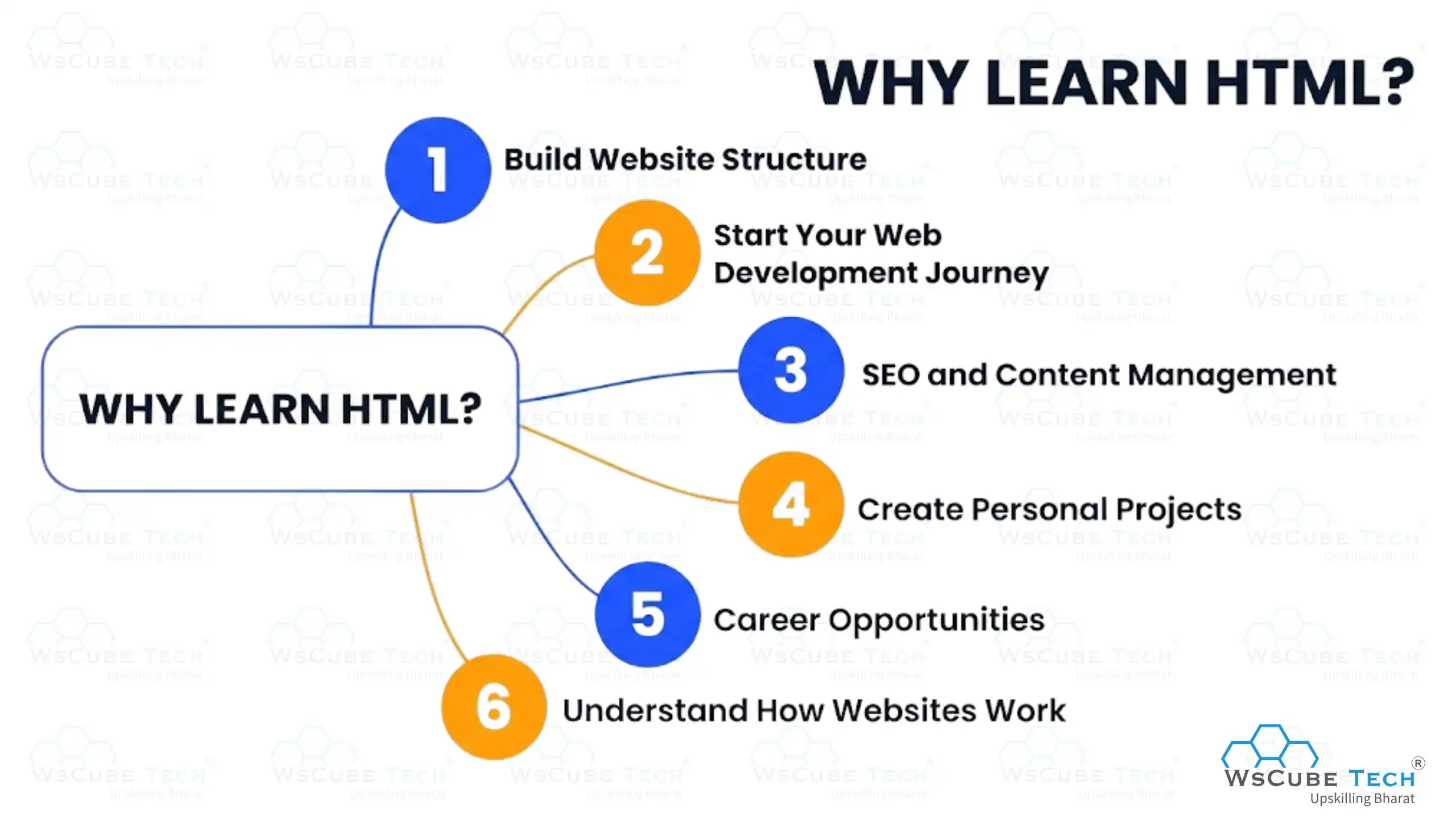
1. Build Website Structure: HTML helps you how to create the foundation of a webpage using headings, paragraphs, images, links, and other elements that organize content clearly for users and browsers.
2. Start Your Web Development Journey: HTML is the starting point of web development, building a strong foundation that helps you easily understand and learn advanced technologies like CSS for design and JavaScript for interactivity.
3. SEO and Content Management: Structured HTML curriculum helps you structure webpages using proper headings, meta tags, alt text, and links, improving search engine rankings while making website content easier to organize, update, and manage efficiently.
4. Create Personal Projects: By learning HTML, you can build simple websites such as portfolios, resumes, blogs, or landing pages to showcase your work, ideas, and creativity online.
5. Career Opportunities: Learning HTML opens doors to many roles in the digital world. It is a foundational skill required for careers in web development, web design, digital marketing, content creation, and website management across various industries.
6. Understand How Websites Work: Learning HTML helps you understand how content appears on websites, how pages are organized, and how browsers read and display web information.
By learning HTML, you gain essential skills that form the foundation for creating professional and user-friendly websites.
If you are learning HTML to become a web developer, you can join our online full-stack course to build strong skills and grow your career.
HTML Syllabus (Curriculum)
Below is the HTML syllabus, organized from beginner to advanced levels, designed to help learners progress step by step with a clear structure and a smooth learning flow.
1. Introduction to HTML
2. Basic of Elements
- HTML Elements
- HTML Tags
- HTML Attributes
- HTML Headings
- HTML Paragraph
- HTML Comments in HTML
- HTML Formatting
- HTML Semantic Tags
- HTML Entities
- HTML Symbols
- HTML Bold Tags
- HTML Italic Tag
3. HTML Lists
4. HTML Links and Media
5. HTML Layout and Structure
- HTML Layout
- HTML Block and Inline Elements
- HTML Responsive Web Design
- HTML File Paths
- HTML Footer Tag
- HTML Main Tag
6. HTML Head Elements
7. HTML Tables
- HTML Table
- HTML Table Header and Caption
- HTML Table Styling
- HTML Colgroup Tag
- HTML Table Colspan and Rowspan
8. HTML Forms
9. HTML, CSS & JavaScript Integration
10. HTML Advanced Topics
11. HTML Miscellaneous Topics
After completing the HTML full syllabus, you will have a strong foundation to build web pages, understand website structure, and confidently move on to more advanced web development topics.
We’ve also added an HTML Quiz with beginner-friendly questions so you can test your knowledge, improve your confidence, and strengthen your HTML concepts before moving ahead with CSS and JavaScript.
Upcoming Masterclass
Attend our live classes led by experienced and desiccated instructors of Wscube Tech.




Who Should Learn HTML?
HTML is a valuable skill for anyone who wants to understand how websites are created and displayed on the internet. It is ideal for beginners, students, professionals, and creators who want to build, manage, or improve websites with confidence.
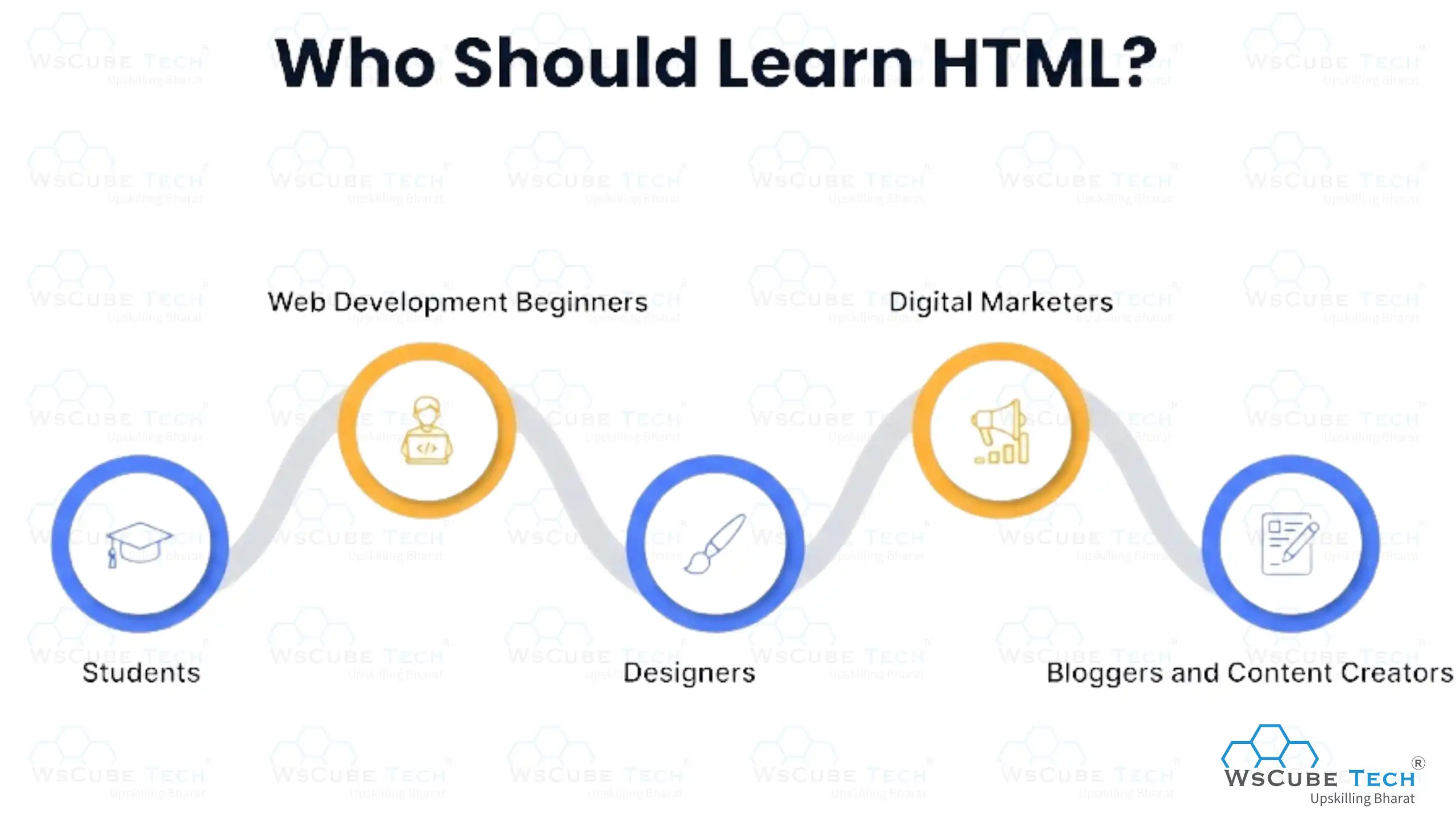
1. Students: Learning HTML helps students understand how websites function, build basic coding skills, and gain practical experience through school projects and assignments. It also lays a strong foundation for higher studies and future careers in web development, computer science, and other technology-related fields.
2. Web Development Beginners: HTML is perfect for beginners starting coding because it is simple to learn and forms the core foundation needed before moving to CSS, JavaScript, and more advanced web technologies.
3. Designers: Graphic and UI/UX designers benefit from HTML knowledge by understanding how their visual designs turn into real webpages, helping them create more practical, structured, and developer-friendly design layouts.
4. Digital Marketers: Digital marketers can use HTML to edit webpage content, improve SEO using proper tags, and manage elements like headings, links, and images to enhance visibility and performance.
5. Bloggers and Content Creators: Bloggers and content creators with HTML knowledge can format posts, add images or videos, adjust layouts, and manage their websites independently without always depending on technical support.
HTML is a beginner-friendly skill that opens doors for learning web technologies and helps many people create and manage websites more effectively.
HTML Interview Questions
HTML interview questions help learners prepare for job interviews by covering common HTML topics. Each question links to detailed explanations, making it easier to revise concepts and understand answers more clearly and confidently.
HTML Projects
HTML projects help learners apply their knowledge by building real webpages. Working on projects improves practical skills, strengthens understanding of webpage structure, and builds confidence in creating and organizing website content independently.
Explore More on Syllabus Blogs
| PHP Syllabus | JavaScript Syllabus |
| C++ Syllabus | SQL Syllabus |
| C Language Syllabus | Python Syllabus |
| DSA Syllabus | Java Syllabus |
| DBMS Syllabus | CSS Syllabus |
Learn HTML Online with WsCube Tech
You can explore the HTML tutorial by WsCube Tech, which is specially made for beginners who want to learn HTML from scratch and slowly move toward building real web pages with confidence.
This tutorial follows a clear and step-by-step learning path with simple explanations, practical examples, and hands-on practice. You can also test and practice your code using an online HTML compiler. Instead of feeling confused about what to learn next, this tutorial gives you a smooth and organized roadmap that helps you understand important HTML curriculum concepts, practice coding regularly, and build a strong base for learning advanced web development technologies.
Explore Our Web Development Related Courses
FAQs About HTML Syllabus
Yes, HTML is one of the easiest skills to start with. It uses simple tags to structure content, so most beginners can grasp the basics within a few days of regular practice.
No, HTML is a markup language, not a programming language. It structures and displays content on web pages but does not handle logic or calculations the way languages like JavaScript or Python do.
HTML is the original markup language, while HTML5 is its latest version. HTML5 adds modern features like audio, video, canvas, and semantic tags that make web pages more interactive and mobile-friendly.
Start with the basics like elements, tags, and attributes, then move to lists, links, tables, and forms. Finish with advanced topics such as canvas, SVG, and accessibility for a complete foundation.
You only need a simple text editor like Notepad or VS Code and any web browser. No paid software is required, which makes HTML very beginner-friendly to start with.
Yes, you can learn HTML on its own since it works independently to structure web pages. CSS and JavaScript are added later to handle design and interactivity once your HTML basics are strong.
HTML alone is a strong starting point but usually not enough for most jobs. Pairing it with CSS and JavaScript opens roles in web development, web design, and front-end development.
If your goal is web development, start with HTML because it builds the structure of every website. Python is better suited for backend, data, and general programming, so it can come later.
Yes, this HTML course syllabus is arranged in a clear order so you can study it on your own. Each topic builds on the previous one, letting you learn step by step at your own pace.
No, this HTML syllabus for beginners needs no prior background. You start from the simplest concepts and gradually move toward advanced topics without any coding experience.
You should learn HTML because it is the foundation of all websites. It helps you structure content, create web pages, and prepares you for advanced skills like CSS and JavaScript. Understanding HTML is essential for web development.
An HTML syllabus typically covers beginner, intermediate, and advanced topics. You will learn about tags, elements, attributes, forms, tables, media, and integrating HTML with CSS and JavaScript to build functional websites.
You can practice HTML using the online HTML editor by WsCube Tech, which lets you write and run code directly in your browser. It is completely free, fast, beginner-friendly, and perfect for testing and improving your HTML skills anytime.
Conclusion
Learning HTML is the first step toward understanding how websites are created and structured. This HTML course syllabus gives you a clear roadmap, starting from basic concepts and gradually moving toward practical skills. By following the topics in order, you build strong fundamentals and gain the confidence to create well-organized web pages on your own.
With consistent practice, projects, and revision, you not only understand how HTML works but also how it fits into the bigger world of web development. This foundation makes it much easier for you to move forward and learn styling, interactivity, and advanced website-building technologies.
Explore Our Free Tech Tutorials
| Python Tutorial | Java Tutorial | JavaScript Tutorial |
| C Tutorial | C++ Tutorial | HTML Tutorial |
| CSS Tutorial | SQL Tutorial | DSA Tutorial |
Practice Coding With Our Free Compilers
| Online Python Compiler | Online HTML Compiler | Online C Compiler |
| Online C++ Compiler | Online JS Compiler | Online Java Compiler |
Join Our On-Campus Full Stack Related Courses
Free Courses for You




Leave a comment
Your email address will not be published. Required fields are marked *Comments (0)
No comments yet.