
Every developer's coding journey begins with a blank HTML file and a lot of curiosity. If you have been searching for the right way to move past tutorials and start building real things, you are in the right place. Many beginners know the basic tags but still feel stuck the moment they try to build a real webpage on their own.
That gap between theory and practice is where most learners lose confidence. Working through structured, hands-on projects helps you understand tags, layout, and structure the way real developers do, one page at a time, until the concepts finally click and building no longer feels intimidating.
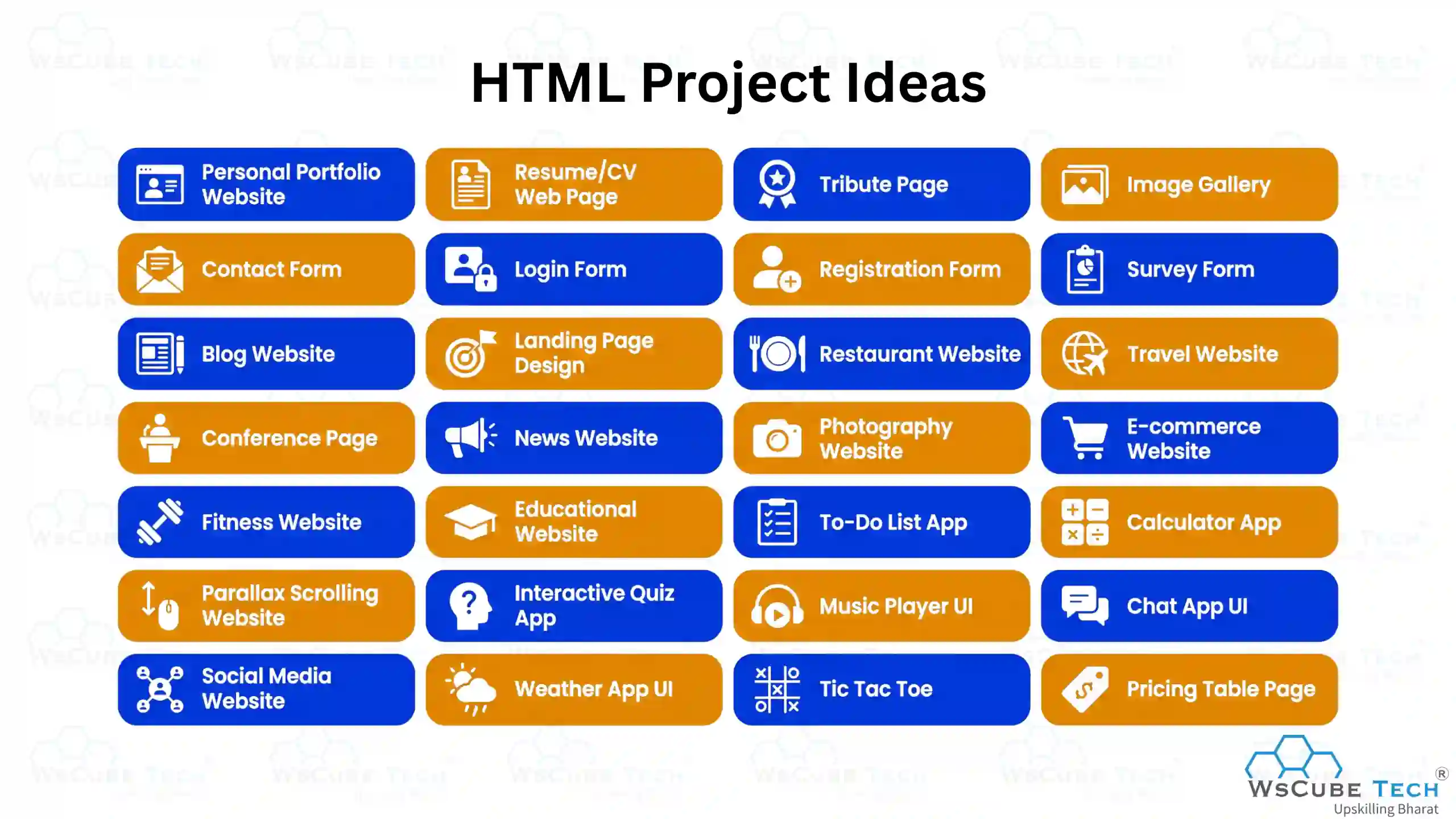
This blog brings together 30 curated HTML projects for beginners, ranging from simple portfolio pages to interactive apps with source code, so you can start building and practicing right away.
HTML Project Ideas (2026)
Below are beginner-friendly HTML projects with source code that help you practice basic concepts, improve skills, and build simple, real-world web pages easily. These HTML project ideas are perfect for anyone starting their web development journey.
1. Personal Portfolio Website
A Personal Portfolio Website is a beginner-friendly HTML project that helps you showcase your skills, projects, and achievements in one place. It acts as your digital resume, making it easier to present your work professionally and build a strong online presence for internships or job opportunities.
Features
- About Me section
- Skills showcase
- Project display section
- Contact form
- Social media links
Technologies Used
- HTML5
- Basic CSS
Skills You Practice
- Structuring web pages using HTML
- Creating navigation and sections
- Organizing content effectively
- Understanding basic layout design
Source Code: Personal Portfolio Website
2. Resume/CV Web Page
A Resume/CV Web Page is a simple HTML project where you create your resume in a web format. It includes sections like personal details, education, skills, and experience. This project helps you present your profile online in a clean and structured way, making it easy to share with recruiters.
Features:
- Personal information section
- Education details
- Skills list
- Work experience section
- Contact information
Technologies Used:
- HTML5
- Basic CSS
Skills You Practice:
- Structuring resume content in HTML
- Using headings and lists effectively
- Organizing information clearly
- Creating clean layouts
Source Code: Resume/CV Web Page
3. Tribute Page
A Tribute Page is a beginner-friendly HTML project where you create a webpage dedicated to a famous person, leader, or role model. It includes their biography, achievements, and images. This project helps you understand content structure and present information clearly in a simple and meaningful layout.
Features:
- Title and introduction section
- Biography/details section
- Image of the person
- Achievements or timeline
- Footer or quote section
Technologies Used:
- HTML5
- CSS
Skills You Practice:
- Structuring content using HTML
- Adding images and text sections
- Creating simple layouts
- Organizing information clearly
Source Code: Tribute Page
4. Image Gallery
An Image Gallery is a simple project where you display multiple images in an organized layout. It helps you understand how to arrange images, create sections, and design visually appealing pages. This project is useful for showcasing photos, designs, or any visual content in a clean format.
Features:
- Grid or list-based image layout
- Image titles or captions
- Organized sections for images
- Simple navigation (optional)
- Responsive structure (basic)
Technologies Used:
- HTML5
- CSS
Skills You Practice:
- Adding and displaying images
- Creating layouts using HTML
- Organizing visual content
- Basic styling with CSS
Source Code: Image Gallery
5. Contact Form
A Contact Form is a beginner-friendly HTML project where you create a form to collect user details like name, email, and message. It helps you understand how forms work, how to structure input fields properly, and how data is collected from users, making it useful for real websites that need user interaction and communication.
Features:
- Name input field
- Email input field
- Message textarea
- Submit button
- Basic form validation
Technologies Used:
- HTML5
- CSS
Skills You Practice:
- Creating forms using HTML
- Using input and textarea elements
- Applying basic validation
- Structuring user input sections
Source Code: Contact Form
Recommended Professional Certificates
Full Stack Development Course with AI Engineering
WordPress Bootcamp
6. Login Form
A Login Form is a basic HTML project where you create a form that allows users to enter their username/email and password to access a system. It helps you understand how user authentication forms are designed and how input fields are structured for secure data entry.
Features:
- Username or email input field
- Password input field
- Login button
- Remember me option (optional)
- Forgot password link (optional)
Technologies Used:
- HTML5
- CSS
Skills You Practice:
- Creating form layouts
- Using password input fields
- Structuring user authentication forms
- Basic styling with CSS
Source Code: Login Form
7. Registration Form
A Registration Form is a simple webpage where you create a form to collect user details like name, email, password, and other information for account creation. It helps you understand how signup forms work, how to structure multiple input fields clearly, and how user data is collected and organized on websites.
Features:
- Name input field
- Email input field
- Password and confirm password fields
- Gender or selection options
- Submit button
Technologies Used:
- HTML5
- CSS
Skills You Practice:
- Creating multi-field forms
- Using different input types
- Structuring user data sections
- Applying basic validation
Source Code: Registration Form
8. Survey Form
A Survey Form is a simple HTML project where you create a form to collect user feedback, opinions, or responses on different topics. It helps you understand how to design forms with multiple input types and organize questions clearly for better user interaction and data collection.
Features:
- Text input fields
- Radio buttons for single choice
- Checkboxes for multiple choices
- Dropdown selection
- Submit button
Technologies Used:
- HTML5
- CSS
Skills You Practice:
- Creating structured forms
- Using different input types
- Designing question-based layouts
- Collecting and organizing user responses
Source Code: Survey Form
9. Blog Website
A Blog Website is a simple HTML project where you create a webpage to display articles or posts in a structured format. It helps you understand how content is organized on real websites, including headings, paragraphs, images, and sections for better readability and user experience.
Features:
- Header with website title
- Blog post section
- Images with content
- Sidebar or categories (optional)
- Footer section
Technologies Used:
- HTML5
- CSS
Skills You Practice:
- Structuring long-form content
- Using headings and paragraphs effectively
- Organizing sections clearly
- Creating readable layouts
Source Code: Blog Website
10. Landing Page Design
In this landing page project, you create a visually appealing webpage focused on a single product, service, or goal. It helps you understand how to structure sections like headers, banners, and call-to-action areas to attract users and improve engagement, while also learning how to guide visitors toward a specific action like signup or purchase.
Features:
- Hero section with headline
- Call-to-action button
- Product/service details section
- Testimonials or reviews (optional)
- Footer section
Technologies Used:
- HTML5
- CSS
Skills You Practice:
- Creating structured layouts
- Designing user-focused sections
- Organizing content visually
- Improving page readability
Source Code: Landing Page Design
Upcoming Masterclass
Attend our live classes led by experienced and desiccated instructors of Wscube Tech.


11. Restaurant Website
In this project, you create a simple and attractive webpage to display a restaurant’s menu, services, and contact details. It helps you understand how to organize content, such as food items, images, and sections, into a clean layout for a better user experience and smooth navigation.
Features:
- Homepage with restaurant name and banner
- Menu section with food items
- About section
- Contact details
- Image gallery (optional)
Technologies Used:
- HTML5
- CSS
- JavaScript
Skills You Practice:
- Structuring multi-section pages
- Displaying content with images
- Organizing menus and details
- Adding basic interactivity with JavaScript
Source Code: Restaurant Website
12. Travel Website
A Travel Website is a multi-section webpage where you showcase destinations, tour packages, and travel services in an organized layout. It helps you understand how to present location-based content, images, and information clearly, creating an engaging and user-friendly browsing experience.
Features:
- Homepage with featured destinations
- Tour packages section
- Image gallery of places
- About or travel guide section
- Contact details
Technologies Used:
- HTML5
- CSS
- JavaScript
Skills You Practice:
- Structuring multi-section pages
- Displaying images and content effectively
- Creating attractive layouts
- Adding basic interactivity with JavaScript
Source Code: Travel Website
13. Conference Page
A Conference Page is an intermedial-level project in which you create a website to display conference details such as the schedule, speakers, and ticket information. In this project, the website includes multiple pages such as a homepage, about page, and tickets page, designed to provide complete event information in an organized way.
Features:
- Homepage with conference overview
- About page with event details
- Tickets or registration page
- Speakers or sessions section
- Responsive design for all devices
Technologies Used:
- HTML5
- CSS
- JavaScript
Skills You Practice:
- Creating multi-page websites
- Structuring event-based content
- Designing responsive layouts
- Managing navigation between pages
Source Code: Conference Page
14. News Website
In this project, you create a structured webpage to display news articles, headlines, and categories in an organized layout. It helps you understand how to present large amounts of content clearly, making it easy for users to read, explore different sections, and navigate smoothly across the website.
Features:
- Homepage with top headlines
- News articles section
- Categories like sports, tech, etc.
- Sidebar or trending news (optional)
- Footer with additional links
Technologies Used:
- HTML5
- CSS
- JavaScript
Skills You Practice:
- Structuring content-heavy pages
- Organizing sections and categories
- Creating readable layouts
- Adding basic interactivity with JavaScript
Source Code: News Website
15. Photography Website
A Photography Website is a creative webpage where you showcase images in a clean and visually appealing layout. It is a great HTML project for practice that helps you understand how to display photos, organize galleries, and create an engaging experience for visitors, while also improving your design sense and ability to present visual content professionally.
Features:
- Image gallery or grid layout
- Categories or albums section
- Featured photos section
- About photographer section
- Contact details
Technologies Used:
- HTML5
- CSS
- JavaScript
Skills You Practice:
- Displaying images effectively
- Creating gallery layouts
- Organizing visual content
- Adding basic interactivity with JavaScript
Source Code: Photography Website
Web Development Project Ideas for Practice
| Web Development Project Ideas | MERN Stack Project Ideas |
| Frontend Development Project Ideas | Backend Project Ideas |
| JavaScript Project Ideas | Full Stack Project Ideas |
16. E-commerce Website
An E-commerce Website is a modern HTML project where you build a fully responsive online shopping website with product listings, categories, and interactive features. In this project, the website is designed to work smoothly on all devices and includes a clean layout for better user experience and navigation.
Features:
- Responsive homepage with banners and offers
- Product listing and category sections
- Product details and pricing display
- Shopping cart layout (basic)
- Mobile-friendly design
Technologies Used:
- HTML5
- CSS
- JavaScript
Skills You Practice:
- Building responsive layouts
- Structuring product-based pages
- Creating user-friendly navigation
- Adding interactivity using JavaScript
Source Code: E-commerce Website
17. Fitness Website
A Fitness Website is a webpage where you create a layout to showcase workout plans, fitness programs, trainers, and health tips. It helps you understand how to organize content like schedules, images, and sections in a clean layout, while improving your ability to design engaging and informative web pages for users.
Features:
- Homepage with banner and highlights
- Workout plans or programs section
- Trainer or coach details
- About fitness section
- Contact details
Technologies Used:
- HTML5
- CSS
- JavaScript
Skills You Practice:
- Structuring multi-section pages
- Organizing fitness-related content
- Creating attractive layouts
- Adding basic interactivity with JavaScript
Source Code: Fitness Website
18. Educational Website
In this project, you create an educational website to share learning content, courses, and study materials in an organized layout. It helps you understand how to present educational information clearly, making it easy to explore topics and access learning resources, while also improving your ability to design structured and user-friendly websites for a better learning experience.
Features:
- Homepage with course highlights
- Courses or subjects section
- Study materials or resources
- About section
- Contact details
Technologies Used:
- HTML5
- CSS
- JavaScript
Skills You Practice:
- Structuring content-based pages
- Organizing educational content
- Creating clean and readable layouts
- Adding basic interactivity with JavaScript
Source Code: Educational Website
19. To-Do List App
In this project, you create a simple To-Do List App where you can add, delete, and manage daily tasks. It helps you understand how to handle user input, update content dynamically, and build interactive web applications with basic functionality.
Features:
- Add new tasks
- Mark tasks as completed
- Delete tasks
- Task list display
- Simple user interface
Technologies Used:
- HTML5
- CSS
- JavaScript
Skills You Practice:
- Handling user input
- DOM manipulation
- Managing dynamic content
- Building interactive features
Source Code: To-Do List App
20. Calculator App
A Calculator App is a simple web application where you create a tool to perform basic arithmetic operations like addition, subtraction, multiplication, and division. It helps you understand how calculations work in web applications and how user input is processed and displayed dynamically.
Features:
- Number and operator buttons
- Display screen for input/output
- Basic arithmetic operations
- Clear/reset button
- Responsive layout
Technologies Used:
- HTML5
- CSS
- JavaScript
Skills You Practice:
- Handling user input
- DOM manipulation
- Performing calculations with JavaScript
- Building interactive UI components
Source Code: Calculator App
Explore Our Web Development Related Courses
21. Parallax Scrolling Website
A Parallax Scrolling Website is an advanced-level project for beginners where you create a webpage in which background and foreground elements move at different speeds while scrolling. It helps you understand how to create visually engaging effects, improve user experience, and design modern, interactive web pages with smooth scrolling.
Features:
- Parallax scrolling effect
- Multiple content sections
- Background images with movement
- Smooth scrolling experience
- Modern layout design
Technologies Used:
- HTML5
- CSS
- JavaScript
Skills You Practice:
- Creating scrolling effects
- Designing interactive layouts
- Working with background images
- Enhancing user experience
Source Code: Parallax Scrolling Website
22. Interactive Quiz App
A Quiz App is an interactive web application where you create a system to display questions and allow users to select answers. It helps you understand how to manage quiz logic, track scores, and update results dynamically, making it a great project for learning user interaction and functionality.
Features:
- Multiple-choice questions
- Answer selection
- Score tracking
- Next/previous navigation
- Final result display
Technologies Used:
- HTML5
- CSS
- JavaScript
Skills You Practice:
- Handling user input
- DOM manipulation
- Managing quiz logic
- Updating dynamic content
Source Code: Quiz App
23. Music Player UI
In this project, you create an interactive music player interface that allows users to play, pause, and manage audio tracks easily. It helps you understand how audio elements work, how media controls function with JavaScript, and how to design a smooth, user-friendly interface for a better listening experience.
Features:
- Play and pause functionality
- Next/previous track controls
- Audio progress bar
- Song title and artist display
- Volume control
Technologies Used:
- HTML5
- CSS
- JavaScript
Skills You Practice:
- Working with audio elements
- Handling user interactions
- DOM manipulation
- Building interactive UI components
Source Code: Music Player UI
24. Chat App UI
This project focuses on building an interactive chat interface where users can type and send messages in a conversation layout. It helps you understand how messaging systems work, how user input is handled, and how messages are updated dynamically for a smooth and engaging experience.
Features:
- Message input field
- Send button
- Chat message display area
- User message styling (sender/receiver)
- Auto scroll to latest message
Technologies Used:
- HTML5
- CSS
- JavaScript
Skills You Practice:
- Handling user input
- DOM manipulation
- Updating dynamic content
- Designing interactive UI
Source Code: Chat App
25. Social Media Website
In this social media project, you create a web application where users can share posts, like, comment, and interact with content in a dynamic feed. It helps you understand how real social platforms work, including user authentication, post management, and interactive features.
Features:
- News feed with posts display
- Like and comment functionality
- User registration and login
- Edit and delete posts
- Search functionality
- Profile update pages
Technologies Used:
- HTML5
- CSS
- JavaScript
Skills You Practice:
- Handling dynamic content
- Managing user interactions
- DOM manipulation
- Building multi-page applications
Source Code: Social Media Website
Read More Web Development Related Guides
26. Weather App UI
A Weather App UI is one of the best projects for beginners where you create a clean and interactive interface to display real-time weather data using an API. It helps you understand how to fetch data from external APIs, process it, and present it in a user-friendly layout for a better experience and smooth interaction.
Features:
- Search weather by city name
- Display temperature, weather condition, and location
- Weather icons based on conditions
- Real-time data using API
- Responsive and modern UI
Technologies Used:
- HTML5
- CSS
- JavaScript
- Weather API (e.g., OpenWeatherMap API)
Skills You Practice:
- Fetching data from APIs
- Handling JSON data
- DOM manipulation
- Designing responsive UI
Source Code: Weather App UI
27. Tic Tac Toe
In this project, you create a simple Tic Tac Toe game where two players can play on a grid and take turns marking X and O. It helps you understand game logic, user interactions, and how to update the interface dynamically based on player actions.
Features:
- 3×3 game grid
- Two-player gameplay (X and O)
- Turn-based system
- Win/draw detection
- Reset or restart button
Technologies Used:
- HTML5
- CSS
- JavaScript
Skills You Practice:
- Implementing game logic
- Handling user clicks
- DOM manipulation
- Updating UI dynamically
Source Code: Tic Tac Toe
28. Pricing Table Page
A Pricing Table Page is a great project where you create a layout to display pricing plans, features, and subscription options in a clear and structured format. It helps you understand how to design comparison sections and present information effectively, making it easier for users to choose the right plan.
Features:
- Multiple pricing plans
- Feature comparison list
- Highlighted popular plan
- Call-to-action buttons
- Clean and responsive layout
Technologies Used:
- HTML5
- CSS
- JavaScript
Skills You Practice:
- Designing structured layouts
- Creating comparison sections
- Styling UI components
- Improving visual hierarchy
Source Code: Pricing Table Page
Bonus Project Ideas for Practice
Now we will discuss some extra projects that help you improve your skills, build creativity, and gain more hands-on experience by working on real-world web applications:
29. Netflix Clone
A Netflix Clone is a web project where you create a streaming platform interface similar to Netflix, featuring movie sections, banners, and a modern layout. It helps you understand how real-world platforms are designed, how content is organized, and how user interfaces are built for better viewing experience.
Features:
- Homepage with banner and featured content
- Movie or show categories
- Thumbnail previews
- Navigation bar
- Responsive layout
Technologies Used:
- HTML5
- CSS
- JavaScript
Skills You Practice:
- Designing modern UI layouts
- Organizing media content
- Creating responsive designs
- Improving visual presentation
Source Code: Netflix Clone
30. Amazon Clone
An Amazon Clone is a web project where you create an e-commerce website interface similar to Amazon, including product listings, categories, and a shopping layout. It helps you understand how large online stores are structured and how products are displayed for a smooth user experience.
Features:
- Homepage with banners and offers
- Product listing section
- Categories navigation
- Search bar
- Shopping cart layout (basic)
Technologies Used:
- HTML5
- CSS
- JavaScript
Skills You Practice:
- Structuring e-commerce layouts
- Displaying products effectively
- Creating navigation systems
- Designing responsive pages
Source Code: Amazon Clone
Recommended Professional Certificates
Full Stack Development Course with AI Engineering
WordPress Bootcamp
Benefits of Working on HTML Projects
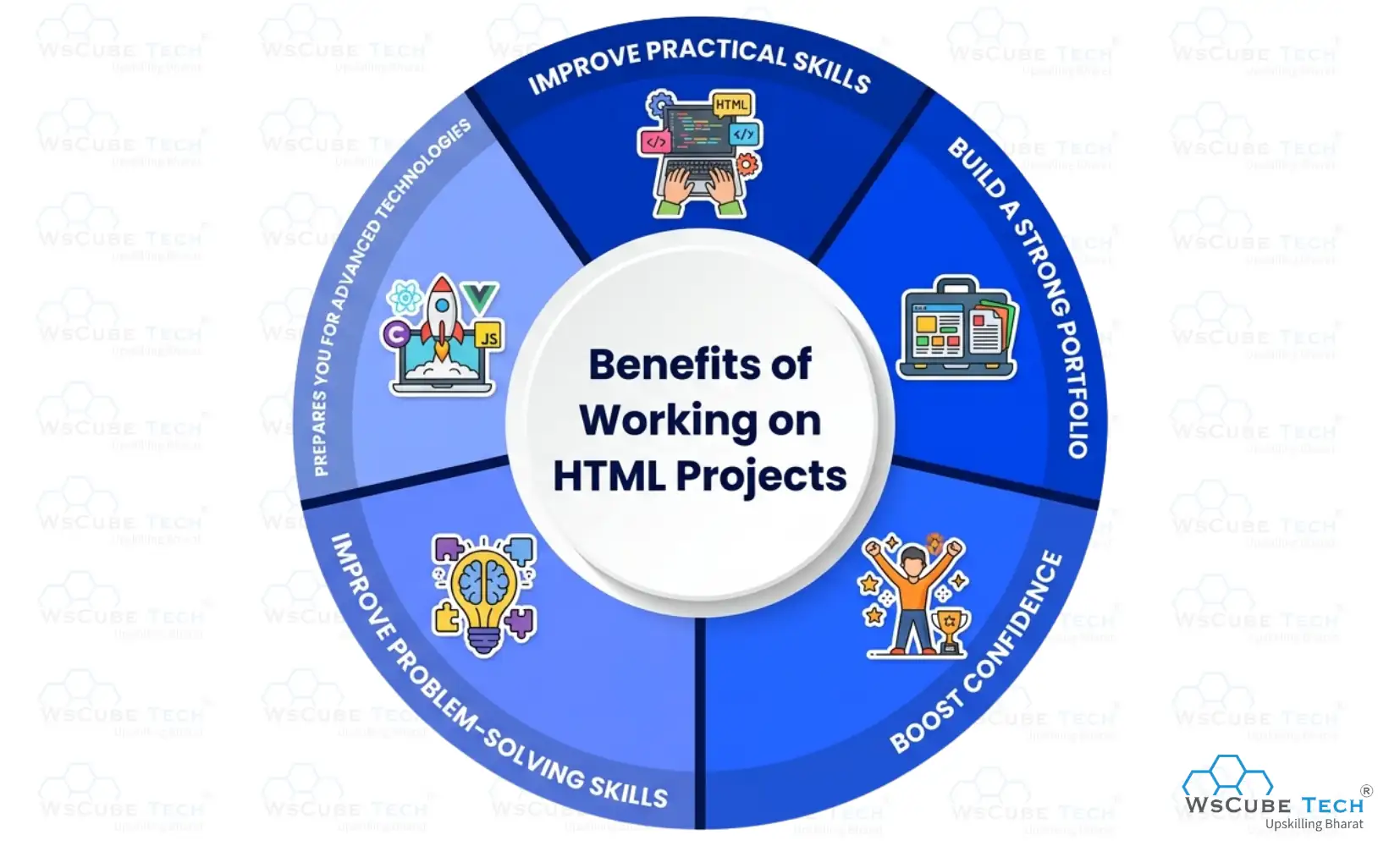
Exploring HTML project ideas helps you learn by doing, improve coding skills, build confidence, and create real websites for practice. Regular html practice projects also help you retain concepts much longer than passive reading. Below are the benefits:
1. Improve Practical Skills
Working on HTML projects gives hands-on experience, helping you understand how tags, elements, and structure work in real scenarios. Instead of just reading theory, you actively build web pages, which improves your coding accuracy, problem-solving ability, and overall understanding of web development concepts.
2. Build a Strong Portfolio
HTML projects allow you to create real websites that you can showcase in your portfolio. A strong portfolio helps you stand out during internships or job applications by showing your practical knowledge, creativity, and ability to build working projects rather than just knowing theory.
3. Boost Confidence
When you complete HTML projects, it builds confidence in your skills. You start creating websites from scratch and feel motivated to learn advanced technologies like CSS, JavaScript, and full-stack development without confusion.
4. Improve Problem-Solving Skills
While working on HTML projects, you face small challenges like fixing layout issues or structuring content properly. Solving these problems step by step improves your logical thinking and makes you better at debugging, which is an essential skill for any web developer.
5. Prepares You for Advanced Technologies
HTML projects create a strong base for learning CSS, JavaScript, and other advanced tools. Once you understand how HTML works in real projects, it becomes easier to move forward and build more dynamic and interactive websites in the future.
Tips to Choose the Right HTML Project
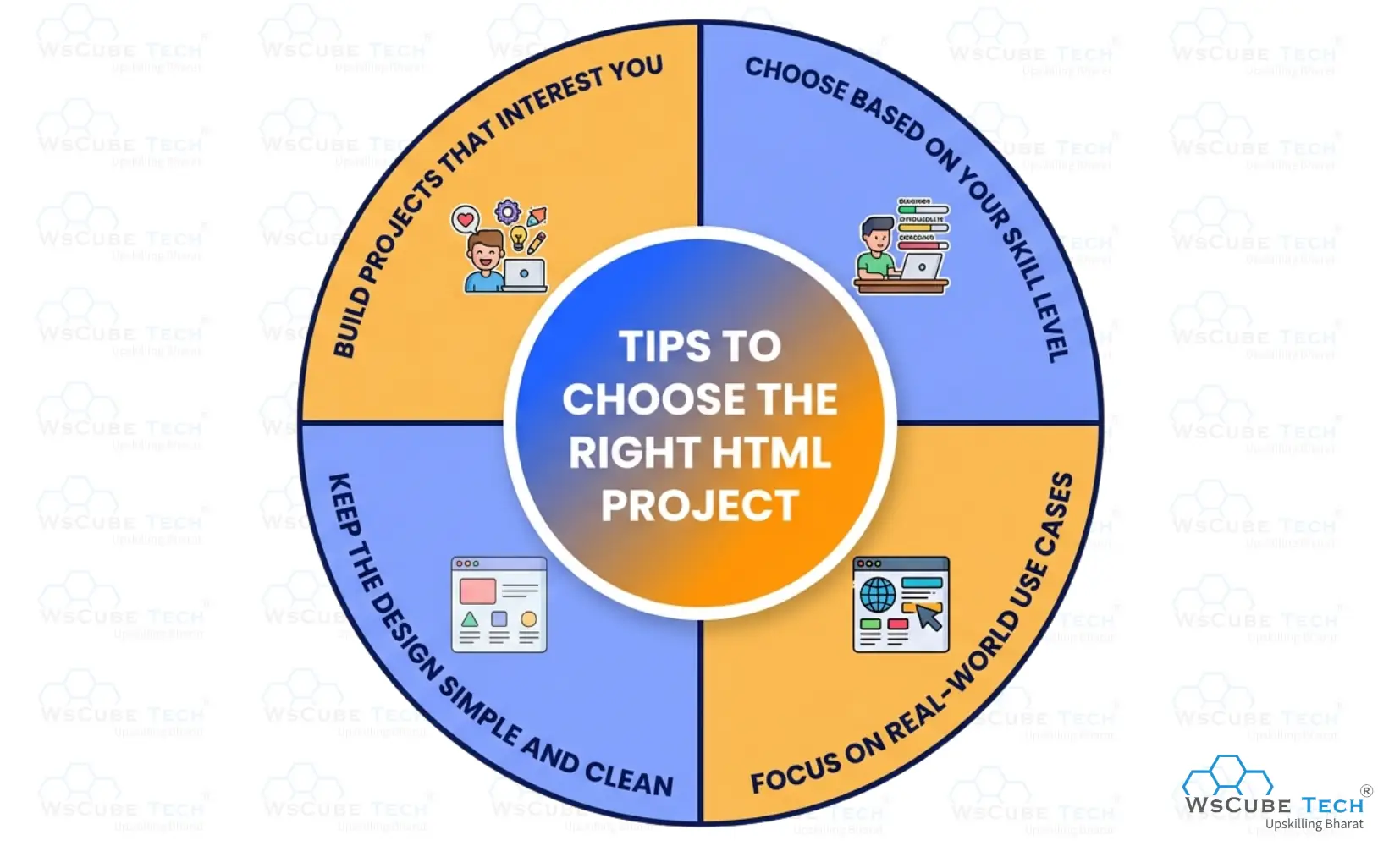
Picking the right html beginner projects at this stage makes the rest of your learning path much smoother. Below are the tips to follow:
1. Choose Based on Your Skill Level
Start with simple ideas and gradually move to complex ones. Picking the right project for HTML based on your current level helps you learn step by step without confusion. This approach builds strong fundamentals and makes your learning process smooth and effective.
2. Focus on Real-World Use Cases
Select HTML projects that solve real problems or represent real websites like portfolios, blogs, or forms. Working on practical ideas helps you understand how websites are built and prepares you for real development tasks and future opportunities.
3. Keep the Design Simple and Clean
Avoid making overly complex designs in the beginning. Focus on creating clean layouts with proper structure and readability. A simple and well-organized project helps you understand core concepts clearly and makes your work look professional and easy to use.
4. Build Projects That Interest You
Choose topics that match your interests, such as music, travel, or gaming. When you enjoy what you build, you stay motivated and complete projects faster, which improves consistency and helps you develop better skills over time.
FAQs About HTML Projects
You only need a text editor like VS Code or Notepad and a browser to test your pages. No installation or paid software is required to get started.
Yes, platforms like GitHub Pages, Netlify, and Vercel let you host HTML projects for free. This is a great way to share your work with recruiters using a live link.
Student projects usually focus on learning structure, like portfolios and forms. Professional-level projects add responsiveness, JavaScript logic, and API integration for real-world use cases.
Bootstrap is optional for beginners but helpful once you understand core HTML and CSS. It speeds up styling and makes layouts responsive with minimal extra code.
Focus on clean spacing, consistent fonts, and a simple color palette. Avoiding clutter and keeping navigation clear instantly improves how polished a project looks.
Yes, studying source code helps you understand how experienced developers structure pages. Try rebuilding the project yourself before referring back to the code.
Pick one small project idea and finish it end to end rather than jumping between multiple half-done pages. Daily, focused practice builds consistency faster than long irregular sessions.
Yes, once your HTML structure is solid, adding CSS and JavaScript becomes much easier. Most beginners layer these skills project by project rather than learning them separately.
A personal portfolio or a simple tribute page works best as a first project. Both are simple in scope but teach core structuring concepts effectively.
Upload your projects to GitHub and host a live version using GitHub Pages or Netlify. Add both links to your resume and LinkedIn for easy access.
Conclusion
Working on HTML projects is one of the best ways to build a strong foundation in web development. It helps you understand how websites are structured, improves your practical skills, and gives you the confidence to create real-world web pages.
By practicing regularly and building different types of projects, you can improve faster and create a strong portfolio. Start with simple ideas, stay consistent, and gradually move to advanced projects to grow your skills.
Start Learning Programming with Our Free Tutorials
| Python Tutorial | Java Tutorial | JavaScript Tutorial |
| C Tutorial | C++ Tutorial | HTML Tutorial |
| CSS Tutorial | SQL Tutorial | DSA Tutorial |
Practice Coding With Our Free Compilers
| Online Python Compiler | Online HTML Compiler | Online C Compiler |
| Online C++ Compiler | Online JS Compiler | Online Java Compiler |
Join Our On-Campus Full Stack Courses
Free Courses for You



Leave a comment
Your email address will not be published. Required fields are marked *Comments (0)
No comments yet.