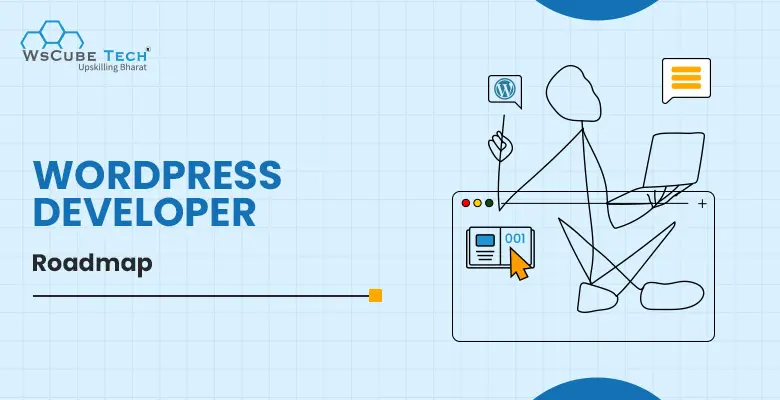
WordPress is one of the most popular platforms for building websites, blogs, and online stores. From small businesses to global brands, millions of websites run on WordPress because it is flexible, beginner-friendly, and easy to manage. The best part is that you can start learning WordPress without having advanced coding knowledge, making it a great career option for beginners interested in web development.
If you want to become a WordPress developer, following the right learning path is important. This WordPress roadmap gives you a clear step-by-step guide to learn everything from basic website concepts to advanced WordPress development skills. You’ll understand what to learn, in which order to learn it, and how to build real projects that help you become job-ready and freelance-ready.
Want to learn WordPress the practical way? Join the WordPress online course by WsCube Tech and learn step-by-step development, work on real-world projects, and build industry-ready skills to start your career with confidence.
Who is a WordPress Developer?
A WordPress developer is a professional who builds and manages websites using WordPress. This role focuses on creating websites that are functional, user-friendly, and visually appealing. A WordPress developer works on themes, plugins, and website features based on project needs.
WordPress developer also maintains websites by fixing issues, improving performance, and adding new features. This role is suitable for beginners who enjoy website creation and want a career in web development.
Key Responsibilities of a WordPress Developer
- Building and customizing WordPress websites
- Creating and modifying themes
- Developing and managing plugins
- Fixing website bugs and errors
- Improving website speed and performance
- Ensuring website security and updates
- Making websites responsive and mobile-friendly
Also Read: Best Website Speed Test Tools
Why Choose WordPress Development as a Career?
WordPress development is a great career choice because it offers strong demand, flexible work options, and easy entry for beginners. It allows you to build real websites, grow skills step by step, and earn through jobs or freelancing. Below are the key reasons:
- High Market Demand: Millions of websites run on WordPress, including business sites, blogs, and online stores. Because of this, companies and clients are always looking for skilled WordPress developers to build, manage, and improve their websites.
- Beginner-Friendly Learning Path: Easy to start, allowing beginners to learn step by step without advanced coding knowledge.
- Work Flexibility: WordPress development offers options like freelancing, office jobs, or remote work. This makes it easier to manage your time, pick suitable projects, and enjoy a balanced lifestyle.
- Good Earning Potential: With experience, WordPress developers can earn well through client projects, long-term contracts, or full-time roles, especially with advanced skills.
Overall, WordPress development offers a stable, flexible, and beginner-friendly career path with long-term growth and learning opportunities.
Recommended Professional Certificates
Full Stack Development Course with AI Engineering
WordPress Bootcamp
WordPress Developer Roadmap 2026: Step-by-Step
Below are the steps that help you become a skilled WordPress developer:
- Learn Web Development Fundamentals
- Understand Core WordPress Concepts
- Setting Up WordPress Locally and Live
- Understanding WordPress Dashboard
- PHP for WordPress Development
- WordPress Database and MySQL
- WordPress Themes Development
- WordPress Plugins Development
- Working with WordPress Hooks (Actions and Filters)
- Custom Post Types and Taxonomies
- Working with WordPress REST API
- Security and Performance Optimization
- Version Control and Deployment
- Building Real-World WordPress Projects
- Preparing for WordPress Developer Jobs
Next, let’s explore each step in detail so you can understand the learning journey and follow this roadmap in a clear and beginner-friendly way.
Step 1: Learn Web Development Fundamentals
Before starting with WordPress, it is important to understand how websites are built. Web development fundamentals help you create, design, and add interactivity to web pages, making WordPress learning easier and more effective.
- HTML: Used to create the structure of a webpage. It helps add headings, paragraphs, images, links, buttons, and other content elements shown on a website.
- CSS: Used to style webpages by controlling colors, fonts, spacing, layouts, and responsiveness, ensuring the website looks good on all screen sizes.
- JavaScript: Used to make websites interactive. It helps create sliders, popups, dropdown menus, form validation, and other dynamic features that improve user experience.
Building these basic skills will make your WordPress development journey smoother, faster, and more confident.
Step 2: Understand WordPress Fundamentals
Before moving into development, you need to understand the basic building blocks of WordPress. Knowing how WordPress works helps you manage websites properly, customize features easily, and avoid common mistakes during development. Below are the key points to learn:
- WordPress.org vs WordPress.com: Learn the difference between self-hosted WordPress.org, which offers full control and customization, and WordPress.com, which provides managed hosting with limited flexibility.
- Themes: Understand how themes control website design, layout, structure, and visual appearance.
- Plugins: Learn how plugins extend website features without changing the core WordPress files.
- WordPress Dashboard: Learn how to manage posts, pages, media, and settings.
- Posts and Pages: Learn how WordPress organizes content for blogs, static pages, and websites.
Learning these fundamentals provides a strong foundation and prepares you to confidently move into WordPress theme and plugin development.
Step 3: Setting Up WordPress Locally and Live
After learning the fundamentals, the next important part is setting up WordPress so you can start practicing and building real websites. You can install WordPress on your system for learning purposes or set it up on a live server so others can access your website online.
- Local Setup: Install WordPress on your own computer using tools like XAMPP, WAMP, or LocalWP. This lets you test themes, plugins, and changes safely without affecting a live website.
- Live Hosting Setup: To make your website available on the internet, you need web hosting and a domain name. Hosting stores your website files, and the domain is the address people use to visit your site.
- Database Configuration: Learn how to create and connect a MySQL database with WordPress, which stores your website content, settings, and user information.
- File Upload Methods: Understand how to upload WordPress files to a server using hosting file managers or FTP software like FileZilla.
- Basic Configuration: After installation, set your website title, admin username, password, time zone, and permalink structure to prepare your site for content and design.
Setting up WordPress both locally and on a live server gives real experience and helps you build, test, and launch professional WordPress websites with confidence.
Upcoming Masterclass
Attend our live classes led by experienced and desiccated instructors of Wscube Tech.

Step 4: Understanding WordPress Dashboard
After setting up WordPress, the next step is learning how to use the WordPress dashboard in a practical way. The dashboard is your website’s control center, where you create content, manage design, control users, and update settings. Mastering this area helps you confidently manage a website before moving into development. Below are the key tasks you should practice:
- Creating and Managing Content: Learn how to add, edit, delete, and schedule posts and pages using the dashboard editor.
- Using the Media Library: Practice uploading images, videos, and documents, and learn how to insert them into posts and pages.
- Managing Themes: Learn how to install, activate, and customize themes directly from the dashboard.
- Managing Plugins: Practice installing, activating, updating, and deleting plugins to extend website features.
- Menus and Widgets: Understand how to create navigation menus and add widgets to sidebars or footers.
- User Management: Learn how to add new users and assign roles like Administrator, Editor, Author, and Subscriber.
- Updates and Maintenance: Learn how to update WordPress core, themes, and plugins to keep the website secure and running smoothly.
- General Settings: Practice changing site title, tagline, time zone, reading settings, and permalink structure.
Learning to work confidently inside the WordPress dashboard prepares you for deeper customization and development using PHP in the next step.
Step 5: PHP for WordPress Development
PHP is the core programming language that powers WordPress. It controls how content is loaded, displayed, and managed on a website. Learning PHP is important because it allows you to customize themes, build plugins, and change WordPress behavior beyond basic settings.
- PHP Basics: Learn variables, data types, functions, conditions, loops, and arrays. These concepts are used everywhere in WordPress development.
- WordPress Functions: Understand commonly used WordPress functions for retrieving posts, users, menus, and settings.
- The WordPress Loop: Learn how WordPress uses the loop to display posts, pages, and custom content dynamically.
- Working with Forms: Learn how PHP handles form data, user input, and basic validation securely.
- Template Files: Use PHP inside theme files like single.php, page.php, and archive.php to control content display.
- Debugging and Errors: Learn how to identify and fix common PHP errors using WordPress debug tools.
Learning PHP for WordPress development allows you to create dynamic features, customize themes and plugins, handle website logic, and build more powerful, flexible, and professional WordPress websites confidently.
Step 6: WordPress Database and MySQL
WordPress stores all website data inside a MySQL database. Understanding how this database is structured helps you manage content safely, improve performance, and troubleshoot issues in real projects.
- Database Basics: Learn what a database is and why WordPress uses MySQL to store website content and settings.
- WordPress Database Structure: Understand key tables like wp_posts, wp_users, wp_comments, and wp_options and what type of data each table stores.
- wp-config.php File: Learn how WordPress stores database connection details securely and how this file connects your website to the database.
- Database Management Tools: Get familiar with tools like phpMyAdmin or hosting database panels to view and manage tables when needed.
- Backups and Recovery: Learn why database backups are important and how they help restore a website if something goes wrong.
- Database Optimization: Understand basic cleanup techniques such as removing spam comments, post revisions, and unused data to improve performance.
- Database Security: Learn practices like changing table prefixes and protecting database credentials to improve security.
Learning WordPress database structure and management helps you handle websites more professionally and supports advanced development work.
Also Read: WordPress Interview Questions and Answers
Step 7: WordPress Themes Development
WordPress themes control the design and layout of a website. Learning theme development allows you to build custom website designs instead of relying only on pre-made themes.
- Theme Basics: Understand what a WordPress theme is and how it controls the website’s layout and visual appearance.
- Theme File Structure: Learn about essential theme files such as style.css, index.php, header.php, footer.php, and functions.php, and how they work together.
- Template Hierarchy: Understand how WordPress selects different template files to display posts, pages, categories, and other content types.
- Customizing Themes: Learn how to modify themes using CSS, PHP, and the WordPress Customizer to change layouts and design elements.
- Registering Menus and Widget Areas: Learn how to add support for navigation menus and widget areas in your theme using WordPress functions.
- Responsive Design: Learn how to create mobile-friendly themes that work smoothly on all screen sizes.
Learning WordPress theme development gives you the power to design fully customized websites and prepares you for advanced WordPress development.
Step 8: WordPress Plugins Development
Plugins make it possible to include extra features and functionality in a website without changing core files. Learning plugin development helps you create custom solutions and extend WordPress based on project needs.
- Plugin Basics: Understand what plugins are and how they work in WordPress.
- Plugin File Structure: Learn how a basic plugin is created using a main PHP file with proper headers so WordPress can recognize and activate it.
- Hooks (Actions and Filters): Understand how plugins use WordPress hooks to add or modify features without changing core files.
- Creating Custom Features: Learn how to build simple features like shortcodes, custom forms, or admin settings inside your plugin.
- Admin Settings Page: Understand how to create settings pages in the WordPress dashboard so users can easily manage plugin options.
Learning WordPress plugin development gives you the power to extend website functionality and build custom features for real-world projects.
Step 9: Working with WordPress Hooks (Actions and Filters)
WordPress hooks allow you to add or change functionality without editing core WordPress files. They are an important part of safe and flexible WordPress development.
- What Are Hooks: Hooks let WordPress run your custom code at specific points.
- Actions: Used to add new features or run code when events happen, like loading pages or saving posts.
- Filters: Used to modify existing content or data before it is displayed on the website.
- Using Hooks in Themes and Plugins: Hooks help customize WordPress behavior safely.
- Creating Custom Hooks: Learn how to create your own hooks for better code control.
- Hook Priority and Parameters: Learn how to control execution order and pass data using hook priority and arguments.
- Common WordPress Hooks: Get familiar with widely used hooks like wp_head, wp_footer, the_content, and init.
Actions and filters help you customize WordPress the right way and build clean, secure, and upgrade-safe websites.
Explore More Career Roadmaps
Step 10: Working with WordPress REST API
The WordPress REST API allows WordPress to interact with external applications, themes, and plugins through URLs. It enables you to read, create, update, and delete WordPress data without relying on the WordPress dashboard, making it ideal for building modern and dynamic websites.
- REST API Basics: Understand what the REST API is and how WordPress sends and receives data in JSON format.
- API Endpoints: Learn how built-in endpoints provide access to posts, pages, users, comments, categories, tags, and media files directly through URLs.
- HTTP Methods: Understand how GET, POST, PUT, and DELETE requests are used to fetch, add, update, and remove data.
- Custom Endpoints: Learn how to create custom REST API endpoints to handle special features and custom data needs.
- Authentication and Security: Understand basic authentication methods and security practices to protect API requests and website data.
- Real-World Use Cases: Use the REST API to connect WordPress with mobile apps, JavaScript front-end frameworks like React, and third-party services such as payment gateways and CRM tools.
Working with the WordPress REST API helps you build modern, flexible, and scalable WordPress websites and applications.
Step 11: Custom Post Types and Taxonomies
With Custom Post Types and Taxonomies, WordPress can manage different content formats in an organized manner. They are key tools for building structured and feature-rich professional websites. Below are the key concepts to learn:
- Custom Post Types Basics: Understand what custom post types are and why they are used to create content types like portfolios, testimonials, products, or events.
- Registering Custom Post Types: Learn how to create custom post types using code with register_post_type() and set options like labels, icons, and support features.
- Taxonomies Basics: Understand what taxonomies are and how they help classify and organize content using categories, tags, or custom groupings for better content management.
- Custom Taxonomies: Learn how to create custom taxonomies using register_taxonomy() to organize custom post types effectively.
- Relationship Between Posts and Taxonomies: Learn how custom post types and taxonomies work together to organize content and make it easier to sort, filter, and display on your website.
- Displaying Custom Content: Learn how to display custom post types and taxonomy data on the front end using templates and queries.
Custom Post Types and Taxonomies help you build organized, scalable, and content-driven WordPress websites with better structure and flexibility.
Step 12: Security and Performance Optimization
Security and performance are very important for a successful WordPress website. Security protects your site from hacking, malware, and data loss. You should use strong passwords, keep WordPress, themes, and plugins updated, install trusted security plugins, limit login attempts, and take regular backups to keep your website safe.
Performance optimization helps your website load faster and run smoothly. Use caching plugins, optimize images, choose good hosting, reduce unnecessary plugins, and use a CDN. A fast and secure website improves user experience and search engine rankings.
Explore Our Web Development Related Courses
Step 13: Version Control and Deployment
Version control and deployment help you manage WordPress projects efficiently and deliver updates safely. These practices are essential for maintaining code quality, collaborating with others, and launching websites without errors.
- Version Control Basics: Understand what version control is and why tools like Git are used to track changes in your code over time.
- Using Git for WordPress: Learn how to manage theme files, plugin code, and custom development work using Git repositories.
- Branching and Merging: Understand how branches allow you to work on new features or fixes separately and then merge them safely into the main project.
- Deployment Basics: Learn how to move a WordPress website from local or staging to a live server.
- File and Database Sync: Understand how to upload files and migrate databases correctly during deployment.
- Environment Management: Learn the difference between local, staging, and production environments.
- Post-Deployment Checks: Learn how to test the website after deployment to make sure everything works correctly.
Version control and deployment help you build, update, and maintain stable WordPress websites in a professional and reliable way.
Step 14: Building Real-World WordPress Projects
Building real-world WordPress projects is where your learning turns into practical experience. Creating complete websites helps you understand how themes, plugins, content, and settings work together in real situations. It also improves your confidence and problem-solving skills.
Start with small projects like a personal blog, portfolio site, or business website. You can also try building a simple online store using WooCommerce. These projects help you practice customization, performance optimization, and security, preparing you for freelance work or professional WordPress developer roles.
Step 15: Preparing for WordPress Developer Jobs and Interviews
Preparing for WordPress developer jobs involves strengthening your knowledge of WordPress core, themes, plugins, PHP, databases, and basic HTML, CSS, and JavaScript. Focus on building real-world WordPress websites, customizing features, improving performance, and following WordPress coding standards.
Create a strong portfolio that highlights custom themes, plugins, business websites, blogs, and eCommerce projects. Show clean code, responsive design, security practices, and clearly explain your role, features built, and challenges solved in each project. Regularly practice WordPress interview questions, common troubleshooting scenarios, and project explanations to improve confidence.
You can enroll in our WordPress online certificate course by WsCube to learn WordPress in a structured way. This course offers step-by-step lessons, hands-on projects, interview preparation, and a recognized certificate to help you start your WordPress developer career confidently.
Must Read: Magento vs WooCommerce Comparison
Career Opportunities After Completing WordPress Development
After following the WordPress Roadmap, you can explore multiple career paths based on your skills, experience level, and interest areas in WordPress and web development.
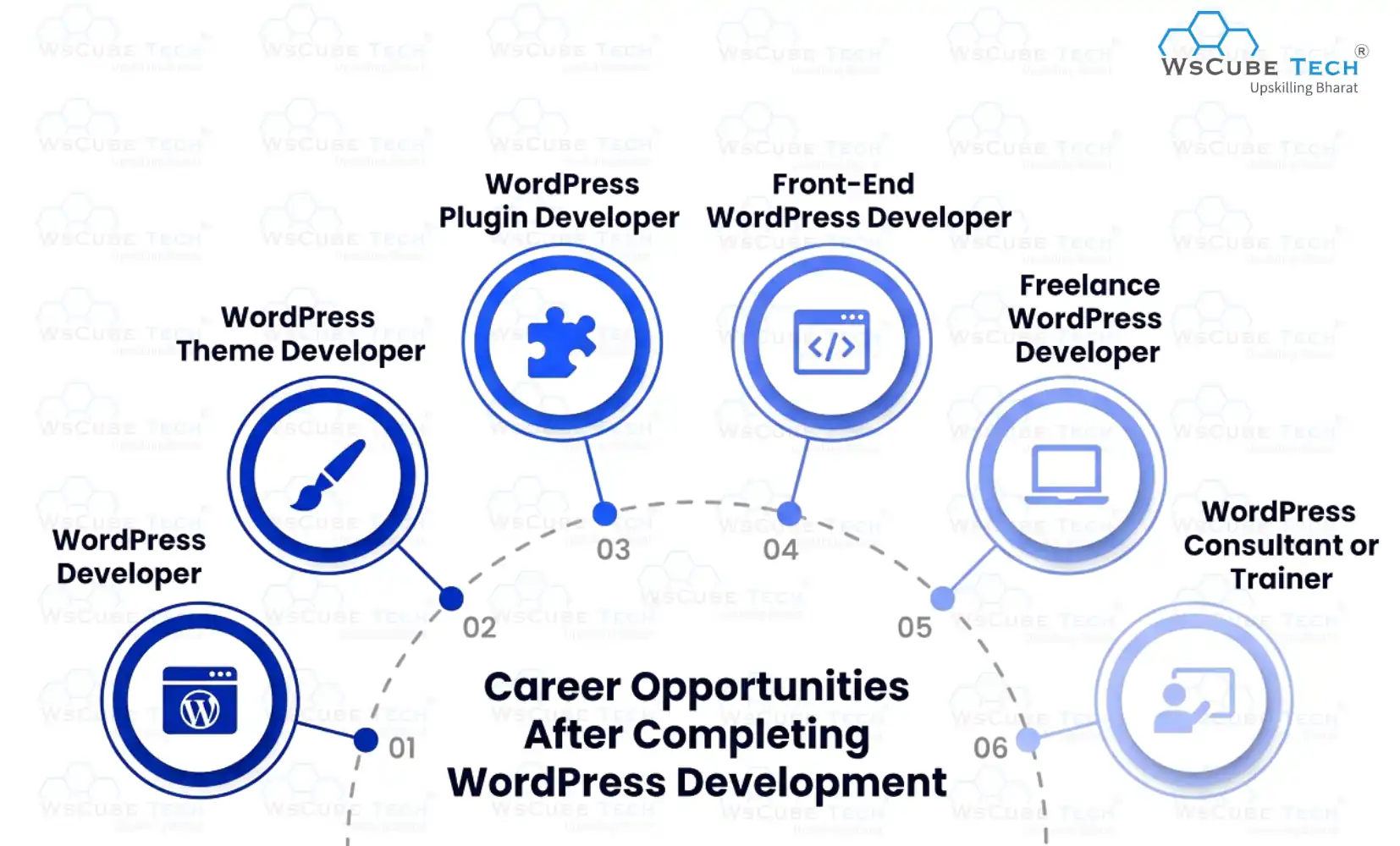
- WordPress Developer: Build, customize, and maintain WordPress websites using themes, plugins, PHP, and databases while working with companies, startups, or digital agencies on real-world projects.
- WordPress Theme Developer: Design and develop custom WordPress themes with responsive layouts, clean UI, and performance optimization while converting designs into functional, user-friendly WordPress websites.
- WordPress Plugin Developer: Create custom WordPress plugins to add advanced features, integrations, and automation while ensuring security, performance, and compatibility with different WordPress versions.
- Front-End WordPress Developer: Focus on website design, responsiveness, animations, and user experience using HTML, CSS, JavaScript, and WordPress themes to build visually appealing interfaces.
- Freelance WordPress Developer: Work independently with global clients, manage multiple projects, set your own pricing, and build a strong personal brand or WordPress-focused agency.
- WordPress Consultant or Trainer: Help businesses or learners by offering technical guidance, performance audits, security advice, or teaching WordPress development through courses, blogs, or workshops.
With continuous learning, hands-on projects, and real-world experience, WordPress development can offer long-term career growth, flexibility, and strong earning opportunities in the web industry
WordPress Developer Salary and Demand (2026)
With businesses relying on websites for marketing, e-commerce, and online services, WordPress development continues to be in demand for both full-time and freelance roles. Skilled developers who build custom themes, plugins, and optimized sites are sought after across India and globally. This growing need reflects continued investment in web platforms and digital presence.
WordPress Developer Salary in India
| Experience Level | Average Salary Range |
| Fresher / Entry (0–2 yrs) | ₹3 – ₹ 6LPA |
| Mid-Level (2–5 years) | ₹ 6– ₹10 LPA |
| Senior (5+ yrs) | ₹15 – ₹30 LPA+ |
WordPress Developer Roadmap (Detailed Video Guide)
FAQs About WordPress Roadmap
WordPress development means you build and customize websites using WordPress. You work on themes, plugins, design, and features to create websites that look good, load fast, and meet different business or personal needs.
WordPress development is not very hard for beginners if you learn step by step. You can begin with basic website building and gradually understand themes, plugins, and customization through regular practice and small real-world projects.
Anyone interested in building professional websites can follow a WordPress developer roadmap. Whether you aim to freelance, start a web development career, or create personal projects, this roadmap guides you step by step and helps you learn the right skills clearly and confidently.
You don’t need advanced coding skills at the beginning. You can start with basics, but learning HTML, CSS, and PHP later will help you customize themes, build plugins, and grow as a professional developer.
The time depends on how consistently you learn. If you practice daily, you can understand the WordPress learning roadmap in about 4–6 months and start building real projects confidently.
You don’t need a formal degree. What matters more is your practical skills, projects, and problem-solving ability. Clients and companies care about what you can build, not just your educational background.
In a WordPress developer learning path, you learn website basics, dashboard management, PHP, themes, plugins, hooks, and performance optimization. These skills help you build, customize, and manage professional WordPress websites effectively.
You should build a blog, business website, portfolio site, or a small online store while learning WordPress. These projects help you practice themes, plugins, and customization, and also serve as strong portfolio examples for freelance work or job opportunities.
Yes, WordPress development remains a strong career option in 2026 because many businesses rely on websites. If you follow a proper roadmap to become a WordPress developer, you can find freelance, remote, or full-time opportunities.
You stay consistent while learning WordPress by setting small daily or weekly goals, following a clear roadmap, and practicing with real projects. Tracking your progress, revising regularly, and celebrating small achievements keeps you motivated and helps you build steady learning habits over time.
Explore Our Free Tech Tutorials
| Python Tutorial | Java Tutorial | JavaScript Tutorial |
| C Tutorial | C++ Tutorial | HTML Tutorial |
| CSS Tutorial | SQL Tutorial | DSA Tutorial |
Practice Coding With Our Free Compilers
| Online Python Compiler | Online HTML Compiler | Online C Compiler |
| Online C++ Compiler | Online JS Compiler | Online Java Compiler |
Join Our On-Campus Full Stack Related Courses
Free Courses for You


Leave a comment
Your email address will not be published. Required fields are marked *Comments (0)
No comments yet.