

Video is no longer something only big studios can make well. In 2026, anyone with a laptop and an idea can turn a few lines of text into a finished clip. This shift is powered by a wave of AI video generator tools that write, animate, voice, and edit video with almost no manual work.
The AI video market is crowded, with tools designed for different needs, from cinematic videos and AI avatars to social media content. This guide compares the best AI video generator tools of 2026, covering their features, pricing, use cases, and key factors to help you choose the right platform.
What Are AI Video Generator Tools?
An AI video generator is software that creates video content using artificial intelligence instead of manual filming and editing. You give it an input, usually a text prompt, an image, or a script, and it produces a video output on its own.
These tools combine several AI models working together:
- A language model that understands your prompt
- A visual generation model that creates frames and motion
- A voice or audio model that adds narration, sound effects, or music
- An editing layer that stitches scenes, adds captions, and polishes the final cut
Unlike traditional editing software, where a human arranges every clip and cut, an AI video generator does the heavy lifting itself. You describe what you want, and the system builds it.
How AI-Powered Video Generation Works
Most AI video tools follow a similar process behind the scenes, even though the interfaces look different.
- Prompt understanding: The tool reads your text prompt or script and breaks it into a scene plan, including subjects, actions, camera movement, and mood.
- Frame generation: A diffusion-based video model, the same family of technology behind image generators, predicts a sequence of frames that match the prompt. This is the step where text-to-video models like Veo or Kling actually create the moving pixels.
- Temporal consistency: The model checks that objects and characters stay consistent from frame to frame, so a person's face or a car's shape does not change mid-clip.
- Audio layering: Voiceover, music, and sound effects are generated or synced separately and merged with the video.
- Post-processing: Upscaling, color correction, subtitle placement, and export formatting happen automatically or with light user input.
The result usually takes anywhere from a few seconds to a few minutes, depending on the length and resolution of the clip.
Types of AI Video Generation Tools
Not every AI video generation tool does the same job. Broadly, they fall into a few categories.
- Text-to-video generators: Create original video footage from a written prompt. Examples include Runway, Google Veo, and Kling AI.
- Image-to-video tools: Turn a static photo into a moving clip by animating it. Many platforms, including Pika and Luma AI Dream Machine, support this mode alongside text prompts.
- Avatar and talking-head generators: Create videos of a digital presenter speaking a script, useful for training and marketing. HeyGen and Synthesia lead this category.
- AI video editors: Take existing footage and use AI to cut, caption, and repurpose it. Descript and CapCut fall here.
- All-in-one video platforms: Combine scriptwriting, stock footage, voiceover, and AI generation into one workflow, such as InVideo AI and Fliki.
- Design-suite video tools: Video features built inside broader design platforms, like Canva AI Video and Adobe Firefly Video.
Recommended Professional Certificates
AI-Powered Digital Marketing Course
Performance Marketing Bootcamp
SEO Specialist Bootcamp
AI Video Generator vs Traditional Video Editing Software
The core difference is who does the work. Traditional software like Adobe Premiere or Final Cut Pro gives you full manual control over every frame, but it demands editing skill and time. An AI video generator automates most of that process, trading some precision for speed.
| Factor | AI Video Generator | Traditional Editing Software |
| Skill needed | Low to moderate | Moderate to high |
| Speed | Minutes | Hours to days |
| Cost | Subscription or credits | One-time license or subscription |
| Creative control | Guided by prompts | Full manual control |
| Best for | Quick content, prototypes, social videos | Polished, precise, professional edits |
Many creators now use both. They generate raw footage or drafts with AI, then fine-tune the final cut in traditional software.
Quick Comparison Table of the Best AI Video Generator Tools
Check out an overall comparison table for all the best AI video generation tools and then go ahead to opt for the right one as per your requirements.
| Tool | Best For | Free Plan | Starting Price | Video Types | AI Features | Ease of Use | Overall Rating |
| Runway | Filmmakers and creative pros | Yes (125 one-time credits) | $15/month | Text-to-video, image-to-video | Motion brush, camera control, character consistency | Moderate | 4.6/5 |
| Google Veo | Photorealistic cinematic clips | No standalone free tier | $9.99/month (via Firefly) | Text-to-video, image-to-video | Native audio, physics accuracy | Moderate | 4.7/5 |
| Kling AI | Realistic human motion on a budget | Yes | $6.99 to $8.80/month | Text-to-video, image-to-video | Voice ID, multi-shot consistency | Easy | 4.5/5 |
| Pika | Fast, stylized short clips | Yes (signup credits) | $8/month | Text-to-video, image-to-video | Pikaframes, effect templates | Easy | 4.3/5 |
| Luma AI Dream Machine | Cinematic camera movement | Yes | $30/month | Text-to-video, image-to-video | Ray model, keyframes | Moderate | 4.4/5 |
| HeyGen | AI avatar and presenter videos | Yes (1 credit) | $29/month | Avatar video, translation | Avatar IV, voice cloning | Easy | 4.5/5 |
| Synthesia | Corporate training videos | Limited | $18 to $29/month | Avatar video | 140+ languages, SCORM export | Easy | 4.4/5 |
| Descript | Podcast and interview editing | Yes | $24/month | Screen recording, transcript editing | Overdub, filler-word removal | Easy | 4.5/5 |
| InVideo AI | Long-form YouTube automation | Yes (with watermark) | $25/month | Text-to-video, template video | AI Agent, script-to-video | Easy | 4.3/5 |
| Fliki | Blog-to-video conversion | Yes | Paid plans vary | Text-to-video with voice | Voice cloning, 100+ voices | Easy | 4.2/5 |
| CapCut AI | Mobile short-form editing | Yes | $7.99 to $9.99/month | Editing, effects | Auto-captions, AI effects | Very easy | 4.6/5 |
| Canva AI Video | Brand-consistent social content | Yes | $10 to $15/month | Design-based video, Magic Media clips | Magic Switch, Beat Sync | Very easy | 4.4/5 |
| Adobe Firefly Video | Commercially safe generation | Limited | $9.99/month | Text-to-video, image-to-video | Access to Veo inside Firefly | Moderate | 4.3/5 |
| Hailuo AI | Free daily generation | Yes (daily credits) | Paid tiers vary | Text-to-video, image-to-video | Fast rendering | Easy | 4.2/5 |
| PixVerse AI | Stylized effects on a budget | Yes (90 signup + 30 daily credits) | Paid tiers vary | Text-to-video, image-to-video | Effect templates | Easy | 4.2/5 |
Prices and free-credit amounts change often, so always confirm current numbers on each tool's official pricing page before subscribing.
Upcoming Masterclass
Attend our live classes led by experienced and desiccated instructors of Wscube Tech.


Top AI Video Generator Tools in 2026
1. Runway

Runway is one of the most established names in AI video generation. Built around its Gen-4 and Gen-4.5 models, it targets creative professionals who want both generation power and an editing pipeline in one place.
Key Features:
- Motion brush for directing specific movement in a scene
- Camera control tools for pans, zooms, and tracking shots
- Character and object consistency across multiple shots
- Frame interpolation and video-to-video editing
Pros:
- Strong creative control compared to prompt-only tools
- Clean, professional editor interface
- Regularly updated models
Cons:
- Credit system can feel restrictive on lower tiers
- Learning curve for advanced features
Pricing: Runway offers a one-time free trial of 125 credits, a Standard plan around $15 a month with 625 monthly credits, a Pro plan around $35 a month with 2,250 credits, and an Unlimited plan around $95 a month for uncapped generation in a slower queue mode.
Best For: Filmmakers, agencies, and creators who need cinematic control alongside AI generation.
2. Google Veo
Google's Veo model, now at version 3.1, is known for near-photorealistic output and strong understanding of cinematic language. It handles complex prompts involving lighting, camera movement, and physics with unusual accuracy.
Key Features:
- High-fidelity, realistic video output
- Native audio generation synced to the visuals
- Strong character consistency across shots
- Up to 4K resolution on higher access tiers
Pros:
- Among the most realistic video generation available
- Understands cinematic and natural-language prompts well
- Native audio removes the need for separate sound editing
Cons:
- No standalone free tier
- Requires a Google AI subscription or access through a platform like Adobe Firefly
Pricing: Veo is accessible through a Google AI Pro subscription or as a selectable model inside Adobe Firefly starting around $9.99 a month, which is often the cheaper entry point.
Best For: Marketers and filmmakers who need cinema-grade realism and audio in one generation.
3. Kling AI
Kling AI, developed by Kuaishou, has built a reputation for realistic human motion at a lower price than most competitors. Its latest version, Kling 3.0, handles complex actions like hand movement and facial expression with notable accuracy.
Key Features:
- Voice ID that ties a consistent character voice across shots
- Clips up to 15 seconds, longer than many rivals
- Strong performance on realistic human motion and dance sequences
- Multi-shot narrative support
Pros:
- Excellent value for realism at the price
- Permanent free tier for testing
- Good for narrative content needing continuity
Cons:
- Slower iteration speed than Pika
- Access and regional availability can vary
Pricing: Kling AI includes a free tier, with paid plans starting between roughly $6.99 and $8.80 a month depending on the region and billing cycle.
Best For: Creators who want realistic motion and character continuity without a high budget.
4. Pika

Pika focuses on speed and stylized effects rather than pure realism. Its Pikaframes feature lets you set a start and end frame, giving more control over how a scene transitions.
Key Features:
Fastest render times among the major generators
- Large library of stylized visual effects
- Start-and-end frame control (Pikaframes)
- Free credits on signup
Pros:
- Ideal for rapid iteration on social content
- Distinctive effects not found on other platforms
- Beginner-friendly interface
Cons:
- Less realistic than Kling or Veo
- Motion can be erratic in longer clips
Pricing: Pika offers free signup credits, with paid plans starting around $8 a month.
Best For: Social media creators who need fast, stylized clips over cinematic realism.
5. Luma AI Dream Machine
Luma AI's Dream Machine is built on the Ray model family and is known for smooth, intentional camera movement and strong lighting and reflection simulation.
Key Features:
- Ray model with strong physics and lighting simulation
- Keyframe controls for guided camera movement
- Multi-model bundle through Luma Agents, covering several third-party models under one subscription
- Commercial usage rights on paid tiers
Pros:
- Distinctive, cinematic camera work
- Bundled access to multiple models on higher plans
- Strong for brand and campaign-style visuals
Cons:
- Higher starting price than Kling or Pika
- Credit consumption can be fast on complex prompts
Pricing: Luma AI has a free tier for testing, with the Plus plan starting around $30 a month, Pro around $90 a month, and Ultra around $300 a month.
Best For: Brand and campaign videos that need consistent, cinematic camera movement.
6. HeyGen

HeyGen is a leading AI avatars platform used for marketing, sales, and internal video content. It turns a script into a video of a digital presenter speaking naturally, with lip sync and voice cloning.
Key Features:
- Large avatar library, including custom avatar creation
- Voice cloning and multi-language dubbing
- Avatar IV model for higher-fidelity presenter video
- 30+ supported languages and over 1,000 voices
Pros:
- Fast way to produce presenter-led video without filming
- Strong translation and dubbing capability
- Generous entry-level avatar library
Cons:
- Premium avatar generation consumes credits quickly
- Real monthly cost can exceed the advertised sticker price for heavy users
Pricing: HeyGen has a free plan with limited credits, a Creator plan around $29 a month, and a Business plan around $149 a month plus per-seat fees.
Best For: Marketers, sales teams, and course creators who need presenter-style video at scale.
7. Synthesia
Synthesia is the enterprise-favored alternative to HeyGen, built for training, onboarding, and compliance video at scale. It prioritizes predictable, process-driven workflows over creative experimentation.
Key Features:
- 140+ supported languages, the widest coverage in this category
- SCORM export for corporate learning management systems
- Custom avatar creation available from the entry tier
- Clean, professional templates for training content
Pros:
- Strong choice for large organizations and compliance training
- Wide language support for global teams
- Predictable, structured production workflow
Cons:
- Less suited to viral or highly creative social content
- Can become expensive at higher usage volumes
Pricing: Synthesia's Starter plan runs roughly $18 to $29 a month depending on billing, with a Creator tier around $89 a month and custom Enterprise pricing above that.
Best For: Large companies producing training, onboarding, and compliance content.
8. Descript

Descript takes a different approach. Instead of generating video from scratch, it lets you edit video the same way you edit a text document, by editing the transcript.
Key Features:
- Transcript-based video and audio editing
- Overdub, a voice cloning tool for fixing spoken mistakes without re-recording
- Filler-word and silence removal
- Screen recording built in
Pros:
- Massive time saver for podcast and interview editing
- Very intuitive for non-editors
- Strong for repurposing long recordings into shorter clips
Cons:
- Not designed for generating original scenes from text prompts
- Best suited to real footage rather than fully synthetic video
Pricing: Descript's Creator plan starts around $24 a month.
Best For: Podcasters, YouTubers, and teams editing real recorded footage.
9. InVideo AI

InVideo AI positions itself as an AI agent for long-form video, capable of turning a single prompt into a full narrated video with scenes, voiceover, and stock footage.
Key Features:
- Full script-to-video generation from one prompt
- Access to over 200 AI models through its Agent workflow
- Large iStock footage library
- Voice cloning and multiple voiceover styles
Pros:
- Strong for faceless YouTube channels and long-form content
- Reduces the need for separate scripting, voiceover, and editing tools
- Large template library
Cons:
- Separate credit pools for AI minutes, footage, and voice cloning can run out unevenly
- Free plan includes a watermark and weekly export limits
Pricing: InVideo AI offers a free plan with a watermark, a Plus plan around $25 a month, a Max plan around $60 a month, and a Generative plan around $120 a month that bundles premium models.
Best For: Faceless YouTube automation and long-form narrated content.
10. Fliki

Fliki specializes in converting written content, such as blog posts, into narrated videos with AI voices. It is popular among bloggers looking to repurpose existing content into video.
Key Features:
- Blog-to-video and text-to-video conversion
- Voice cloning and access to 100+ AI voices
- Stock media library for visuals
- Multi-language voiceover support
Pros:
- Fast way to repurpose written content into video
- Natural-sounding voice options
- Good for content teams already producing blog posts
Cons:
- Visual generation is less advanced than dedicated text-to-video tools
- Better suited to narrated slideshow-style videos than cinematic footage
Pricing: Fliki offers a free plan with limited exports, and paid tiers scale based on video minutes and voice usage.
Best For: Bloggers and content teams repurposing written articles into video.
11. CapCut AI

CapCut, owned by ByteDance, is the dominant free tool for short-form editing, especially among TikTok and Instagram Reels creators. Its AI features now extend into effects, captioning, and basic generation.
Key Features:
- Automatic captions with high accuracy
- AI-powered effects and background removal
- Mobile-first editing built for vertical video
- Free tier with extensive functionality
Pros:
- Best free tier among short-form editors
- Very fast learning curve, ideal for beginners
- Strong mobile app performance
Cons:
- Aggressive upsell prompts toward the Pro tier
- Data privacy has been a recurring concern for some users
Pricing: CapCut's core editor is free, with Pro plans starting between roughly $7.99 and $9.99 a month.
Best For: TikTok, Reels, and Shorts creators editing on mobile.
12. Canva AI Video

Canva has expanded from a design tool into a capable AI video editor, using Magic Media to generate clips and Magic Switch to adapt one video into multiple formats.
Key Features:
- Magic Media AI clip generation, powered by Google's Veo model
- Magic Switch for resizing content across platforms
- Beat Sync for matching cuts to music
- Massive template and brand kit library
Pros:
- Cheapest entry point among design-integrated video tools
- Great for teams already using Canva for design
- Very beginner-friendly
Cons:
- AI-generated clips are capped in length and monthly quantity
- Browser-based editor can lag on longer projects
Pricing: Canva Pro costs roughly $10 to $15 a month, with AI video generation bundled into paid plans at a limited monthly allowance.
Best For: Small businesses and social media managers who want design and video in one subscription.
13. Adobe Firefly Video
Adobe Firefly Video is positioned as a commercially safe alternative to other generators, trained with licensing considerations in mind, which matters for brands worried about copyright risk.
Key Features:
- Commercially safe training data approach
- Access to multiple models, including Veo, inside one interface
- Integration with Adobe's broader Creative Cloud ecosystem
- High-speed rendering options
Pros:
- Lower legal risk profile for commercial use
- Useful entry point to access Veo at a lower price
- Fits naturally into existing Adobe workflows
Cons:
- Best value only if you are already inside the Adobe ecosystem
- Limited standalone free access
Pricing: Adobe Firefly Video plans start around $9.99 a month.
Best For: Brands and agencies that need commercially safe generation inside an existing Adobe workflow.
14. Hailuo AI

Hailuo AI, from MiniMax, has built a following for its generous free tier and fast rendering, making it a common entry point for creators testing AI video for the first time.
Key Features:
- Daily free credit refresh
- Fast generation speed
- Text-to-video and image-to-video modes
- Decent motion quality for a free-tier tool
Pros:
- One of the most usable free tiers in the market
- Quick turnaround per generation
- Good starting point before committing to a paid tool
Cons:
- Free tier includes watermarks and daily caps
- Less refined than premium models like Veo or Kling at top-end quality
Pricing: Hailuo AI offers a free tier with daily credits, with paid plans scaling based on usage.
Best For: Beginners who want to test AI video generation without paying upfront.
15. PixVerse AI

PixVerse rounds out the list as another strong free-tier option, known for stylized effects and steady daily credit top-ups for logged-in users.
Key Features:
- 90 signup credits plus 30 daily login credits on the free tier
- Effect templates for stylized transformations
- Text-to-video and image-to-video support
- Regular model updates, currently on V6
Pros:
- Generous ongoing free credits compared to one-time trials
- Fun effect library for social content
- Easy to pick up for new users
Cons:
- Not built for long-form or highly cinematic projects
- Quality trails behind the top-tier realism models
Pricing: PixVerse offers a strong free tier, with paid tiers unlocking higher resolution and priority rendering.
Best For: Casual creators who want ongoing free access to stylized AI video.
Read More Blogs Related to Artificial Intelligence
Best Free AI Video Generator Tools
Are you looking for the best and free AI video generator tools that are worth using. If yes, here’s a table that will help you out in selecting the most appropriate one with great ease.
| Tool | Free Credits | Watermark | Maximum Resolution | Export Limit | Best Use |
| Runway | 125 one-time credits | Yes, on free tier | 720p | Limited by credits | Testing generation quality |
| Kling AI | Free daily allowance | No | HD | Limited daily | Realistic short clips |
| Pika | Signup credits | No on paid credits | HD | Limited by credits | Stylized effects |
| Luma Dream Machine | Free tier credits | Yes | 720p | Limited daily | Cinematic camera tests |
| Hailuo AI | Daily free credits | Yes | 720p | Daily cap | First-time testing |
| PixVerse AI | 90 signup + 30 daily | Yes | 720p | Daily cap | Ongoing casual use |
| CapCut AI | Unlimited core editing | No | 1080p+ | Unlimited (editing) | Mobile short-form editing |
| InVideo AI | Weekly exports | Yes | 1080p | 10 exports/week | Testing full video generation |
| Canva AI Video | Limited Magic Media clips | No | 1080p | Plan-dependent | Design-based video |
| HeyGen | 1 lifetime credit | Yes | 720p | 1 video | Testing avatar quality |
Free-tier limits change frequently as these companies adjust their business models, so treat this table as a starting reference and confirm details before you rely on a free plan for real work.
AI Video Generation Models vs AI Video Generation Platforms
This is one of the most confusing parts of the AI video space, and most guides skip it entirely. Just check out the entire information and move forward to make a better decision.
What Are AI Video Generation Models?
An AI video generation model is the underlying engine that actually creates the video, such as Veo, Kling, Runway's Gen-4, or Luma's Ray model. These models are built and trained by AI research labs and companies.
A platform, on the other hand, is the product you interact with. Some platforms build their own model, like Runway. Others give you access to several third-party models in one interface, like Adobe Firefly or multi-model aggregators.
Popular Generative AI Video Models
- Veo: Google's model, known for photorealistic output and native audio
- Kling: Known for realistic human motion and voice-tied character continuity
- Runway Gen: Strong creative control with motion brush and camera tools
- Pika Model: Fast generation with stylized effect templates
- Luma Dream Machine (Ray): Cinematic camera movement and lighting realism
- Hailuo: Fast, accessible model with a generous free tier
- PixVerse: Budget-friendly model focused on stylized transformations
AI Models vs Video Creation Platforms
A model determines the raw quality, style, and physics of the generated video. A platform determines the workflow around it, including editing tools, voice options, templates, and how easy the tool is to use day to day. Two platforms can use the same underlying model and still feel completely different because of interface design and added features.
Which One Should You Choose?
If your priority is raw output quality for a specific style, research the model directly, since the same model may be accessible through several platforms at different prices. If your priority is workflow and ease of use, choose the platform that fits your process, even if it means paying slightly more for a model wrapped in a better interface.
Essential Features to Look for in an AI Video Generation Platform
A reliable AI video generation platform should offer high-quality output, fast rendering, customization options, realistic avatars, voiceovers, editing tools, and seamless integrations for efficient workflows.
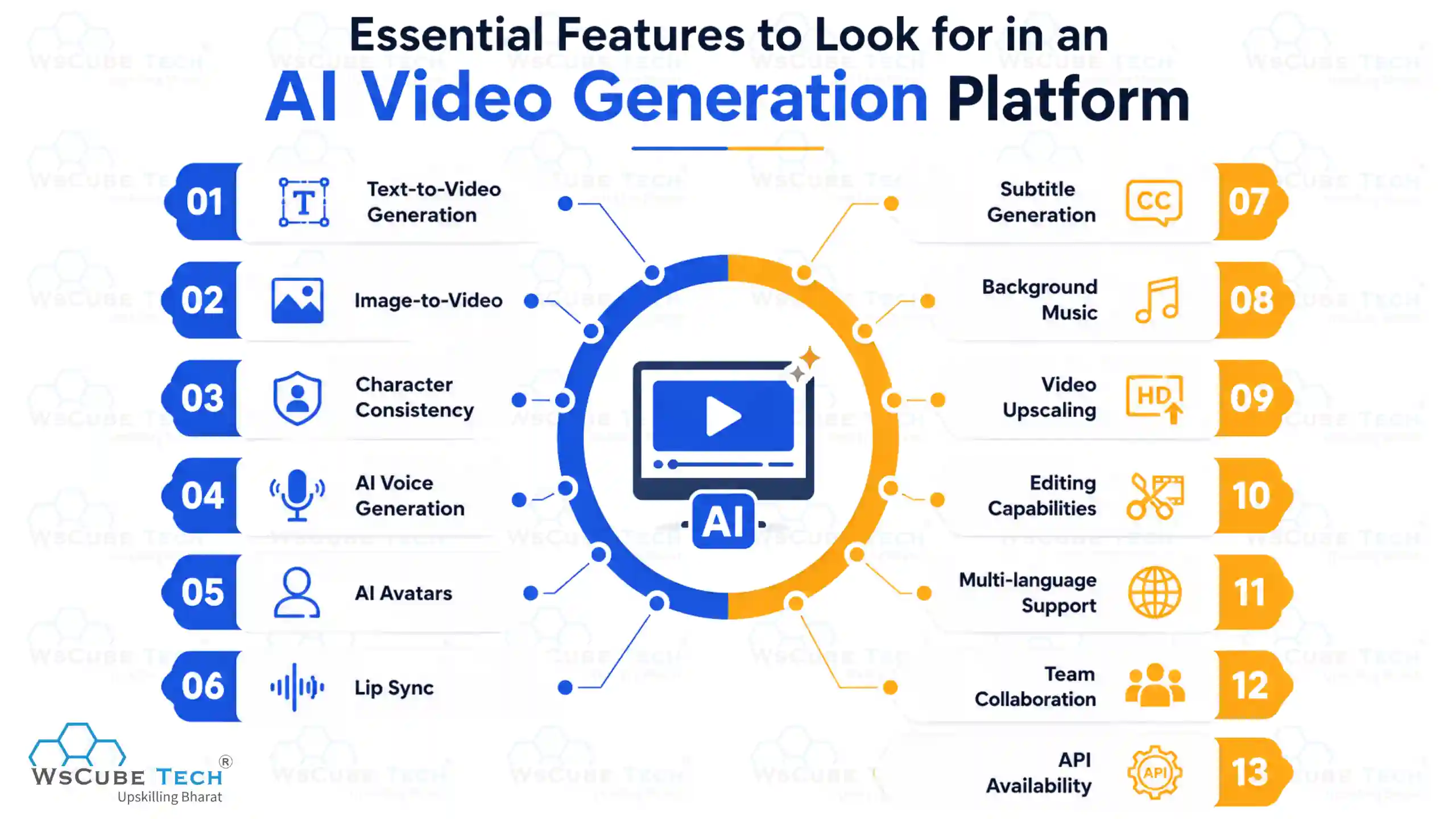
1. Text-to-Video Generation
This is the core feature that turns a written description into moving footage. Look for tools that handle detailed prompts accurately, including camera angles and specific actions.
2. Image-to-Video
The ability to animate a still photo is useful for product shots, portraits, and repurposing existing image assets into motion content.
3. Character Consistency
For any project involving a recurring character or presenter, consistency across scenes is critical. Weak consistency causes faces or clothing to shift unnaturally between shots.
4. AI Voice Generation
Built-in voiceover generation saves a separate recording step. Check for natural intonation and support for the languages your audience needs.
5. AI Avatars
For presenter-style content, avatar quality, lip sync accuracy, and the size of the avatar library all matter for how natural the final video feels.
6. Lip Sync
Even outside dedicated avatar tools, accurate lip sync is important whenever a generated character speaks on screen.
7. Subtitle Generation
Automatic, accurate captions save significant editing time and improve accessibility and watch time on social platforms.
8. Background Music
Built-in royalty-free music libraries remove a common licensing headache for creators publishing regularly.
9. Video Upscaling
Upscaling tools improve resolution after generation, useful since many models generate at lower resolution by default to save processing time.
10. Editing Capabilities
Even the best generation tool needs some editing layer, whether it is trimming, layering, or combining multiple generated clips into one sequence.
11. Multi-language Support
For global brands or educators, the number of supported languages for both voice and captions can be a deciding factor.
12. Team Collaboration
Shared workspaces, brand kits, and permission controls matter for agencies and marketing teams working across several projects.
13. API Availability
Developers and larger companies often need an API to plug AI video generation into an existing content pipeline or app.
Explore Our Popular Courses
How to Choose the Best AI Video Generator Tool
The best AI video generator depends on your goals, budget, and workflow. Compare features, output quality, ease of use, pricing, and customization before choosing.
1. Based on Budget
Under $10 a month, tools like CapCut AI, Kling AI, and Pika cover most casual and social content needs. Between $20 and $60 a month, InVideo AI, Descript, and HeyGen fit active creators and small teams. Above that, Runway Unlimited, Luma Pro, and Synthesia Enterprise suit agencies and larger organizations.
2. Based on Content Type
Cinematic or narrative footage favors Runway, Veo, and Kling. Presenter and training video favors HeyGen and Synthesia. Social and short-form content favors CapCut and Pika. Long-form narrated content favors InVideo AI and Fliki.
3. Based on Team Size
Solo creators can usually get by on entry-level or free tiers. Small teams benefit from tools with shared brand kits, like Canva. Larger teams need per-seat pricing clarity and collaboration features, which points toward Synthesia or HeyGen Business tiers.
4. Based on Output Quality
If photorealism and physics accuracy matter most, prioritize Veo or Kling. If stylized, artistic output fits your brand better; Pika or Luma may be a better creative match.
5. Based on Commercial Usage
For content that will be used commercially, confirm the platform's licensing terms. Adobe Firefly markets itself specifically around commercially safe training data, which can matter for brand risk tolerance.
How to Create Videos Using AI Video Generator Tools
Making a video with these tools follows a similar five-step process across most platforms. If you want a quick walkthrough of how to make AI video check out the content from start to finish and follow the steps mentioned below.
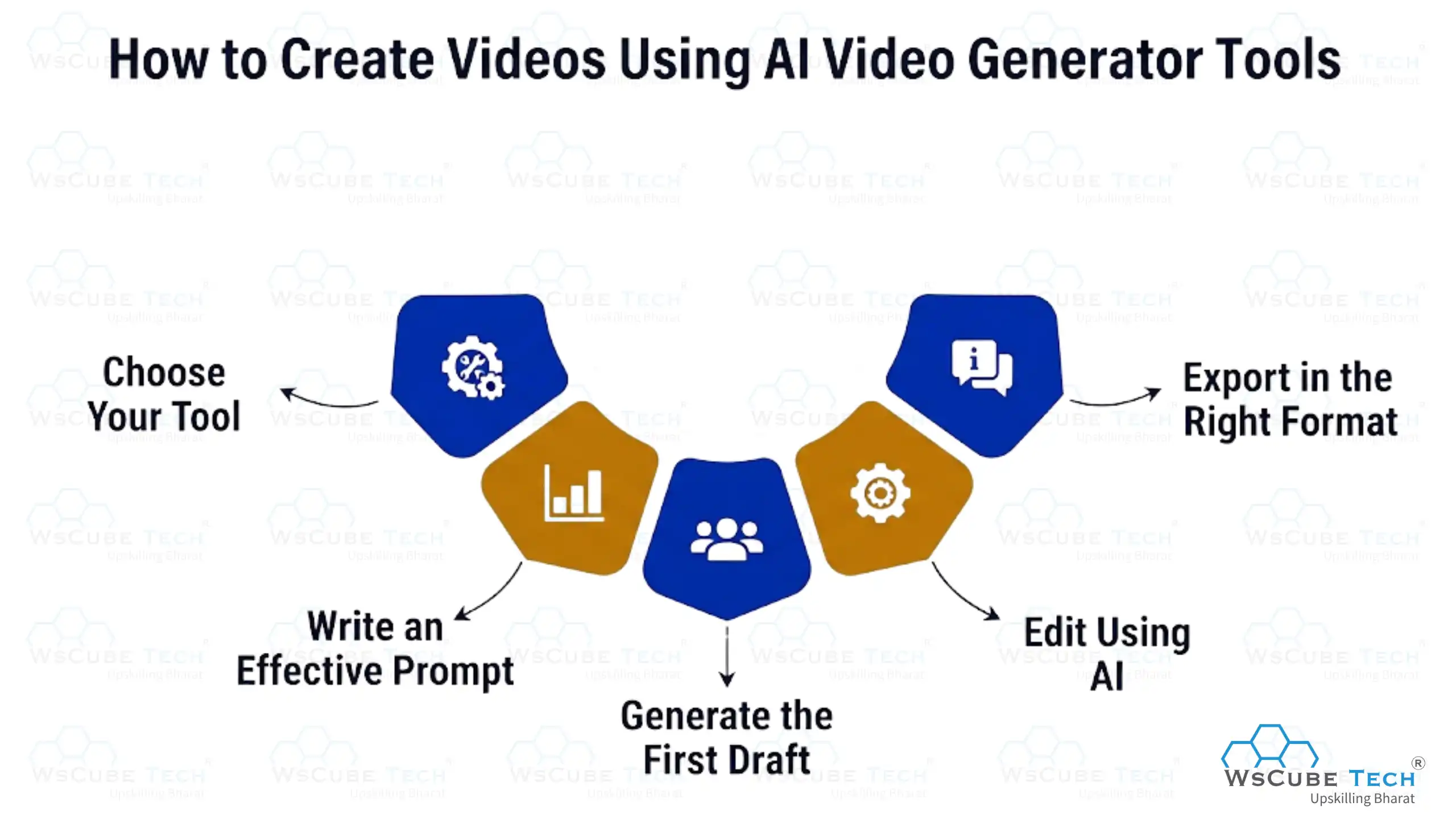
Step 1: Choose Your Tool
Match the platform to your content type and budget using the comparisons above rather than picking the most hyped option.
Step 2: Write an Effective Prompt
Describe the subject, action, setting, camera movement, and mood clearly. Vague prompts produce vague results.
Step 3: Generate the First Draft
Run the generation and review the output. Most platforms let you regenerate with the same prompt to get variation.
Step 4: Edit Using AI
Use built-in AI editing tools to trim, add captions, adjust pacing, and layer in voiceover or music.
Step 5: Export in the Right Format
Choose the correct aspect ratio and resolution for your target platform, whether that is 16:9 for YouTube or 9:16 for Reels and TikTok.
Best Prompt Tips for AI Video Generation
Getting good results from an AI video generator depends heavily on how you write your prompt. This is one of the most overlooked skills in the space.
Good Prompt Examples
- "A close-up shot of a barista pouring latte art in a sunlit cafe, slow motion, warm morning light, camera slowly pushing in."
- "A drone shot flying over a green mountain valley at sunrise, mist rolling over the hills, cinematic wide angle."
Notice how both examples include the subject, the action, the lighting, and the camera movement.
Prompt Formula
A reliable structure to follow: Subject + Action + Setting + Camera movement + Lighting or mood. Adding these five elements in order consistently produces more predictable results than a single vague sentence.
Common Prompt Mistakes
- Writing prompts that are too short, leaving the model to guess key details
- Overloading a single prompt with too many actions happening at once
- Forgetting to specify camera movement, which often results in a static, flat shot
- Ignoring lighting and mood, which affects the emotional tone of the clip
- Not specifying video length or aspect ratio when the platform allows it
AI Video Generation Use Cases
AI video generation is used across marketing, education, ecommerce, and business communication, helping individuals and organizations create engaging, professional-quality videos faster, more affordably, and at scale.
1. Marketing Videos
Brands use AI video to produce ad variations quickly for testing across platforms without booking a full production shoot for every version.
2. Product Demonstrations
Ecommerce sellers animate product photos into short demo clips, showing features in motion instead of static images alone.
3. YouTube Automation
Faceless channels use tools like InVideo AI to turn scripts into fully narrated videos at scale, often publishing several videos a week.
4. Explainer Videos
Startups and SaaS companies use avatar tools like HeyGen to explain their product without hiring a video production team.
5. Training Videos
Corporate teams use Synthesia to produce onboarding and compliance training in multiple languages from a single script.
6. Social Media Ads
Short, high-frequency ad content for platforms like Instagram and TikTok benefits from the speed of tools like CapCut and Pika. Many creators use this same approach to make viral AI videos online that ride trending audio and formats. Check out the video below to see the process in action.
7. Educational Content
Teachers and course creators turn written lesson plans into narrated video lessons using avatar or text-to-video tools.
8. Corporate Communication
Internal updates, leadership messages, and policy explainers are increasingly delivered as short avatar-led videos instead of long memos.
9. Ecommerce Product Videos
Short, looping product videos generated from a single photo help listings stand out on marketplaces and social storefronts.
Benefits of Using AI-Powered Video Creation Apps
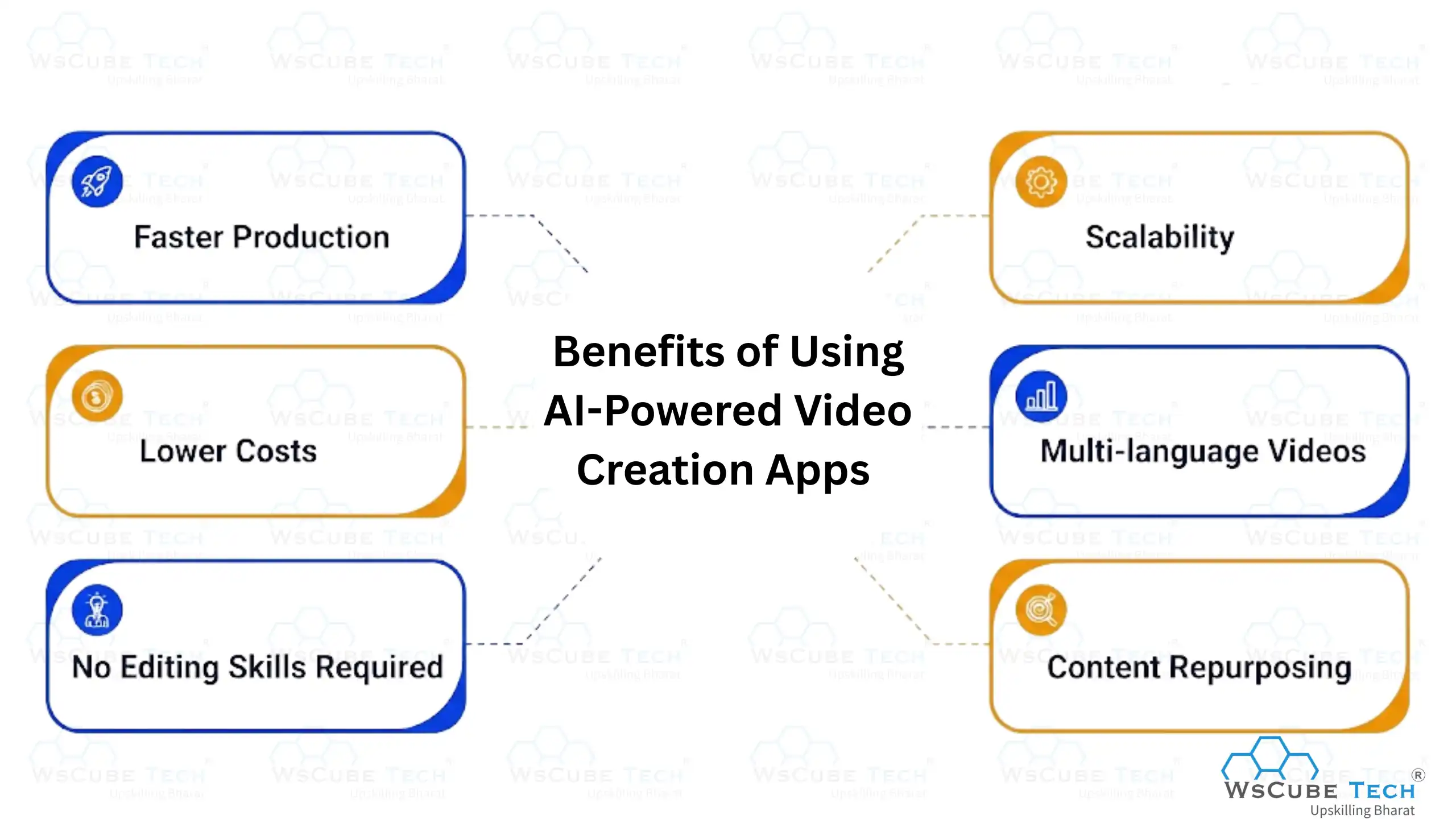
- Faster Production: What once took days of filming and editing can now be done in minutes.
- Lower Costs: No need for cameras, studio space, or a full production crew for simple content.
- No Editing Skills Required: Prompt-based tools remove the technical barrier that used to limit who could make video.
- Scalability: Teams can produce dozens of video variations for testing without proportional cost increases.
- Multi-language Videos: Built-in translation and dubbing make it easy to localize content for global audiences.
- Content Repurposing: Long recordings can be automatically cut into shorter clips for different platforms.
Limitations of AI Video Generator Tools
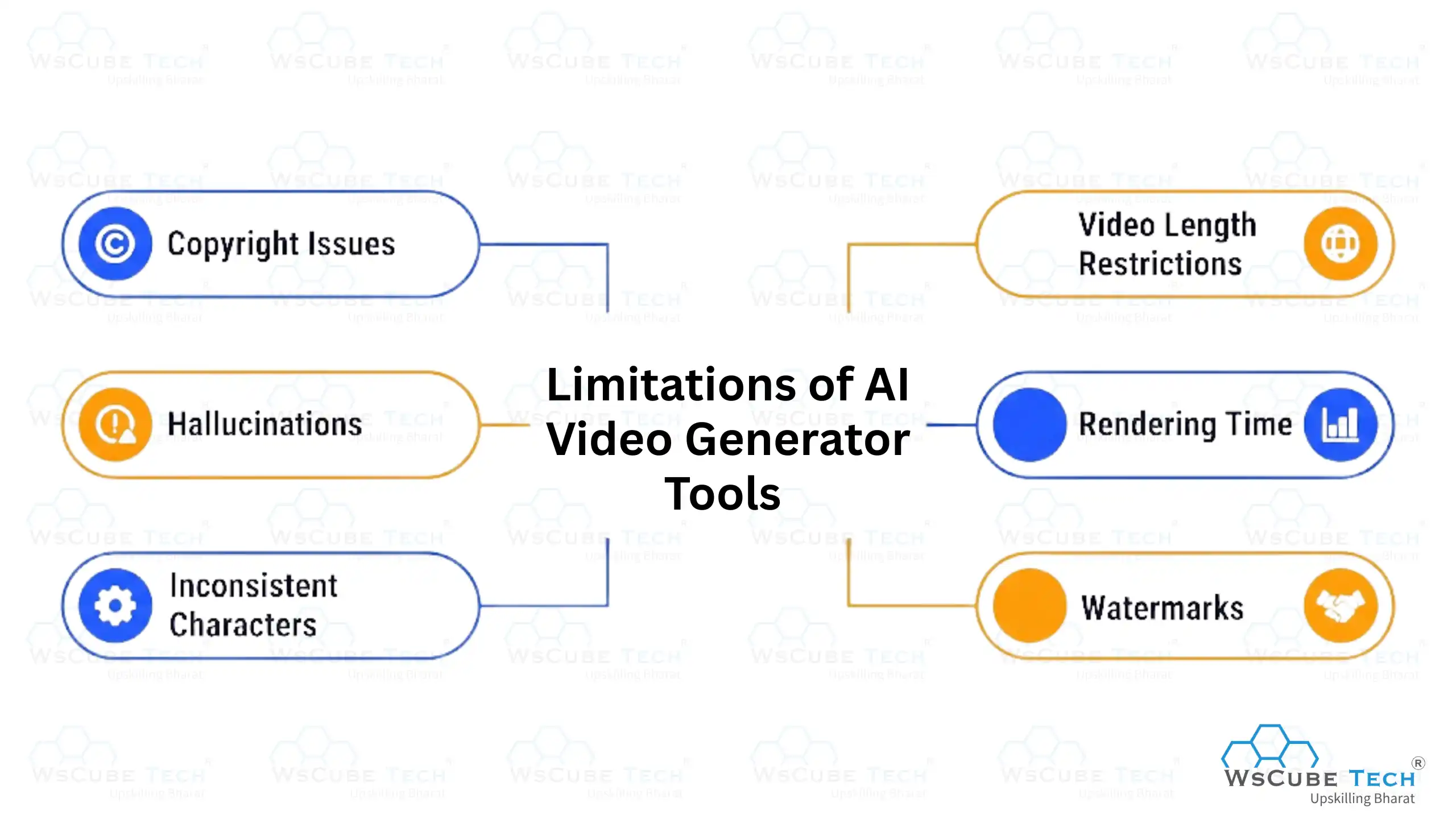
1. Copyright Issues
Ownership and licensing of AI-generated video is still developing legally in many regions, and using real people's likeness or copyrighted characters in a prompt can create legal risk.
2. Hallucinations
Models sometimes generate objects, extra limbs, or scene details that were never part of the prompt, especially in complex or crowded scenes.
3. Inconsistent Characters
Even strong models can lose consistency in a character's face or clothing across longer clips or multiple generated shots.
4. Video Length Restrictions
Most models still cap individual clips at somewhere between 5 and 15 seconds, requiring multiple generations stitched together for longer content.
5. Rendering Time
Higher-quality or higher-resolution generations can take several minutes, which adds up when producing many variations.
6. Watermarks
Free tiers on almost every platform add a visible watermark, which limits their use for anything beyond testing or personal projects.
Recommended Professional Certificates
AI-Powered Digital Marketing Course
Performance Marketing Bootcamp
SEO Specialist Bootcamp
AI Video Generator vs AI Video Editor
It's time to check out the differences between AI video generator and AI video editor to understand the video generation tools well.
| Factor | AI Video Generator | AI Video Editor |
| Purpose | Creates new video from text or images | Edits and refines existing footage |
| Input | Text prompt or reference image | Recorded video or audio file |
| Editing | Limited to built-in post-processing | Full trimming, layering, and refinement |
| AI Features | Scene generation, motion, voice synthesis | Auto-captions, transcript editing, effects |
| Output | Entirely synthetic footage | Polished version of real footage |
| Best For | Original content without filming | Repurposing and polishing existing recordings |
Future of AI Video Generation
AI video generation is evolving rapidly, with new technologies making content creation faster, smarter, and more accessible. Here are the key trends shaping its future:
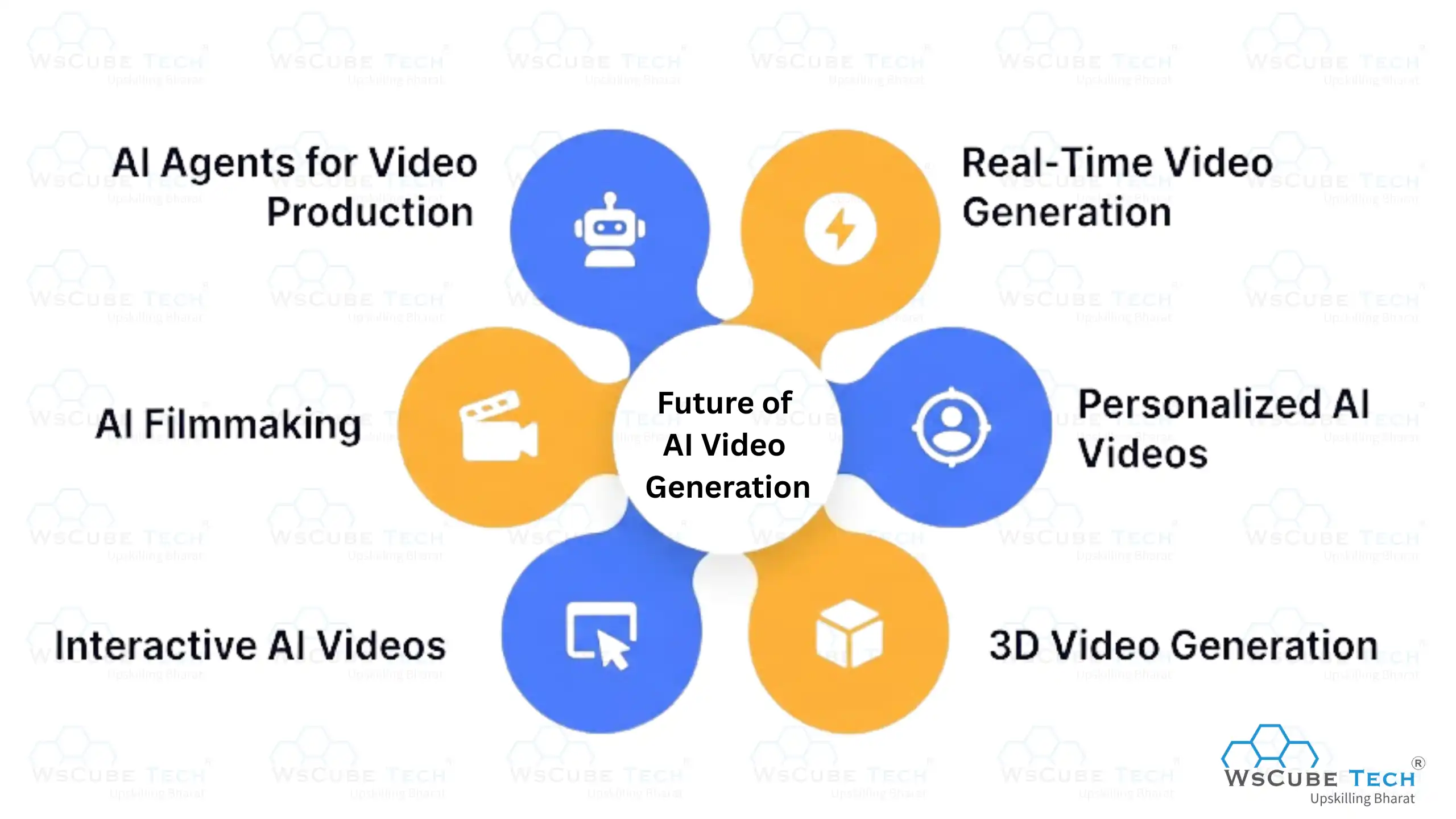
1. AI Agents for Video Production
Tools are moving toward full agent-style workflows, where one prompt triggers scripting, generation, voiceover, and editing without separate manual steps between them.
2. Real-Time Video Generation
Faster inference speeds are pushing toward near-instant generation, which will eventually support live or interactive AI video applications.
3. Personalized AI Videos
Marketing and sales teams are beginning to generate individually personalized video messages at scale, using a viewer's name or details inside the generated content.
4. 3D Video Generation
Early research into generating video with true 3D scene understanding points toward more consistent camera movement and object permanence in future models.
5. Interactive AI Videos
Branching, choose-your-path video experiences generated on demand are an emerging use case, particularly in education and training.
6. AI Filmmaking
Independent filmmakers are increasingly using AI generation for previsualization, background plates, and even full short films, narrowing the gap between hobbyist and studio-level output.

FAQs About the Best AI Video Generator Tools
There is no single best tool for everyone. Google Veo and Runway lead on realism and creative control, Kling AI offers the best value for realistic motion, and CapCut AI leads for beginner-friendly short-form editing.
Most major tools, including Runway, Kling AI, Pika, Luma Dream Machine, Hailuo AI, PixVerse AI, CapCut AI, Canva AI Video, and HeyGen, offer some form of free plan, though limits and watermarks vary widely.
These are the underlying AI systems, such as Veo, Kling, or Runway's Gen-4, that actually generate the video frames. Platforms often give you access to one or several of these models through a single interface.
A generator creates new video from a text prompt or image, while an editor works with footage you already have, using AI to speed up cutting, captioning, and polishing.
InVideo AI is a strong fit for long-form, narrated YouTube content, especially for faceless channels, while Descript works well for editing recorded talking-head videos.
CapCut AI has the most complete mobile app experience among the tools covered in this guide.
Not automatically. Ownership rules vary by platform and region, and using real people, brand logos, or copyrighted characters in a prompt can still create legal risk even if the video itself is AI-generated.
Yes. This is called text-to-video generation, and it is the core feature of tools like Runway, Google Veo, Kling AI, Pika, and Luma Dream Machine.
Most paid tiers across Runway, Kling AI, Luma AI, HeyGen, and Adobe Firefly Video include commercial usage rights, though Adobe Firefly specifically markets itself around commercially safe training data.
Yes. Tools like HeyGen, Synthesia, Fliki, and InVideo AI include built-in AI voice generation and voice cloning as part of the video creation process.
Synthesia and HeyGen are the strongest choices for businesses needing avatar-led training, onboarding, or marketing content at scale, while Adobe Firefly Video suits brands prioritizing commercially safe generation.
They combine language models, video generation models, and audio models. The language model interprets your prompt, the video model generates matching frames, and the audio model adds voice, music, or sound effects, all merged into a final exported clip.
Join Our On-Campus Courses
Explore Our Free Courses






Leave a comment
Your email address will not be published. Required fields are marked *Comments (0)
No comments yet.