
Software development has changed more in the last two years than in the previous decade. Writing code is no longer a solo activity. You describe what you want, and an AI writes, fixes, or reviews it for you.
That shift is now everywhere. AI coding tools have gone from a nice extra to a normal part of daily work, and the market around them is growing fast every year. Almost every working developer uses at least one of these tools today.
But there are dozens of options, and they do very different things. This guide covers the best AI tools for coding in 2026, what each one is good at, what it costs, which ones are free, and how to pick the right one for you.
Key Highlights: Top 10 AI Coding Tools in 2026
Here is a quick look at the best AI coding tools before we go into detail:
- Claude Code for complex debugging and large multi-file refactoring
- Cursor for daily AI-assisted coding inside a modern editor
- GitHub Copilot for easy setup inside editors you already use
- OpenAI Codex / ChatGPT for general-purpose coding and explanations
- Gemini Code Assist for teams working inside Google Cloud
- Windsurf for an AI-native editor with agentic workflows
- Replit Agent for building and deploying full apps from a prompt
- Amazon Q Developer for AWS-heavy development work
- Devin (Cognition Labs) for autonomous end-to-end task delegation
- Cline, Aider, and OpenCode for open source control and model freedom
What Is AI Coding?
AI coding refers to using artificial intelligence, primarily large language models, to help write, understand, fix, or review computer code. Instead of typing every line yourself, you describe what you want in plain English, and the tool generates working code, suggests improvements, or finds bugs for you.
Think of it like having a very fast junior developer sitting next to you. It can write a function in seconds, but you still need to check the work.
Key Takeaways:
- AI coding uses AI to write, understand, debug, and review code.
- You can describe coding tasks in plain English and get code in return.
- These tools save time and reduce repetitive work.
- They can identify bugs, suggest improvements, and explain complex code.
- AI coding supports developers but does not replace human oversight.
If you want to understand the models behind these tools, a structured AI Course is a good place to start before you go deeper.
Recommended Professional Certificates
AI-Powered Digital Marketing Course
Performance Marketing Bootcamp
SEO Specialist Bootcamp
AI Coding Tools vs. AI Assistants vs. Agentic AI Coding Tools
These three terms get mixed up all the time, but they describe three different levels of AI involvement in coding. Knowing the difference helps you avoid paying for features you do not need.
| Feature / Aspect | AI Coding Tools | AI Assistants | Agentic AI Coding Tools |
| Definition | Tools that help write, debug, or optimize code | General AI tools that assist with multiple tasks, including coding | Advanced AI systems that can plan, act, and execute coding tasks independently |
| Main Purpose | Improve coding speed and accuracy | Help with tasks like writing, research, and coding | Automate entire coding workflows with minimal human input |
| Level of Automation | Low to Medium | Medium | High, can work autonomously |
| User Control | Fully controlled by the developer | Guided by user prompts | Can take decisions and execute steps on its own |
| Working Style | Suggests code, fixes errors | Responds to prompts, explains, generates code | Breaks tasks into steps, executes, tests, and improves code |
| Examples | GitHub Copilot, Tabnine, Amazon Q Developer | ChatGPT, Gemini, Claude | Claude Code, Devin, Replit Agent, Cursor Agent mode |
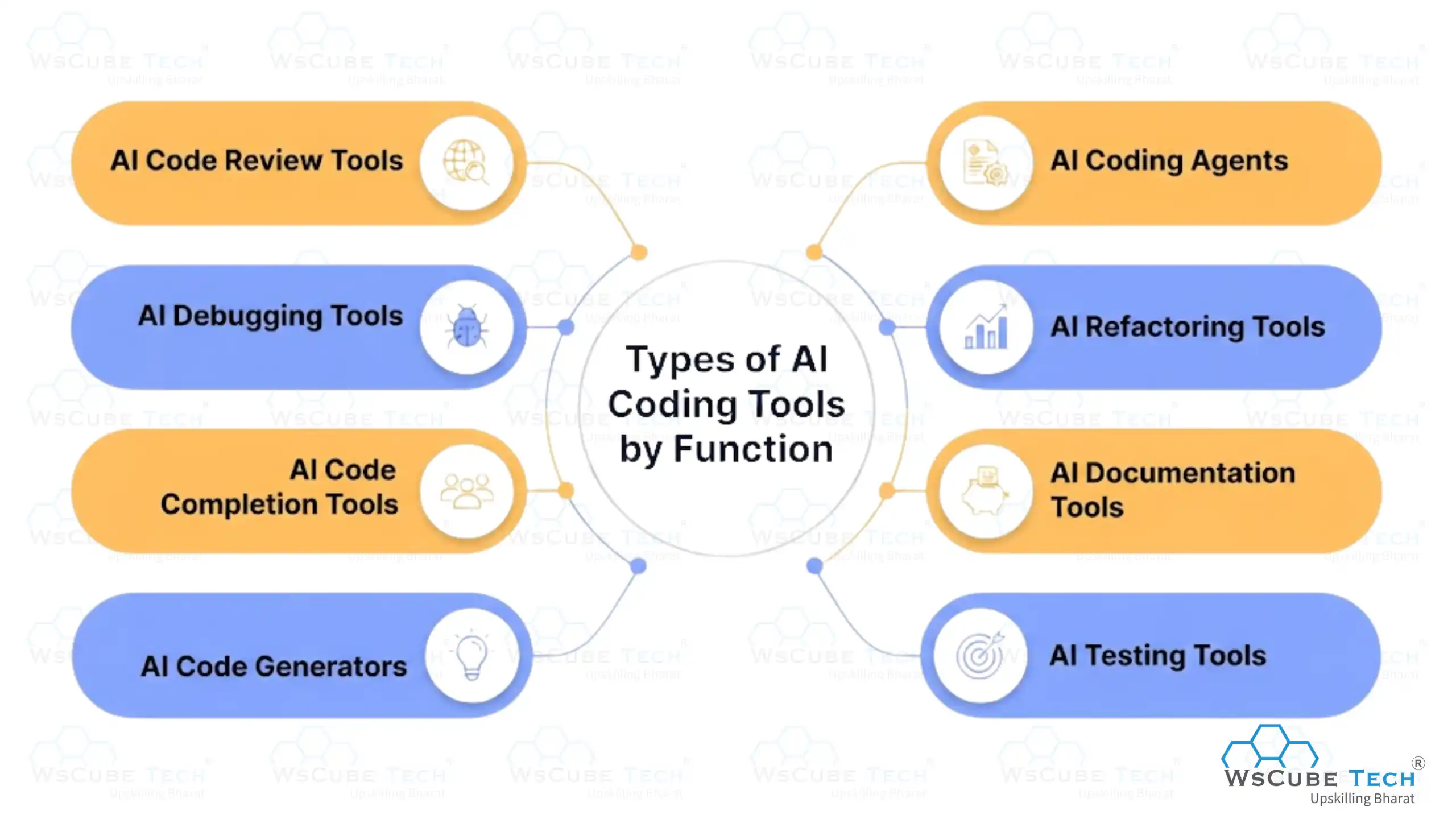
Types of AI Coding Tools by Function
AI coding tools can also be grouped by the type of development task they help with. Some generate code, while others focus on debugging, testing, documentation, code review, or productivity.
1. AI Code Generators
AI code generation tools generate code from natural language instructions. You describe what you want to build, and the tool writes it.
For example, you can ask it to create a Python function, build a React component, or write an SQL query. These tools speed up development and handle repetitive coding work.
Popular tools:
- ChatGPT
- Claude
- GitHub Copilot
- Gemini Code Assist
- Replit Agent
2. AI Code Completion Tools
These provide suggestions as you write. They predict the next line, complete functions, suggest variables, and generate code based on the surrounding context. This helps you write faster without having to type every line manually.
Popular tools:
- GitHub Copilot
- Cursor
- Windsurf
- Tabnine
- Amazon Q Developer
3. AI Debugging Tools
AI debugging tools help you find and fix errors. They analyze error messages, detect problems, explain why an error happened, and suggest fixes. This cuts down the time spent troubleshooting common issues.
Popular tools:
- Claude Code
- ChatGPT
- Cursor
- Gemini Code Assist
- Amazon Q Developer
4. AI Code Review Tools
AI code analysis tools review code to identify bugs, security vulnerabilities, performance issues, and potential improvements. They provide automated feedback before code is merged, making reviews faster and more consistent.
Popular tools:
- GitHub Copilot Code Review
- Cursor Bugbot
- CodeRabbit
- Amazon Q Developer
- Qodo
5. AI Testing Tools
AI testing tools help create and maintain software tests. They generate test cases, identify edge cases, and analyze results to find bugs. This makes testing easier without having to write every test by hand.
Popular tools:
- GitHub Copilot
- Claude Code
- OpenAI Codex
- Qodo
- Diffblue Cover
6. AI Documentation Tools
These generate technical documentation from existing code. They explain functions, create comments, generate API docs, and turn complex code into simple explanations. Useful for large projects where documentation quickly becomes outdated.
Popular tools:
- ChatGPT
- Claude
- GitHub Copilot
- Mintlify
- Gemini Code Assist
7. AI Refactoring Tools
AI refactoring tools improve the structure, readability, and maintainability of existing code without changing what it does. They can simplify complex functions, remove repeated code, or suggest a cleaner version.
Popular tools:
- Claude Code
- Cursor Composer
- Windsurf
- Aider
- Amazon Q Developer
8. AI Coding Agents
AI coding agents are the most autonomous option. Instead of helping with one task, they work through multiple steps to reach a bigger goal. An agent can inspect a codebase, create or modify files, run tests, find errors, and make more changes based on results.
Popular tools:
- Claude Code
- Devin
- Replit Agent
- Cursor Agent mode
- Cline and OpenCode
Quick Comparison of the Top 10 AI Coding Tools
| Tool | Best For | Autonomy | IDE / Platform | Standout Feature | Starting Price |
| Claude Code | Complex coding and refactoring | High | Terminal / CLI | Strong reasoning and multi-file work | Free / $20 mo. |
| Cursor | Daily AI-assisted development | Medium to High | AI-native IDE | Composer and agentic coding | Free / $20 mo. |
| GitHub Copilot | Everyday coding assistance | Low to High | VS Code, JetBrains, GitHub, CLI | Broad editor integration | Free / $10 mo. |
| OpenAI Codex / ChatGPT | General purpose coding | Medium to High | Web, CLI, IDEs | Strong reasoning and coding agents | Plan dependent |
| Gemini Code Assist | Google Cloud and general coding | Medium to High | IDEs, GitHub, Cloud | Google ecosystem integration | Free / $22.80 mo. |
| Windsurf | AI native development | Medium to High | AI-native IDE | Agentic coding workflows | Plan dependent |
| Replit Agent | Building complete apps | High | Browser | Build and deploy from prompts | Free / $25 mo. |
| Amazon Q Developer | AWS development | Medium to High | IDE, CLI, AWS | Native AWS understanding | Free / $19 mo. |
| Devin | Autonomous software tasks | Very High | Cloud | End-to-end task delegation | Free / $20 mo. |
| Cline / Aider / OpenCode | Open source and control | Medium to High | IDE / CLI | Bring your own model | Free + model costs |
Upcoming Masterclass
Attend our live classes led by experienced and desiccated instructors of Wscube Tech.





10 Best AI Coding Tools in 2026
Choosing the best AI for coding depends on your goals, but a few names keep coming up in independent reviews and developer surveys. Here is a top 10 AI coding tools list based on adoption, benchmark performance, and real developer feedback.
1. Claude Code
Claude Code is widely seen as the strongest option for deep reasoning, difficult debugging, and large architectural changes. It runs as a terminal-based agent rather than an editor plugin, which means it reads your entire project, plans a change, edits multiple files, runs tests, and fixes anything that breaks. That makes it very different from a tool that just completes the line you are typing.
Where it really stands out is on the problems that usually eat a full day. Think tracing a bug across five files, upgrading a framework version, or rewriting an old module without breaking anything. It posted a 91 percent customer satisfaction score, the highest of any AI coding tool tracked in the JetBrains AI Pulse survey of more than 10,000 developers. Many teams keep it open alongside their normal editor and hand it only the hard work.
Best for: Complex coding, multi-file refactoring, and hard bugs
Pros:
- Highest customer satisfaction score among tracked tools
- Strong at complex, multi-file refactoring
- Handles deep reasoning and difficult debugging well
Cons:
- A terminal-based workflow adds a learning curve if you are used to a visual editor
- Can feel like overkill for small, quick edits
Pricing: Free plan available. Claude Pro starts at $20/month, with higher Max plans for heavy usage.
2. Cursor

Cursor is an AI-native code editor, which means AI was part of the design from day one rather than added later as a plugin. It looks and feels like VS Code, so most developers are comfortable within minutes, but the AI sits much deeper in the workflow. You can highlight code and ask for a change, chat with your codebase, or let it work through a task on its own.
Its best-known feature is Composer mode, where you type a plain English instruction and it edits several files at once while you watch the changes appear. It also adds cloud agents, support for MCPs and hooks, and Bugbot for automated code review. A common setup among developers is Cursor for everyday work and a stronger agent for the toughest problems, which gives you speed most of the time and depth when you need it.
Best for: Daily AI-assisted development inside an editor
Pros:
- Composer mode edits multiple files from natural language instructions
- Smooth, editor-first experience designed for everyday coding
- Pairs well with Claude Code for harder problems
Cons:
- Requires switching away from your existing editor
- Pairing it with a second tool adds workflow complexity
Pricing: Free Hobby plan. Pro starts at $20/month and Teams at $40/user/month.
3. GitHub Copilot
GitHub Copilot is still the most widely adopted tool in workplaces, used by 29 percent of developers. A big reason is convenience. It installs straight into VS Code, JetBrains IDEs, Visual Studio, and Neovim, so you keep your existing setup, shortcuts, and extensions. For most teams, there is nothing to migrate and almost nothing to configure.
It started as a simple autocomplete tool but has grown well past that. It now includes chat, agent mode for multi-step tasks, automated code review on pull requests, a command line tool, cloud-based coding agents, and a choice of underlying AI models. Because it lives inside GitHub, it also fits naturally into how most teams already handle issues, branches, and reviews. If you want one tool that covers ninety percent of daily coding without changing how you work, this is usually the safest pick.
Best for: Everyday coding help with the least setup
Pros:
- Lowest friction option for teams already on VS Code or JetBrains
- Native integration means little to no setup
- Wide adoption means plenty of support and community resources
Cons:
- Less focused on deep architectural reasoning than dedicated agentic tools
- Suggestions can be less reliable on complex or unusual codebases
Pricing: Free plan available. Pro starts at $10/month, Pro+ at $39/month, Max at $100/month, and Business at $19/user/month.
4. OpenAI Codex / ChatGPT
OpenAI's coding tools are built on its GPT model family and are known for strong general reasoning and very broad language support. ChatGPT is where most people start. You paste an error, ask why a function is not working, or describe a feature and get working code with an explanation attached. That explanation is what makes it so useful for students and anyone learning a new language.
Codex is the more serious side of the same family. It works as an agentic coding tool through IDE and CLI integrations, so it can take a task, edit files, and run through steps instead of just answering questions. The tradeoff is that using ChatGPT on its own means copying code between the browser and your editor, which adds friction on bigger tasks. Still, if you want one place for coding help, writing, and general problem-solving, this covers a lot of ground.
Best for: General-purpose coding, explanations, and quick fixes
Pros:
- Broad support across many programming languages
- Can be used outside an editor for quick generation and debugging help
- Handles both coding and non-coding tasks
Cons:
- Using ChatGPT outside an editor means copying code back and forth
- Less specialized for large in-editor agentic workflows
Pricing: Codex access comes through eligible ChatGPT plans, with usage governed by plan limits and token-based pricing. API pricing is separate.
5. Gemini Code Assist
Gemini Code Assist is Google's coding assistant, and its main advantage is how tightly it connects to the rest of Google's stack. It handles code generation, completion, debugging, explanations, agentic coding, and GitHub code review, but it becomes far more useful once your project touches Google Cloud services or Android development.
In practice, that means it understands your cloud setup instead of guessing at it. It can help with deployment configuration, cloud functions, and Android-specific code without you explaining the surrounding context every time. There is also a free individual tier, which makes it easy for students and solo developers to try. If your work sits outside the Google ecosystem, though, other tools on this list will serve you better for the same money.
Best for: Teams building on Google Cloud or Android
Pros:
- Strong fit for teams already inside the Google ecosystem
- Close integration with Google Cloud and Android tools
Cons:
- Less useful outside the Google ecosystem
- Fewer standout features for general-purpose coding
Pricing: Free individual tier. Business Standard starts at $22.80/user/month on monthly billing and Enterprise at $54/user/month. Annual commitments cost less.
6. Windsurf

Formerly known as Codeium, Windsurf has grown into a specialized AI-native editor with over 1 million active users and strong rankings in developer power tool comparisons. Like Cursor, it is a full editor rather than a plugin, so the AI has access to your whole project and can work with real context instead of a small window of code.
Its focus is agentic coding. You describe what you want, and it plans the work, edits multiple files, and keeps track of what it changed. It also handles standard code completion and context-aware suggestions for normal day-to-day writing. It is the closest alternative among AI coding tools like Cursor, so if you tried Cursor and did not enjoy the workflow, this is the obvious next thing to test before you settle.
Best for: AI-native development with agentic workflows
Pros:
- Large, active user base
- Strong rankings in power tool comparisons
- Built as an AI-native editor, not a bolted-on plugin
Cons:
- The rebrand from Codeium can cause confusion when searching for it
- Requires switching editors, same as Cursor
Pricing: Plans and included usage change often, so check the current pricing page before you commit.
7. Replit Agent
Replit Agent takes a single description and turns it into a working, deployed application. You type what you want to build, and it sets up the project, writes the frontend and backend, creates a database, and puts the app online. Everything runs in the browser, so there is no local setup, no environment issues, and nothing to install.
That makes it the friendliest tool on this list for beginners. Students, non-technical founders, and anyone building a first project can go from an idea to a live link in a single sitting, which is a strong way to stay motivated while learning. It also supports visual editing and longer autonomous builds. The limit shows up later, once your project gets big or unusual, because experienced developers often want more fine-grained control than this kind of guided environment gives them.
Best for: Building and deploying complete apps from a prompt
Pros:
- Goes from description to a deployed application
- Very popular with beginners and non-technical founders
- Lowers the barrier to building software
Cons:
- Less suited for experienced developers who want fine control
- Not ideal for large or highly customized codebases
Pricing: Free Starter plan. The core is $25/month or $20/month billed annually. Pro is $100/month or $95/month annually. Agent usage is billed on usage.
8. Amazon Q Developer
Amazon Q Developer is the strongest choice for teams working heavily in AWS. Most AI coding tools treat cloud configuration as just more text, but this one actually understands AWS services. It can generate infrastructure code, debug a Lambda function, explain an IAM policy, or query logs without you leaving your editor to go digging through the console.
Beyond AWS work, it covers the usual ground too, including code generation, debugging, security scanning, code transformation for version upgrades, and agentic coding across IDE and CLI. There is a free tier with monthly limits that is enough for learning and small projects. The catch is simple. If your team is not on AWS, most of what makes this tool special stops mattering, and a general-purpose option will serve you better.
Best for: AWS-heavy engineering teams
Pros:
- Understands AWS services natively
- Generates infrastructure code and debugs cloud functions in context
- Strong fit for cloud-heavy teams
Cons:
- Much less valuable if you do not use AWS
- Narrower general-purpose coding use case
Pricing: Free tier with monthly limits. Pro costs $19/user/month with higher limits and extra features.
9. Devin (Cognition Labs)
Devin sits at the far end of the autonomy scale. Instead of helping you code, you assign it a task the way you would assign one to a teammate. It plans the work, writes the code, runs tests, fixes what fails, and deploys, all inside a sandboxed cloud environment with very little input from you along the way.
It is built for teams that want to hand off whole tickets rather than speed up individual keystrokes. It is used by large enterprises, including a hybrid workforce model at Goldman Sachs, which pairs thousands of human developers with AI agents. The tradeoff of that autonomy is visibility. You see the result more than the reasoning, which is a real concern if your team needs to review every step. Its pricing and positioning also lean enterprise, so individual developers usually get better value elsewhere.
Best for: Delegating full software tasks end to end
Pros:
- High autonomy reduces the need for constant supervision
- Handles the full cycle from planning to deployment
- Proven at enterprise scale
Cons:
- Less visibility into intermediate steps, which matters if you need tight oversight
- Enterprise focus makes it less accessible for individuals and small teams
Pricing: Free plan available. Pro at $20/month, Max at $200/month, and Teams starting at $80/month minimum.
10. Cline, Aider, and OpenCode (Open-Source Picks)
If you want full control and transparency, these open-source agentic tools are the answer. The biggest difference is that you bring your own model. You can point them at a commercial API, a cheaper model, or a model running locally on your own machine, which matters if you care about cost, privacy, or simply not being tied to one company's pricing.
Cline runs inside VS Code, Aider works from the terminal and connects directly to Git, and OpenCode is a flexible open-source agent that works with many providers. All three support agentic coding, local models, and customizable setups, and because the code is open, you can see exactly what the tool does with your files. The tradeoff is effort. You will spend more time on setup and configuration, and documentation is not as polished as what well-funded commercial products offer.
Best for: Developers who want control, transparency, and model freedom
Pros:
- Full transparency into how the tool operates
- Bring your own model instead of being locked to one provider
- No dependency on a closed platform
Cons:
- Requires more setup and technical know-how
- Support and documentation are less consistent than commercial products
Pricing: Cline has free options, with API costs depending on the model you use. OpenCode is open source with optional model provider costs, and its OpenCode Go plan is $10/month.
5 Best Free AI Coding Tools
Not every developer needs, or can afford, a paid plan. Several strong free AI coding tools exist, and some are genuinely competitive with paid options for smaller projects. If you are a student or working on personal projects, start here before you pay for anything.
1. Amazon Q Developer
Amazon Q Developer offers a free tier for individual developers and is particularly useful if you work with AWS. It can generate and explain code, help debug errors, and assist with common development tasks.
Best for: Developers working with AWS services and cloud applications.
2. GitHub Copilot
GitHub Copilot offers a limited free plan for individual users. It provides AI-powered code suggestions directly inside your editor and can help with code completion, explanations, and everyday coding tasks.
Best for: Developers who want AI assistance while writing code in their IDE.
3. ChatGPT
ChatGPT's free plan can help with coding questions, debugging, code explanations, and generating small code snippets. It is especially useful when you need help understanding a problem or working through a coding issue rather than having an AI agent handle an entire project.
Best for: Beginners, students, and developers who need occasional coding assistance.
4. Google Gemini
Google Gemini provides free access to AI-powered coding assistance for tasks such as code generation, debugging, code explanation, and solving technical problems. It can also help you understand programming concepts and explore different approaches to a coding problem.
Best for: Learning programming, debugging, and general coding assistance.
5. OpenCode
OpenCode is an open-source AI coding agent that can work with different AI models. The tool itself is free, although using paid model APIs may involve additional costs. Its open-source approach gives developers more control over their setup and the models they use.
Best for: Developers who want an open-source and customizable AI coding setup.
Difference between No-Code AI Tools & AI Coding Tools
A lot of people searching for no-code AI tools are not looking for a coding assistant at all. They want to build something without writing any code, which is a completely different category.
The biggest difference is how much control you have over the underlying technology. No-code platforms hide the code and make building easier, while AI coding tools help you create and modify the actual code.
| Feature | No-Code AI Tools | AI Coding Tools |
| Coding knowledge | Not required | Basic to advanced knowledge helps |
| How you build | Visual interfaces and prompts | Prompts, code, and development environments |
| Target users | Beginners, founders, marketers, business teams | Developers and technical users |
| Code control | Limited or hidden | High |
| Customisation | Limited by the platform | Highly customisable |
| Learning curve | Low | Moderate to high |
| Best for | Quick apps and workflow automation | Software development and complex projects |
| Development speed | Very fast for simple solutions | Fast for coding-heavy projects |
What Are No-Code AI Tools?
No-code AI tools let you build apps, automate workflows, and create websites through visual interfaces. Instead of writing code, you use drag-and-drop features, templates, and pre-built components. They are useful for founders, marketers, and business teams who want to build something without depending on a developer.
What Are AI Coding Tools?
AI coding tools are built for people who work with code. They generate code, explain existing code, find bugs, suggest improvements, and complete development tasks. You keep control of the code and can customize the final product, which makes them better for complex projects.
Read More Blogs Related to Artificial Intelligence
Are AI Coding Tools Safe?
Yes, AI coding tools can be used safely when you treat them as development assistants rather than unquestioned sources of code. Limit their permissions, protect sensitive information, review their changes, and keep using normal testing and security tools alongside them.
The more autonomous a tool is, the more these safeguards matter. A simple autocomplete tool suggests a few lines. An agentic tool can modify files, run commands, and work across an entire repository. That difference should decide how much access and supervision you give it.
What Are the Main Risks of AI Coding Tools?
Here are some related risks that come with AI coding tools.
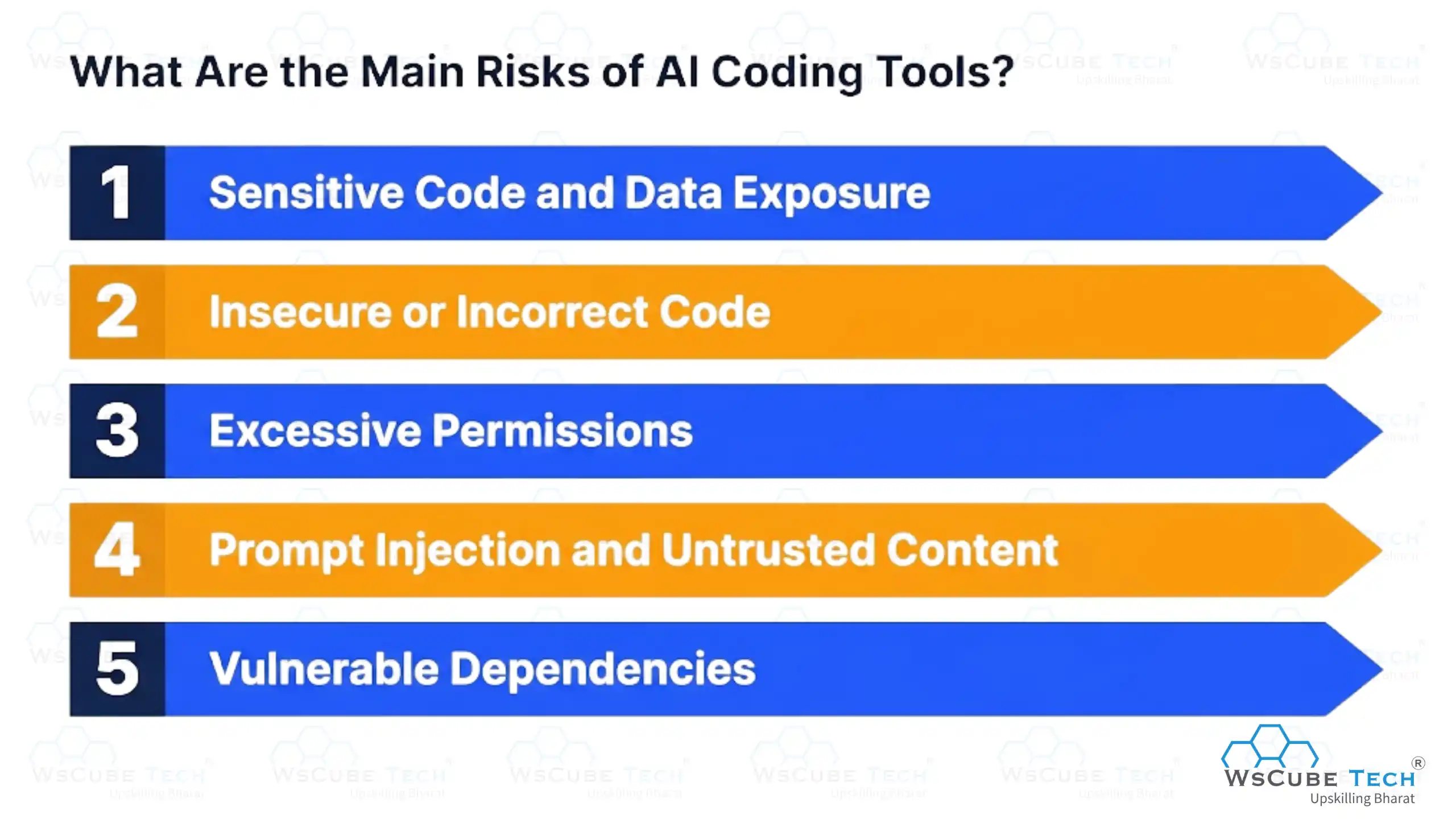
1. Sensitive Code and Data Exposure
Some tools need access to your source code or project context to give useful suggestions. Check how the provider handles your code and prompts before you connect it. Never share API keys, passwords, or private credentials in prompts.
2. Insecure or Incorrect Code
AI-generated code can contain bugs or security weaknesses even when it looks correct. It may introduce issues like poor input validation or insecure dependencies that are easy to miss in a quick read. Treat these tools as assistants, not a replacement for code review and security testing.
3. Excessive Permissions
Agentic tools can access files, terminals, repositories, and other development tools. The more permissions an agent has, the bigger the impact if it makes a wrong change. GitHub's Copilot CLI, for example, uses permissions to control actions like editing files and running commands, and system-modifying actions can require explicit approval.
4. Prompt Injection and Untrusted Content
AI coding agents often read code, documentation, or issues that contain instructions. Malicious content could try to manipulate the agent into doing something unintended. Modern agents use sandboxing, permission controls, and network restrictions to reduce this. OpenAI describes sandboxing, approvals, network policies, and activity logging as controls for running Codex safely.
5. Vulnerable Dependencies
An AI tool may suggest a package with known security vulnerabilities. Always verify third-party packages before adding them to production and use proper dependency scanning tools.
How to Use AI Coding Tools Safely
- Review AI-generated code before merging or deploying it.
- Never share API keys, passwords, or private credentials in prompts.
- Use the minimum permissions the tool needs.
- Run automated tests after AI-generated changes.
- Use security and dependency scanning for production projects.
- Keep sensitive repositories protected as per your organization's policies.
- Use sandboxed environments with autonomous coding agents.
- Review commands before letting an agent run anything destructive.
Explore Our Popular Courses
Benefits and Limitations of AI Coding Tools
No tool is perfect. Knowing both sides helps you use these tools well instead of expecting magic.
Advantages
- Faster output: Developers report productivity gains of roughly 25 to 39 percent when using AI tools.
- Less repetitive work: They cut down boilerplate coding, so you spend less time on routine tasks.
- Faster learning for beginners: New developers pick up unfamiliar patterns quickly by seeing working examples in real time.
- Faster debugging: They identify errors, explain why they happen, and suggest fixes.
- Better code quality: They review code and recommend improvements for readability and structure.
- Easy code explanation: You can ask AI to explain complex functions or unfamiliar code in simple terms.
- Support across languages: They help you switch between languages and work with new frameworks.
- Improved documentation: They generate comments, README files, and technical explanations automatically.
Limitations
- Gains are not automatic: A controlled study found experienced developers took 19 percent longer to finish tasks with AI tools, even though they believed the tools made them faster.
- Reasoning quality drops in long sessions: Agents tend to lose accuracy during very long coding sessions.
- Struggles with large codebases: Performance slows down on very large or complex projects.
- Errors that look correct: AI-generated code can look right but contain subtle bugs, which is why manual review stays essential.
How to Choose the Right AI Tool for Coding
The right choice depends on your experience, project, editor, and budget. Work through these eight steps, and you will end up with a shortlist of one or two tools.
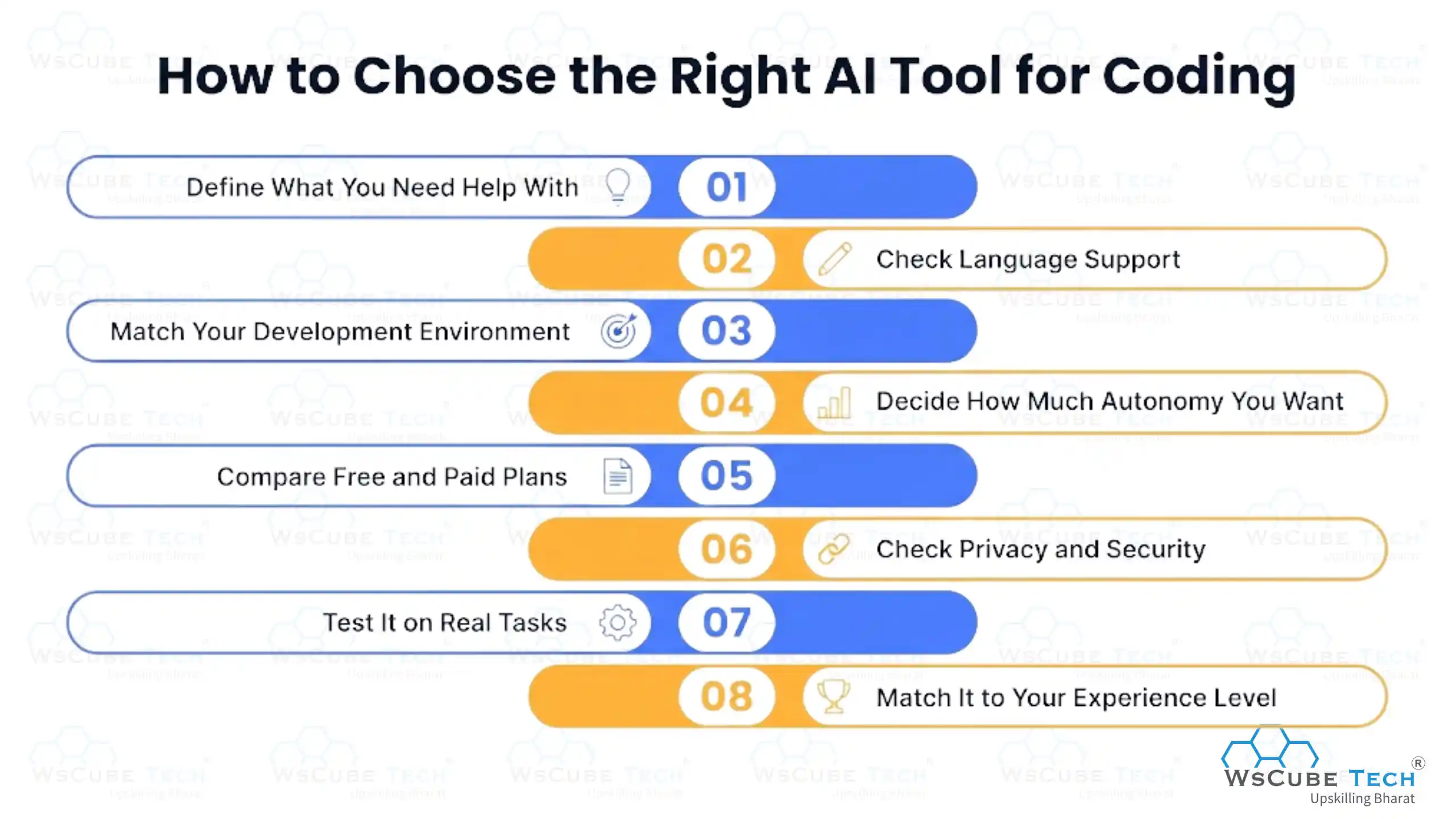
Step 1: Define What You Need Help With
Start with the task, not the tool. Autocomplete is enough for faster typing; a chat-based assistant is better for explanations and learning; and bigger projects need a tool that reads your whole codebase and edits multiple files.
Step 2: Check Language Support
Most tools handle Python, JavaScript, TypeScript, Java, C++, and Go well, but quality varies. If you mainly need AI tools for coding in Python, test them on real Python tasks first.
Step 3: Match Your Development Environment
Some tools plug into VS Code and JetBrains; others give you a dedicated AI-native editor or run in a terminal. Pick one that reduces context switching instead of adding to it.
Step 4: Decide How Much Autonomy You Want
Basic tools suggest the next line, while agentic ones complete whole tasks on their own. More autonomy is not automatically better, so do not pay extra for features you will never turn on.
Step 5: Compare Free and Paid Plans
Start with free AI coding tools to find out which features you actually use. When you upgrade, compare usage limits, model access, and privacy controls rather than the monthly price alone.
Step 6: Check Privacy and Security
Before connecting a tool to a private or client repository, find out where your code goes, whether your prompts train the model, and what access controls exist. This is hard to undo later.
Step 7: Test It on Real Tasks
Give the tool work you actually do, like fixing a real bug or refactoring a messy file. An afternoon of this tells you more than a week of reading benchmarks.
Step 8: Match It to Your Experience Level
Beginners learn more from tools that explain their reasoning. Experienced developers usually prefer deeper codebase understanding and agentic workflows. Either way, if you cannot explain what the tool wrote, slow down.
Will AI Replace Developers?
No, AI is unlikely to replace developers completely. Instead, it is changing how developers write code, solve problems, and build software.
AI coding tools can already handle many repetitive tasks, such as the following:
- Generating code and basic functions
- Finding and fixing common bugs
- Writing test cases
- Explaining code and errors
- Creating technical documentation
- Refactoring existing code
This allows developers to spend more time on problem-solving, system design, decision-making, and creative work. If you want a deeper analysis, you can read our detailed guide on Will AI Replace Full Stack Developers.

FAQs About AI Tools for Coding
Neither is universally better. Cursor tends to win on flexible, multi-file editing and its Composer mode, while GitHub Copilot wins on low-friction integration with editors developers already use daily.
Yes. Chat-based assistants that explain their reasoning are a good starting point for beginners, since they help you learn rather than only handing you a finished answer.
Yes, Python is one of the strongest supported languages across nearly every major AI coding tool, thanks to the large amount of open-source Python code these models were trained on.
Many are. Open-source options paired with a low-cost model API can deliver solid results for personal projects, small businesses, and learning, though enterprise teams usually need paid plans for governance and support.
Based on SWE-bench verified scores, Claude Code currently leads with the highest benchmark results among widely used tools, though benchmark leadership can shift quickly as new model versions are released.
AI coding tools assist people who write code, speeding up real programming work. No-code AI tools remove code entirely, letting non-technical users build things through visual interfaces.
Basic coding knowledge helps a lot, since you need to review and understand what the AI produces. Some tools are simple enough for non-coders to use for very basic tasks, but real projects benefit from human oversight.
Pricing ranges from completely free open-source options to 200 dollars a month or more for the highest usage tiers of premium agentic tools. Most professional developers land somewhere in between, often paying for one or two tools.
Not entirely. They are changing the developer's role from writing every line of code to directing and reviewing AI-generated work, but human judgment in architecture, security, and correctness remains essential.
Tools with strong governance features, such as GitHub Copilot Business or Amazon Q Developer, tend to better fit enterprise needs due to their access controls, audit trails, and compliance support.
Most can, though performance can slow down on very large projects. Some tools need specific configuration, such as ignore file settings, to index large codebases efficiently.
Only after review. Studies show that a meaningful share of developers do not fully trust AI-generated code, and that best practice is to test and review before deploying to production.
Join Our On-Campus Courses
Explore Our Free Courses






Leave a comment
Your email address will not be published. Required fields are marked *Comments (0)
No comments yet.