
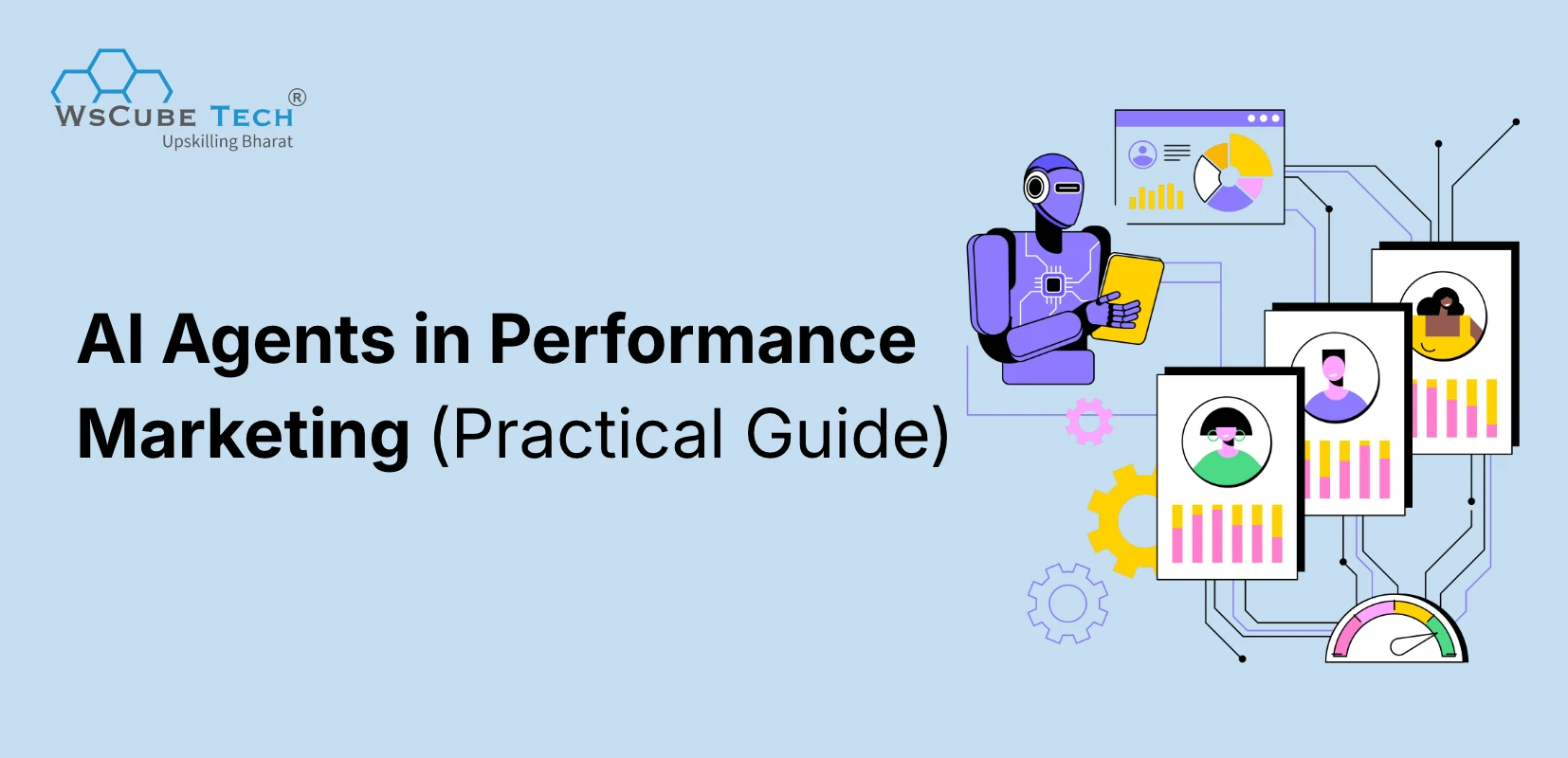
Ask a chatbot, “Why did my CPA jump yesterday?” and you get a guess. Connect the same assistant to your ad account, and it can actually check. That’s the gap between AI that talks about ads and an AI agent that works inside them. It’s also why so many marketers are asking what AI agents in performance marketing really do, and what they shouldn’t be trusted with.
We’ve kept this guide practical. It separates what the platforms document from what vendors claim, shows where agents help and where they go wrong, and gives you a safe way to start.
For the broader list of AI tools across the marketing mix, see our guide to AI tools for digital marketing.
Key Takeaways
- Agents act, not just answer. AI agents in performance marketing diagnose changes, recommend bid, budget and creative moves, and can act in your account if allowed.
- Start with limited autonomy. Begin read-only, then move to suggestions and approved actions, with a person signing off on budget, targeting and new ads.
- Fix tracking first. Agents optimize only what they can measure, so reconcile platform conversions with real orders and CRM data before automating.
- Match tools to need and budget. Platform agents plus an MCP-connected assistant often suffice. Add a specialist tool only for a clear bottleneck it can pay for.
- Humans own judgment. Strategy, offers, compliance and attribution need a person. Set budget caps, keep a change log and know the off switch.
Recommended Professional Certificates
AI-Powered Digital Marketing Course
Performance Marketing Bootcamp
SEO Specialist Bootcamp
What Do AI Agents Do in Performance Marketing?
AI agents in performance marketing read your campaign data, work out what changed and why, recommend changes to bids, budgets and creatives, and, if you allow it, make approved changes inside the ad account.
So what exactly does an AI agent do? It does the checking-and-adjusting repetitive work every day, aimed at a goal you set, like “get 40 qualified leads this month for under ₹1,200 each”. That’s what AI agents are used for in performance marketing at its simplest.
1. Reading Campaign Data and Diagnosing Performance Changes
This is where most agents start, because it’s safe. An AI agent pulls numbers from your ad accounts, analytics, and sometimes your CRM, then explains what moved.
Take a store whose CPA rises from ₹600 to ₹750. The AI agent reports it and breaks it down:
- Checks the pieces: CPA is CPC divided by conversion rate, so it looks at both.
- Finds the cause: CPC stayed at ₹15, but conversion rate fell from 2.5% to 2%.
- Points to where to look: the problem is after the click, so check the landing page and checkout.
Remember that this is a diagnosis, not proof. The AI agent is working from the data it can see, which may have tracking gaps.
2. Recommending Budget, Bid and Creative Changes
Next, the AI agent suggests what to do about it. A person still decides.
| Recommendation | Example | What you check |
| Move budget | Shift ₹5,000 a day from a campaign with ROAS 1.8 to one with ROAS 3.1 | Is the better campaign able to absorb more spend? |
| Change a bid target | Loosen target CPA slightly to get more volume | Can your margins handle it? |
| Refresh creative | Replace an ad whose frequency has risen while CTR has fallen | Does the new ad make accurate claims? |
| Pause waste | Stop an ad set that spent ₹2,000 with no conversions | Is that a tracking problem, not a bad ad? |
Good agents explain why they recommend something. If one can’t, treat that as a warning.
3. Executing Approved Changes Inside the Ad Account
The last step is to act. Agents connect to ad accounts through APIs or MCP connectors, which let an AI assistant read and change an account. Here’s what the platforms say today:
- Meta: Launched its ads AI connectors in beta on 29 April 2026, so assistants such as ChatGPT and Claude can create and edit campaigns. Meta says every action needs the advertiser’s approval, and in July 2026 it added rules that let account owners limit what agents can do.
- Google: Its official Google Ads MCP server is open source and mainly reads account data. Google has also introduced in-product agents, such as Ask Advisor, in beta.
These products change quickly, so check Meta’s and Google’s help pages for current details.
It helps to think in levels of autonomy:
| Level | What the agent can do | Good for |
| 1. Read-only | Reads data and answers questions | Everyone starting out |
| 2. Suggest | Recommends changes, and you apply them | Building trust |
| 3. Act with approval | Prepares changes and waits for your OK | Most teams once tracking is clean |
| 4. Act within limits | Makes changes alone, inside caps you set | Only for low-risk tasks, with audits |
Most teams should stay at levels 1 to 3.
How Are AI Agents Different from Traditional Marketing Automation?
Traditional marketing automation reacts when one number crosses a line you drew, like pausing any ad set that spends ₹1,500 with no purchases. An AI agent looks at several numbers together, weighs them against a goal, such as 40 qualified leads this month under ₹1,200 each, and chooses what to check or try next. A rule does exactly what you wrote. An agent decides how to pursue the goal, which is both its strength and its risk.
Rule-Based Automation vs Goal-Driven Agents
| Metrics | Rule-based automation | AI agent |
| What you tell it | An exact instruction: “If this happens, do that” | A goal, such as “get leads for under ₹1,200 each”, plus limits on what it may do |
| What it looks at | Only the one number in your rule | Many things together: spend, clicks, sales, ads and even your CRM |
| When something unexpected happens | Nothing, because no rule covers it | It tries to work out what’s going on, and it can get it wrong |
| Can you see why it acted? | Yes, you wrote the rule | Not always, so ask it to explain |
| What can go wrong | The rule is too strict or out of date | It aims at the wrong target, or guesses wrong |
| Same situation: an ad set has spent ₹1,500 with no sales | Pauses it, every time | Checks whether tracking is working and whether other ad sets look the same, then suggests pausing it or fixing the tracking first |
In short: a rule does exactly what you tell it, while an AI agent works toward your goal and decides how to get there.
Smart Bidding vs AI Agents: Where Platform Automation Ends
Smart Bidding is machine learning that sets your bid for each auction to hit a goal, like target CPA or ROAS. It’s a very good tool for that one job. But Smart Bidding, and platform automation like Performance Max, AI Max and Advantage+, stops at the platform’s edge. AI agent doesn’t:
- Decide how to split budget between Google and Meta.
- Notice that your landing page broke last night.
- Know that a lead from one campaign is worth more than a lead from another, unless you feed it that value.
- Question whether the goal itself is right.
Platform automation also optimizes for the conversions the platform can see and reports. If you’re new to Google’s side, our Google Ads guide covers the basics
What Are the Core Use Cases of AI Agents in Performance Marketing?
The core tasks AI agents automate are bid and budget optimization, creative testing and fatigue detection, audience segmentation, search term and negative keyword management, reporting and anomaly detection, and lead quality scoring. Understand them ahead:
1. Bid and Budget Optimization
The agent watches CPA and ROAS by campaign and channel, then recommends or makes shifts. Unlike Smart Bidding, which adjusts bids inside one campaign, it can move money between campaigns and platforms, always measured against your break-even ROAS and a daily limit on how much it may move.
- In practice: A home-décor store spends ₹40,000 a day on Meta and Google. Every morning the agent reads both accounts and sees that Meta brings back ₹1.60 for every ₹1 spent, while Google Shopping brings back ₹3.40. The store needs at least ₹2.50 to break even. The agent proposes moving ₹6,000 a day from Meta to Google, the owner approves, and the agent checks again after three days. If Google’s return starts to fall, it suggests reversing the move.
2. Ad Creative Testing and Fatigue Detection
Ads wear out. An AI agent tracks CTR and frequency, flags when an ad is tiring, and drafts replacement angles for a person to approve.
- In practice: A skincare brand’s best video has run for five weeks. The agent notices that people have now seen it about four times on average and fewer of them click. It drafts three new openings, such as a before-and-after, an ingredient explainer and a customer question, and saves them in the account as paused drafts. The team approves two, the agent launches them as a small test, and a week later it reports which one beat the old video.
3. Audience Targeting and Segmentation
With your customer data, the AI agent builds segments the platforms can’t guess on their own and suggests who to target or exclude. Platforms already handle broad targeting well, so the agent’s job is to give them better signals. Follow the consent and privacy rules that apply to you when you use customer data.
- In practice: A fashion brand connects its store and ad accounts. The agent reads the order data and finds that customers who bought twice within 90 days spend noticeably more than one-time buyers. It proposes two things: use those repeat buyers as the starting group for finding similar new customers, and stop showing new-customer ads to people who bought in the last 30 days.
4. Search Term and Negative Keyword Management
This is one of the most practical uses. An agent reads the search terms report, spots queries that waste money, and proposes negative keywords. It matters more now, because Google says AI Max for Search can reach searches beyond your keyword list, so the queries you pay for grow. Review the proposals before you apply them.
- In practice: A shoe brand’s AI agent reads last week’s search terms every Monday. It sorts what people typed into three piles: clearly wasted money (“free running shoes”, “shoe repair near me”), fine, and unsure (“cheap running shoes”). It proposes blocking the first pile and asks a person about the third, since those searchers might still buy. Once approved, it adds the blocks and notes the change in a log.
5. Reporting, Anomaly Detection and Performance Diagnosis
An AI agent checks accounts every day, which a person rarely does, and catches spend spikes, broken tags and a creeping CPA. It also drafts the weekly report, but you still check the numbers at the source.
- In practice: An online course seller’s purchases suddenly drop to zero overnight while ad spend carries on. The agent checks whether the tracking is still sending purchases, finds none since a checkout update, and alerts the team within hours. It suggests pausing spend until the tag is fixed, which a person approves. The campaign itself was never the problem, and the team saved a day of wasted budget.
6. Lead Quality Scoring and CRM Feedback Loops
For lead generation, the cheapest leads aren’t always the best. An agent connected to your CRM sees which campaigns produce leads that become customers and ranks sources by quality. You can also send those outcomes back to the ad platform, so its own AI learns to find more people like your best leads.
- In practice: A home-interiors company runs two campaigns. Campaign A gets leads for ₹250 each, but only 1 in 4 is a serious buyer, so a good lead costs ₹1,000. Campaign B costs ₹400 per lead, but 6 in 10 are serious, so a good lead costs about ₹667. The agent joins the ad data with the CRM, recommends moving budget to Campaign B, and, once approved, sends the “serious buyer” results back to the ad platform so it learns to find more of them.
Few tools cover all six of these, and most are strongest in two or three. The tools section later in this guide shows how to match a tool to the use case you care about most.

What Types of AI Agents are Used in Performance Marketing?
AI agents used in performance marketing fall into four types: agents built into the ad platforms, analysis copilots that answer questions about your data, custom workflow agents you set up yourself, and specialist agent teams.
1. Platform-Native AI Agents (Google AI Max, Meta Advantage+)
These are the agents you already have. Google’s AI Max for Search reaches queries beyond your keyword list, and Google announced at Marketing Live 2026 that it’s expanding to Shopping and Travel.
On Meta, Advantage+ campaigns choose audiences, placements, and creative combinations for you. They cost nothing beyond ad spend, but they have three limits.
- Evaluating only their own platform.
- Optimizing the conversions that platform counts.
- The performance figures come from the platform itself, as averages across advertisers, not a promise for your account.
2. Analysis Copilots vs Action AI Agents
Ask one question of any tool: can it only answer, or can it change the account? This is the same line as the autonomy levels earlier in this guide.
| Aspect | Analysis copilot | Action agent |
| Does | Reads data, explains changes, drafts reports | Edits budgets, pauses ads, launches tests |
| Autonomy level | 1 to 2 | 3 to 4 |
| Examples | Triple Whale’s Moby, Segwise, Pencil | Madgicx, Birch, Optmyzr, AdCreative.ai |
Many tools do both. Where they do, switch the action mode off at first.
3. Custom Workflow AI Agents
A custom workflow agent is one you assemble for a specific routine. You connect an assistant such as Claude or ChatGPT to your ad data through MCP or a reporting tool, then give it a written task and a schedule, often through an automation tool like n8n or Zapier.
Example: A kitchenware brand sets one instruction: “Every Monday, list last week’s search terms that spent over ₹500 with no sale, with a reason for each.” The list lands in Slack. The agent can’t change anything. A person decides what to block.
4. Specialist AI Agent Teams for Ad Operations
Some setups give each AI agent one job: an analyst that flags changes, a creative agent that drafts new angles, a guardrail checker that tests proposed changes against your caps and brand rules, and a reporter. A person approves at each checkpoint.
Most small teams don’t need this. Every extra agent is another place for a mistake to pass unnoticed, and each handoff can lose context. Get one agent working well before adding a second.
What are the Best AI Agents and Tools for Performance Marketing?
The best AI agent for performance marketing depends on your channel, budget, and goal. For most teams, the sensible order is: use the agent inside the platform where most of your spend goes, add an assistant connected through MCP for cross-channel questions, and buy a specialist tool only when you have a clear bottleneck such as creative testing or reporting.
1. Agents Built into Ad Platforms
| Agent | Platform | What it does |
| AI Max for Search | Reaches searches beyond your keyword list | |
| Performance Max | Automates delivery across Google’s channels | |
| Ask Advisor | Cross-product agent for questions and recommendations (beta) | |
| Advantage+ | Meta | Automates audiences, placements and creative |
These are the right baseline. Use their guardrails (negative keywords, brand controls) and compare their reported results with your store or CRM data.
2. Cross-Channel Bid and Budget Automation Tools
| Tool | Best known for | Fit |
| Optmyzr | Google and Microsoft Ads rules, scripts, AI recommendations | PPC specialists, agencies |
| Birch (formerly Revealbot) | Hand-written automation rules | Teams wanting control over rules |
| Madgicx | Meta optimization (one channel only) | Meta-heavy D2C brands |
| Smartly.io, Skai | Enterprise budget and creative automation | Large brands, quote-based pricing |
Entry plans for the PPC tools generally start in the low hundreds of dollars a month. Enterprise platforms are sold by quote and rarely suit small Indian advertisers.
3. Creative Analysis and Ad Generation Tools
- Motion and Segwise: show which ads and hooks perform, and alert you to fatigue.
- AdCreative.ai and Pencil: generate or score creatives.
- Google’s Asset Studio and Meta’s creative tools: generate assets inside the platforms.
The risk is volume. Generating 50 ads takes minutes, but checking them for accurate claims and brand fit takes much longer. Keep a person as the approver.
4. Reporting and Analytics Agents
| Tool | What it does | Watch for |
| Supermetrics | Pulls ad and analytics data into one place, with an MCP server | Moves data, isn’t an attribution tool |
| Triple Whale (Moby) | Ecommerce analytics, attribution, AI assistant | Built around Shopify-style stores |
| Northbeam | Ecommerce attribution | Larger budgets, custom pricing |
| GA4 | Free web analytics | Needs setup and careful reading |
If you sell with cash on delivery, check how each tool counts COD orders, since many reports handle only prepaid purchases cleanly.
How to Choose the Right Tool for Your Goal and Budget?
Start from the job, not the tool:
| Biggest need | Start with | Add later |
| Bid and budget optimization | Platform agents | Optmyzr or Birch |
| Creative testing and fatigue | Creative analytics tool | Generation tools, with approval |
| Audience targeting | Platform agents plus customer data | Custom workflow agent |
| Search terms and negatives | MCP-connected assistant | PPC tool with rules |
| Reporting and anomalies | Supermetrics or MCP assistant | Scheduled workflow agent |
| Lead quality and CRM loops | CRM’s ad integrations | Custom agent joining ad and CRM data |
Then check cost against what the tool can recover. A $250 plan comes to roughly ₹20,000 a month before GST. On a ₹2 lakh budget with about 5% waste, it can’t pay for itself. On ₹20 lakh, it easily can. Below roughly ₹5 lakh a month, platform agents plus an MCP assistant are usually enough. Whatever you pick, make sure it fits your stack and that you can switch off its ability to make changes.
How to Build an AI Agent Workflow for Performance Marketing?
To build an AI agent workflow, fix your tracking first, write down your goal and decision rules, connect accounts with limited access, run the agent read-only before letting it act, set caps and approval steps, and audit its decisions on a schedule. This is how to implement AI agents without handing over control early: add one task at a time, each with a limit and a check.
1. Fix Tracking and Conversion Data First
An agent optimizes what it can measure, so bad tracking just produces faster wrong decisions. Before connecting anything:
- Compare platform conversions with real orders. A gap of a few percent is normal. 30% needs fixing.
- Use server-side signals such as Meta’s Conversions API and Google’s enhanced conversions, and make sure sales aren’t double counted.
- Track the outcome that matters. For lead generation, import qualified leads or sales from your CRM, not just form fills.
- Name campaigns and UTMs consistently.
If you use customer data, follow the consent rules that apply to you, including India’s data protection law.
2. Define Goals, KPIs and Decision Rules
Before the agent does anything, write down what success means and what it’s allowed to do about it. Without that, it will guess. Our guide to digital marketing KPIs helps you pick the right numbers.
- One clear goal like 40 qualified leads this month under ₹1,200 each.
- Set a break-even point such as the ROAS you need so you don’t lose money, which is 1 divided by your margin. A 40% margin means 2.5.
- Keep a rule for each decision. For example, if an ad set spends ₹1,500 with no purchases, the agent flags it and pauses it only after tracking is confirmed.
3. Connect Ad Accounts and Data Sources
Give the agent the least access it needs to do its job, and no more. A broad connection is quick to set up and hard to undo, so connect small and widen later.
- Use official connectors
- Give it its own limited role
- Read the privacy terms
- Leave out sensitive fields
4. Start with Read-Only Tasks, Then Move to Approved Actions
Let the agent earn control one step at a time. Each level should prove itself before you move to the next, and many teams never need the last one. A sensible timeline looks like this, though your own pace may differ.
- Weeks 1 to 2, read-only: move on once its numbers match your dashboards.
- Weeks 3 to 4, suggest: move on once most of its suggestions are ones you’d have made yourself.
- Week 5 onward, act with approval: move on once the approved changes beat your baseline.
- Later, act within limits: only after you’ve audited it for several weeks, and only for low-risk tasks.
5. Set Budget Caps, Approval Checkpoints and Brand Rules
Set limits where the agent can’t override them:
- Hard caps in the platform: daily budgets and, on Meta, the account spending limit.
- Permission controls: Meta added rules in July 2026 that let account owners limit what connected agents can do. Open the AI connector settings and check what’s switched on, because some reports say certain sensitive actions were allowed by default.
- Approval steps: anything touching budget, targeting or new ads waits for a person.
- Written brand rules: banned claims, disclaimers, offer terms, tone, and category rules such as ASCI guidelines.
6. Monitor and Audit Agent Decisions
Once the agent is running, your job is to keep checking its work. A written log and a quick way to switch it off keep a small mistake from becoming a costly one.
- Keep a change log: what the agent proposed, why, who approved it and what happened.
- Review it weekly at first: look for changes that didn’t work and anything that surprised you.
- Know the off switch: revoke its access in Meta Business settings or Google Ads.
- Re-check tracking after site changes: a checkout or website update is when agents most often act on bad data.
Upcoming Masterclass
Attend our live classes led by experienced and desiccated instructors of Wscube Tech.



How to Measure the Success and ROI of AI Agents in Performance Marketing?
Measure an AI agent's performance by comparing campaign results before and after automation. Track improvements in acquisition costs, revenue, lead quality, wasted ad spend, and the time saved on campaign management.
1. Compare Results Before and After Automation
Record 4–6 weeks of campaign performance before deploying an AI agent. Use the same period after deployment to compare results.
| Metric | Before AI Agent | After AI Agent |
| CPA | ₹750 | ₹690 |
| ROAS | 2.8 | 3.1 |
| Wasted Spend | 9% | 5% |
| Weekly Management Hours | 8 | 3 |
Illustrative figures, not industry benchmarks.
Keep campaign budgets, targeting, and seasonal conditions in mind while comparing results. This gives you a clearer picture of the agent's actual contribution.
2. Track the Right Performance Metrics
Focus on metrics that connect the agent's activity with business outcomes.
| Metric | What It Measures |
| CPA | Cost of acquiring a customer or lead |
| ROAS | Revenue generated per rupee of ad spend |
| Cost per Qualified Lead | Cost of leads that meet your business criteria |
| Lead-to-Sale Rate | Percentage of leads that become customers |
| Wasted Ad Spend | Budget spent without generating conversions |
| Time Saved | Reduction in manual campaign management work |
3. Verify ROI With Independent Data
Do not rely entirely on Meta Ads or Google Ads reports to measure an agent's success. Compare platform-reported conversions with actual purchases in your CRM, e-commerce store, or sales records.
For example, Meta might report ₹17 lakh in revenue against ₹5 lakh in ad spend, while your store records show only ₹11 lakh in attributable sales. The difference affects your actual ROAS and profitability.
Use CRM and sales data alongside advertising reports to verify whether the agent is generating valuable conversions, not just improving platform-reported numbers. ROAS isn't profit. For the full picture, work out digital marketing ROI after product cost, returns and agent or tool fees.
Challenges of AI Agents in Performance Marketing (And How to Solve Them)
AI agents bring automation and speed to performance marketing, but their effectiveness depends on accurate data, clear campaign goals, budget controls, and human oversight. Here are the common challenges and their solutions.
1. Wrong Campaign Optimization
An AI agent focuses on the target it receives, even when that target doesn't reflect business priorities. For example, an agent targeting a lower CPA might prioritize cheap leads that rarely convert into customers.
Solution: Set goals around qualified leads, new-customer revenue, and actual sales instead of focusing only on clicks or acquisition costs.
2. Poor Data Quality and Tracking Gaps
AI agents depend on accurate data to make decisions. Missing COD orders, untracked WhatsApp leads, and offline sales create gaps that affect campaign optimization.
Solution: Reconcile advertising data with CRM, e-commerce, and sales records before relying on agent recommendations.
3. Uncontrolled Ad Spending
An agent might increase campaign budgets based on early results without accounting for declining returns at higher spending levels.
Solution: Set daily budget limits, account spending caps, and approval requirements for major budget changes.
4. Inconsistent AI-Generated Creatives
AI-generated ads sometimes contain incorrect claims, inconsistent brand messaging, or offers that don't match the actual campaign.
Solution: Require human approval before publishing creatives, particularly for sensitive industries such as healthcare, finance, and education.
Ultimately, AI agents deliver better results when automation works within clear goals, reliable data, and human oversight.
Digital Marketing Learning Guides
| Digital Marketing Roadmap | How to Learn Digital Marketing |
| Digital Marketing Course Syllabus | Best Digital Marketing Books |
| Digital Marketing Course Eligibility | Digital Marketing Learning Time |
Which Performance Marketing Decisions Still Need a Human?
No, AI agents can't completely replace a human performance marketing manager. They take over the repetitive checking and adjusting, while people keep strategy, offers, budget approval, brand and compliance judgment, and the reading of measurements.
The job shifts from clicking through dashboards to setting goals, reviewing proposals and deciding what the numbers mean. For a wider view across the whole field, see our take on whether AI will replace digital marketers.
1. Strategy, Offers and Budget Approval
An agent doesn't know your stock levels, your margin changes, a supplier delay or next month's launch. It also can't decide what to sell, at what price, or how much to risk.
In practice: An agent recommends scaling a bestselling pressure cooker because ROAS is strong. The owner knows only 200 units are left and the next batch is 10 days away, so she holds the budget. The data was correct, and the context was something only she had.
2. Brand, Compliance and Creative Judgment
People should review anything that speaks for the brand: claims, disclaimers, tone, regional and festive sensitivity, and ad rules in your category. Data use needs a person too. Under India's DPDP Rules, which were notified in November 2025, advertisers uploading customer lists into tools such as Meta Custom Audiences or Google Customer Match need a lawful basis, typically verifiable consent.
Commentators also note that the rules restrict targeted advertising to people under 18, which matters for education and gaming advertisers. Confirm the details with a legal adviser.
3. Measurement and Attribution Interpretation
An agent can report numbers, but deciding which numbers to believe is a human call. When Meta, Google and your store disagree, a person decides which source wins, whether a test shows real lift, and when a result is just noise. This is also where experience pays off most.
What Does the Future of AI Agents in Performance Marketing Look Like?
AI agents are moving performance marketing towards autonomous campaign execution, connected advertising systems, and more intelligent decision-making. The next phase will change how marketers plan campaigns, allocate budgets, optimize ads, and measure business outcomes.
End-to-End Campaign Management
AI agents will move beyond individual marketing tasks to managing complete campaign workflows.
- Campaign Planning: Agents will translate business goals into campaign strategies, audience segments, channel selections, and budgets.
- Campaign Execution: Agents will handle campaign setup, targeting, bidding, and budget allocation across advertising platforms.
- Continuous Optimization: Agents will monitor performance and adjust campaigns based on changing audience behavior and business goals.
- Cross-Platform Management: Integrations through protocols such as MCP will connect agents with advertising platforms and marketing tools.
Agent-to-Agent Advertising and Media Buying
AI agents will increasingly interact with other agents to automate advertising transactions between advertisers, agencies, and publishers.
- Automated Media Buying: Advertisers' agents will discover available ad inventory, evaluate placements, negotiate deals, and execute media purchases.
- Direct Agent Communication: Standards such as IAB Tech Lab's AAMP will support communication between independent buying and selling agents.
- Faster Transactions: Automated negotiations and deal execution will reduce manual coordination between advertisers and publishers.
- Greater Interoperability: Common protocols will connect agents across different advertising platforms and technology providers.
Predictive Optimization and Personalized Advertising
AI agents will become more proactive in predicting campaign performance and adapting advertising to individual customer behavior.
- Predictive Budget Allocation: Agents will forecast campaign performance and distribute budgets towards channels and audiences with stronger expected returns.
- Real-Time Personalization: Agents will adapt ad messaging, creatives, and offers based on customer interests and behavior.
- Predictive Audience Targeting: Agents will identify potential customers using behavioral patterns, purchase signals, and first-party data.
- Automated Creative Testing: Agents will generate, test, and select creative variations based on campaign performance.
Human Marketers Moving Towards Strategic Control
As AI agents take over more campaign execution tasks, performance marketers will spend less time on manual operations and more time on strategy and decision-making.
- Strategy Development: Marketers will define business objectives, campaign priorities, and performance targets.
- Agent Supervision: They will review agent decisions, approve sensitive changes, and manage automation permissions.
- Performance Evaluation: They will assess business outcomes, lead quality, profitability, and incremental revenue.
- Creative and Business Decisions: Human expertise will remain important for brand positioning, customer understanding, and marketing strategy.
The future of performance marketing will center on human-led strategy and AI-led execution, with marketers responsible for directing, evaluating, and improving autonomous campaigns.
Conclusion
AI agents are changing how performance marketing works. From managing campaigns and optimizing budgets to analyzing results, they take care of tasks that once demanded hours of manual work. But don't mistake automation for a magic button.
AI agents still need clear goals, accurate data, and human supervision to deliver results. The real advantage lies in knowing what to delegate to AI and what needs your judgment. So, whether you're learning performance marketing or managing campaigns, understanding AI agents is no longer just an added skill. It's becoming part of the job.
If you want to build the underlying skills (campaign setup, tracking and analysis) before adding agents, WsCube Tech's online performance marketing course covers them.

FAQs About AI Agents in Performance Marketing
No. Generative AI creates content like ad copy or images when prompted. Agentic AI marketing tools go further, pulling data, running checks and making changes toward a goal, often using generative AI as one component.
MCP (Model Context Protocol) is an open standard that lets an AI assistant connect to external tools. For advertisers, it means the assistant can query your ad account directly, and its permissions decide whether it can only read or also edit.
Not on their own. They can analyze pasted data and draft copy or reports. To work inside your account, they need a connector, and they work best as analysts with you approving changes.
They can help, but gains are smaller because there’s little data to learn from. Small advertisers benefit most from free reporting, anomaly-spotting and search-term review tasks, not paid automation tools.
Not necessarily. No-code automation tools and chat assistants with connectors can run scheduled, read-only agents from plain-language instructions. Coding helps for custom data joins or tighter permission control.
Costs come from model usage fees, automation or connector subscriptions, and your setup and review time. Simple weekly-report agents are cheap, so start with one narrow task and track usage.
Time savings often appear within weeks. Performance gains take longer, usually a full conversion cycle or more, before you can separate the agent’s impact from normal fluctuation.
Yes. It can misread a table, mix up date ranges or state figures too confidently. Ask it to cite the report, date range and filters, and spot-check key numbers in the platform before acting.
It’s when content the agent reads, like a web page or uploaded file, contains hidden instructions that steer its behavior. It’s a real risk if the agent can both read untrusted content and edit your account, so limit permissions and keep approval steps.
It depends on the tool. Check where data is stored, whether it trains models, who can access it and the retention policy. Share only the minimum data needed and avoid personally identifiable fields.
They can contribute. Rapid bulk edits, policy-violating ads or unusual API activity can trigger reviews. Check generated ads against platform policies and avoid sudden high-volume changes.
Yes, if store data is connected. Product-level data like margins, stock and returns helps the agent judge which products deserve spend. Without it, it only sees ad metrics and may push the wrong products.
Support varies by tool and platform. Check a tool’s supported platforms and API access level before buying, as some platforms restrict write access.
Specify the goal, the data it can use, what it may or may not do, and the output format. Include thresholds and ask it to explain its reasoning. Vague prompts like “optimize my ads” invite guesswork.
They can set up and monitor tests, but may call a winner too early. Define the metric, minimum duration and sample size in advance, and ask for confidence levels, not just the leading variant.
It can if it makes frequent or large edits, since significant changes on platforms like Meta can reset learning. Limit how often it edits a campaign and avoid stacking changes.
Join Our On-Campus Digital Marketing Program
Explore Our Free Courses



Leave a comment
Your email address will not be published. Required fields are marked *Comments (0)
No comments yet.