
Is your Instagram feed showing content you no longer care about? Are your Reels stuck on topics that do not interest you anymore? If any of these sounds familiar, you probably need to reset your Instagram algorithm.
The good news is that you can fix this. You do not need to delete your account or start from scratch. A few simple steps can help you take back control of what you see and how Instagram shows your content to others.
In this guide, you will learn exactly how to reset the Instagram algorithm, what it actually means, why it matters, and what to do after the reset to make sure things stay on track.
What is the Instagram Algorithm?
The Instagram algorithm is not a single system. It is a collection of machine-learning models that work separately for your Feed, Reels, Explore page, Stories, and Search results. Each section has its own way of deciding what to show you and what order.
It tracks every action you take, including what you like, what you skip, how long you watch a video, and who you interact with most. Over time, it builds a content experience around your habits. If you spent a lot of time watching cooking videos a year ago, it will keep showing you cooking content even if your interests have shifted completely since then.
In 2026, Instagram also moved to "Views" as the primary metric across all formats, meaning Reels, Stories, photos, and carousels are all ranked by how many times they are viewed, not just liked.
To understand the ranking signals in detail, read this complete guide on how Instagram algorithm works.
Why Should You Reset the Instagram Algorithm?
There are a few very common reasons people want to reset the Instagram algorithm:
- Your feed feels irrelevant: You are seeing posts from accounts you barely follow, topics you no longer care about, or content that is just not useful to you anymore.
- You got into a content loop: Sometimes Instagram locks you into a very narrow category of content because you accidentally engage with it at some point. Even one big binge session can skew your algorithm for months.
- You want a fresh start: Your interests have evolved. Maybe you used to follow fashion accounts and now you are more into fitness or business. Your algorithm has not caught up yet.
- Your Explore page shows completely unrelated content: The Explore tab is supposed to introduce you to new accounts that match your taste. If it is showing you content that feels random or irrelevant, that is a clear sign the algorithm has lost track of your interests.
Any of these situations is a valid reason to reset the Instagram feed algorithm and start fresh.
Recommended Professional Certificates
AI-Powered Digital Marketing Course
Performance Marketing Bootcamp
SEO Specialist Bootcamp
How to Reset the Instagram Algorithm (Step-by-Step)
Here is a clear, practical breakdown of exactly how to reset algorithm on Instagram. You do not need any third-party tools or special access. Everything can be done inside the app itself.
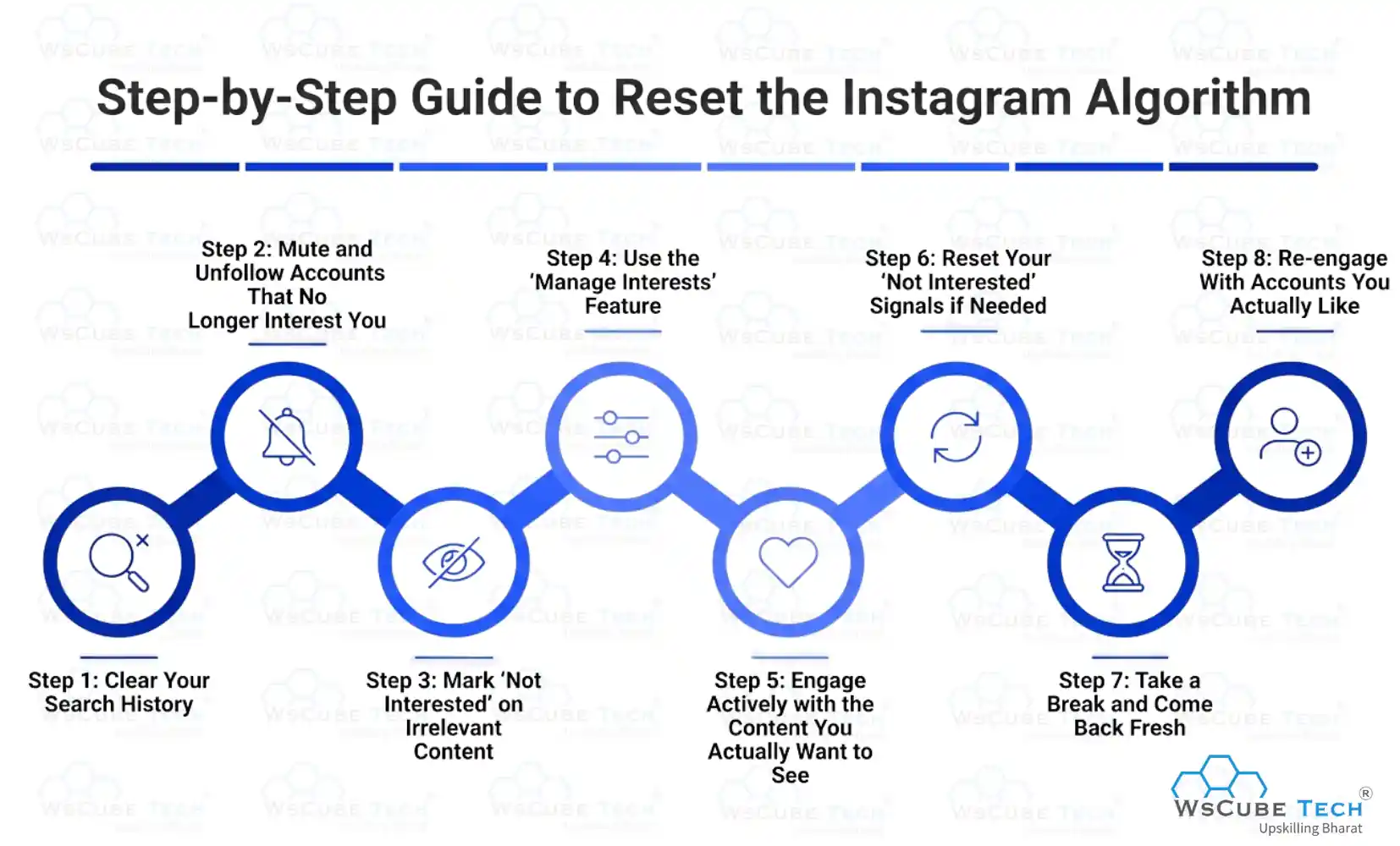
Step 1: Clear Your Search History
Your search history directly influences what Instagram suggests to you in the Explore tab and in the Suggestions section. Old searches keep feeding the algorithm outdated signals.
To clear it:
- Go to your Instagram profile
- Tap the three lines (menu) in the top right corner
- Go to Settings and Privacy
- Tap on Search History
- Tap Clear All
Once you do this, Instagram no longer has your old search data to base suggestions on. This is one of the fastest ways to begin resetting what the algorithm thinks you are interested in.
This directly addresses how to reset your search algorithm on Instagram and takes care of how to reset Instagram suggestions algorithm at the same time.
Step 2: Mute and Unfollow Accounts That No Longer Interest You
The accounts you follow have a massive impact on your feed. If you follow 500 accounts but only genuinely care about 100 of them, the algorithm gets confused signals.
Go through your following list and:
- Unfollow accounts whose content you always scroll past
- Mute accounts that are fine but not something you want to see regularly
Muting is a gentler option. The account will not know you muted them, and you stop seeing their posts. Unfollowing is stronger and sends a clearer signal to the algorithm that your interests have shifted.
This step is key when you want to reset the IG algorithm at the feed level.
Step 3: Mark "Not Interested" on Irrelevant Content
Instagram gives you a direct tool to train the algorithm. When you see a post or Reel you do not like or find irrelevant, tap the three dots on it and select "Not Interested."
Do this consistently for a few days. Each time you tap "Not Interested," you are sending a direct signal to Instagram that this type of content does not work for you. Over time, it will stop showing similar posts.
This is especially useful if you want to know how to reset Instagram reels algorithm, since Reels are driven heavily by what you engage with or dismiss.
Step 4: Use the "Manage Interests" Feature
Instagram has a built-in interests management tool that most people never use. Here is how to find it:
- Go to your profile
- Tap the menu (three lines)
- Go to Settings and Privacy
- Tap Ads
- Select Ad Interests or Ad Topics
While this is technically for ads, adjusting your ad interests also influences the kind of content Instagram thinks you want to see. Remove categories that no longer apply to you and you will notice a shift in your feed over time.
This approach works well for how to reset my Instagram algorithm without doing anything drastic.
Step 5: Engage Actively with the Content You Actually Want to See
This is one of the most powerful steps. The algorithm learns from what you do, so you need to show what you want.
- Like posts from accounts, you enjoy
- Save posts that are relevant to your interests
- Leave comments on content you find valuable
- Watch Reels fully that align with your niche or interest
Even spending 10 to 15 minutes each day intentionally engaging with content you want to see more of can shift your algorithm noticeably within a week. You can also explore trending Instagram hashtags to discover fresh content and help Instagram better understand your current interests.
Step 6: Reset Your "Not Interested" Signals if Needed
Did you know you can also undo your "Not Interested" signals? If you think you accidentally dismissed too many categories and now your feed is too narrow, here is how to reset:
- Go to Settings and Privacy
- Tap Content Preferences or Suggested Content
- Review and adjust the categories
This gives you more control over how to reset my Instagram explore algorithm so that the Explore tab starts showing a better variety of content.
Step 7: Take a Break and Come Back Fresh
This sounds simple, but it works. If you stop using Instagram for 5 to 7 days, the algorithm loses strong recent signals about your behavior. When you come back and start engaging with new content, it builds a fresh picture of your interests.
This is certainly for personal accounts; a short break combined with intentional engagement when you return can noticeably improve your feed.
Step 8: Re-engage With Accounts You Actually Like
After clearing out the noise, go back to the accounts you genuinely enjoy and interact with them on purpose. Like their recent posts, leave a real comment, reply to their Stories, and save posts you find valuable. This is not about gaming the system. It is about giving Instagram accurate data so it can serve you better.
When you engage meaningfully with specific accounts, Instagram learns that those accounts matter to you. It then shows you more of their content and recommends similar accounts in your Explore tab and Suggestions.
This step is often overlooked, but it is one of the most important parts of resetting the Instagram algorithm. The reset is not just about removing bad signals; it is equally about building strong new ones.
Upcoming Masterclass
Attend our live classes led by experienced and desiccated instructors of Wscube Tech.





What Happens After You Reset Your Instagram Algorithm?
Many people wonder how long does it take for Instagram algorithm to reset. The honest answer is that there is no single timeline. Some users see changes within 48 hours. For others, it takes 1 to 2 weeks of consistent intentional engagement.
Here is what to expect:
- In the first few days - your feed may feel a little random or sparse. This is normal. The algorithm is recalibrating based on your new signals.
- After one week - you should start seeing more relevant content in your Explore tab and a cleaner feed with posts you actually care about.
- After two to four weeks - your Reels section should align much better with your current interests.
The key thing to remember is that the reset is not a one-time fix. It is the start of a new pattern. You need to continue engaging intentionally to keep the algorithm trained correctly going forward.
Bonus Tip: Create a New Content Pattern
For all those Instagram users who want to know the bonus tips to quickly reset IG algorithm, it’s time to consider a few tips. This will assist them in getting the content they are interested in and exploring a lot of new things.
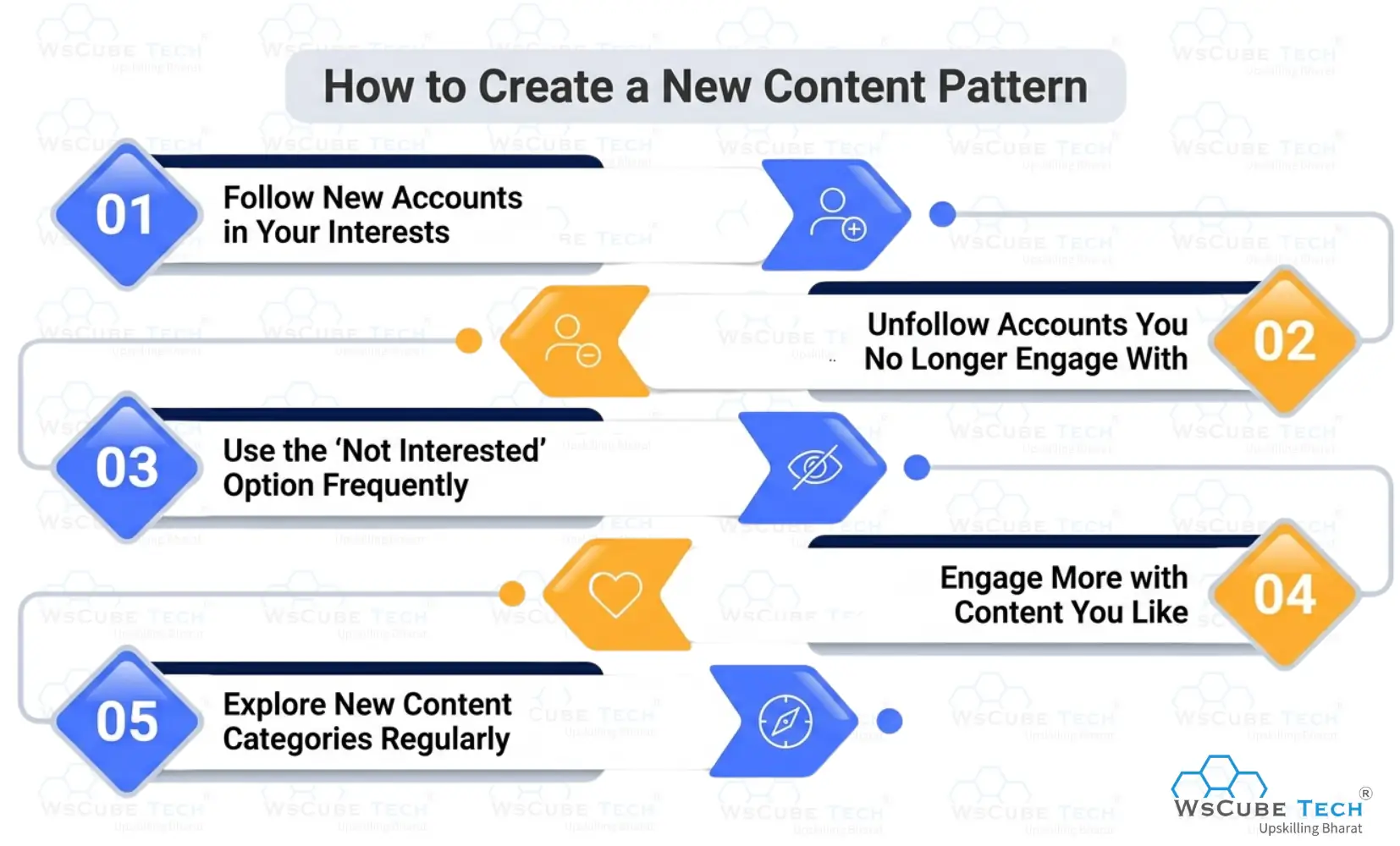
1. Follow New Accounts in Your Interests
Search for creators and topics you genuinely enjoy and follow relevant accounts to help Instagram understand your updated preferences.
2. Unfollow Accounts You No Longer Engage With
Remove accounts whose content no longer interests you. This reduces unwanted signals that influence your recommendations.
3. Use the “Not Interested” Option Frequently
Whenever irrelevant posts appear in Explore or Reels, mark them as "Not Interested" to train Instagram to show less similar content.
4. Engage More with Content You Like
Like, save, comment on, and share posts that match your interests. These actions send strong signals to Instagram's recommendation system.
5. Explore New Content Categories Regularly
Spend time discovering fresh topics, hashtags, and creators. Consistent interaction with new content helps reshape your feed and recommendations.
Read More Guides Related to Instagram
Can You Change Instagram Recommendations Permanently?
Many users wonder: can you reset Instagram algorithm settings or completely change how Instagram works for them. The answer is no, you cannot directly control or override Instagram's algorithm.
What you can do is influence it through your actions. Instagram learns from the content you watch, like, save, share, and interact with. The more consistently you engage with content you enjoy and avoid content you don't, the better your recommendations become.
It's also important to know that Instagram uses different ranking systems for Feed, Reels, Explore, Stories, and Search. That's why changing recommendations in one section may not affect others.
If you're wondering how to reset IG algorithm, there isn't a dedicated reset button. Instead, you can gradually retrain Instagram by:
- Clearing search history
- Marking irrelevant content as "Not Interested"
- Unfollowing accounts that no longer match your interests
- Engaging with content you want to see more often
Many people search for ways to reset IG algorithm, but the most effective method is consistently giving Instagram better signals over time.
Also, deleting and reinstalling the app won't help because your data is stored on Instagram's servers. Creating a new account can reset recommendations, but you'll lose your followers, engagement history, and account credibility, making it an unnecessary step for most users.
Explore Our Most Popular Marketing Courses
Quick Recap: How to Reset Instagram Feed in Minutes
Here is a fast summary of everything covered:
- Clear your Instagram Search History from Settings
- Unfollow or mute accounts that no longer match your interests
- Tap "Not Interested" on posts and Reels that are off topic for you
- Manage your ad interests inside Settings to shift content categories
- Actively engage with content that matches what you want to see more of
- Review and adjust your Suggested Content preferences
- Consider taking a short break and returning with fresh, intentional engagement
Doing all these steps together gives you the best chance of a meaningful algorithm to reset within one to two weeks.

FAQs about Resetting Instagram Algorithm
Go to your Settings and clear your Search History. Then unfollow irrelevant accounts, tap "Not Interested" on content that does not match your interests, and start engaging consistently with content you care about. There is no single button, but these steps together effectively retrain the algorithm.
You can reset Instagram suggestions by clearing your search history, marking unwanted content as “Not Interested,” and engaging more with content you actually like. This helps Instagram understand your new interests and improve recommendations.
To reset your Instagram Explore algorithm, avoid interacting with irrelevant posts and start liking, saving, and watching content related to your interests. Over time, Instagram updates your Explore feed based on your activity.
Most users notice changes within 48 to 72 hours for small adjustments. A full reset, where your feed and Explore tab feel genuinely fresh and relevant, typically takes one to two weeks of intentional engagement. The more actively you apply the steps in this guide, the faster you will see results.
Yes, but not through a single setting. The most effective approach combines clearing your search history, muting or unfollowing irrelevant accounts, using the "Not Interested" feature, and actively engaging with content you want to see more of.
Absolutely. You do not need to unfollow everyone. Muting accounts you do not want to see, clearing your search history, and using the "Not Interested" button are all ways to reset your algorithm without losing a single follower.
No. Deleting the app only removes it from your device. Your account data, including your engagement history and content preferences, is stored on Instagram's servers. When you log back in, everything is exactly as you left it. The only real way to reset your algorithm is through the behavioral steps covered in this guide.
Not directly, but you can target specific surfaces. For Reels, focus on using the "Not Interested" option on videos you skip and fully watch Reels you enjoy. For Explore, clearing your search history and muting irrelevant accounts will have the most impact. Consistently doing both will improve all areas over time.
Yes, resetting or retraining the algorithm through normal Instagram settings and engagement behavior is completely safe.
Join Our On-Campus Digital Marketing Program
Explore Our Free Courses






Leave a comment
Your email address will not be published. Required fields are marked *Comments (0)
No comments yet.